
Nuxt.js and Remix: A Comparison of Their Learning Curves, Instead of Next.js

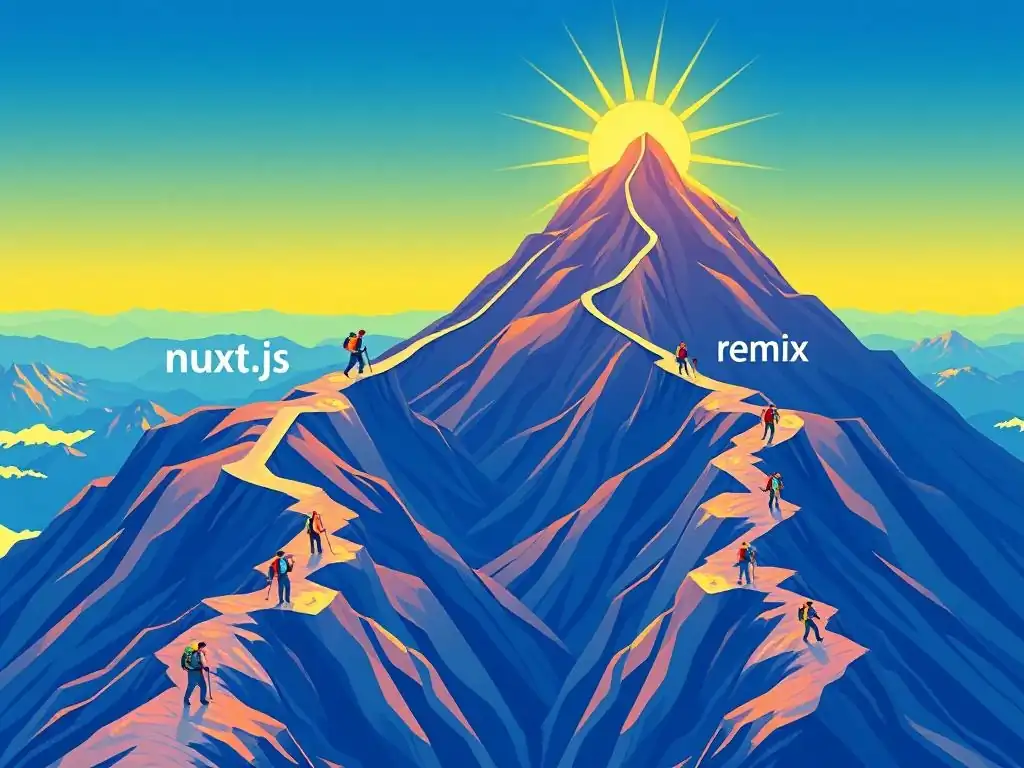
Ready to unlock the power of JavaScript and build amazing applications? Dive into the world of full-stack development with LearnJavaScriptQuickly. We're cutting through the noise, and today we're tackling a crucial question for aspiring developers: which framework offers a gentler learning curve—Nuxt.js or Remix? Forget Next.js for a moment; this in-depth comparison will help you choose the perfect path to mastering modern frameworks. Let's explore the Nuxt.js vs Remix learning curve and discover which one best suits your journey!
- Introduction: Exploring Nuxt.js and Remix for JavaScript Developers
- Assessing the Nuxt.js Learning Curve
- Evaluating the Remix Learning Curve
- Direct Comparison: Nuxt.js vs. Remix Learning Curve
- Conclusion: Choosing the Right Framework for Your Skill Level
-
Frequently Asked Questions
- What makes Nuxt.js and Remix different from Next.js, and why compare them instead?
- Which framework, Nuxt.js or Remix, has a gentler learning curve for beginners?
- What are the key differences in the development approaches between Nuxt.js and Remix?
- Does prior knowledge of Vue.js or React significantly impact learning Nuxt.js or Remix, respectively?
- Where can I find more resources to learn Nuxt.js and Remix after reading this comparison?
- Final Reflection: Navigating the Modern JavaScript Framework Landscape
- Unlock Your Full-Stack Potential: Master a Modern JavaScript Framework!
Introduction: Exploring Nuxt.js and Remix for JavaScript Developers
Choosing the right framework for your next JavaScript project can feel overwhelming. While Next.js enjoys significant popularity, its learning curve can be steep for developers, particularly those new to server-side rendering (SSR) or complex JavaScript concepts. This article delves into two compelling alternatives—Nuxt.js and Remix—comparing their learning curves and highlighting their key features to help you determine which best suits your skill level and project requirements.
We'll explore their strengths and weaknesses, focusing on how easily beginners and intermediate JavaScript developers can grasp their core concepts and effectively build applications. This comparison will focus on the ease of learning each framework, providing a valuable resource for those seeking a smoother entry into the world of SSR beyond the often-challenging Next.js.
We'll analyze their documentation, community support, and overall developer experience to help you make an informed decision. This detailed analysis of "Nuxt.js vs Remix learning curve" will equip you to choose the framework that best aligns with your needs and expertise.
Next.js Limitations and Alternatives
Next.js, while powerful, presents a steeper learning curve than some might prefer. Its extensive feature set, while beneficial for large-scale applications, can be overwhelming for beginners. Features like API routes, data fetching strategies ( getStaticProps, getStaticPaths, getServerSideProps), and its intricate routing system can require significant upfront investment in learning. This complexity can lead to frustration and slow down development, especially for smaller projects or those with limited JavaScript experience. This is where alternatives like Nuxt.js and Remix shine, offering a potentially gentler onboarding experience without sacrificing functionality. The need for simpler, more approachable alternatives is evident in the growing interest in frameworks that prioritize developer experience and ease of use. Many developers are seeking frameworks that allow them to quickly build functional applications without needing to become experts in advanced concepts immediately.
Nuxt.js vs. Remix: Feature Overview and Target Audience
Let's compare Nuxt.js and Remix side-by-side, focusing on aspects relevant to their learning curves.
| Feature | Nuxt.js | Remix | Learning Curve Impact |
|---|---|---|---|
| Routing | Vue.js-based, generally intuitive | File-system based, declarative | Easier for Nuxt.js; Remix requires adjustment |
| Data Fetching | asyncData, fetch, relatively straightforward |
Built-in loaders and actions, more integrated | Steeper initially for Remix, then more efficient |
| State Management | Vuex integration, familiar to Vue users | Built-in, less boilerplate | Easier for Remix; Nuxt.js requires Vuex learning |
| Server-Side Rendering (SSR) | Well-integrated, easy to implement | Robust, built-in, but with a different approach | Initially steeper for Remix |
| Community & Documentation | Large and active community, good documentation | Growing community, excellent documentation | Moderate for both; Remix documentation is highly regarded |
| Target Audience | Developers familiar with Vue.js, beginners welcome | Developers comfortable with React, intermediate to advanced | Nuxt.js: broader appeal; Remix: more specialized |
Nuxt.js leverages the familiarity of Vue.js, making it easier for developers already proficient in Vue to adopt. Its more traditional approach to routing and data fetching, while possibly less elegant than Remix's, can feel more intuitive for beginners. Remix, on the other hand, prioritizes a more integrated and declarative approach, which, while powerful, might require a steeper initial learning curve.
However, once mastered, Remix's approach often leads to more maintainable and efficient applications. The choice ultimately depends on your prior experience and project needs. The key takeaway is that both offer viable and less challenging paths to SSR than Next.js, catering to different skill levels and preferences.
Assessing the Nuxt.js Learning Curve
This section delves into the specifics of the Nuxt.js learning curve, providing a detailed analysis for developers considering this framework for their projects. We'll examine key aspects that contribute to its overall ease (or difficulty) of learning, focusing on practical examples and common hurdles. Remember, individual learning experiences can vary, but this analysis aims to provide a realistic expectation.
Nuxt.js Project Setup and Configuration
Setting up a Nuxt.js project is generally considered straightforward. The official documentation provides clear instructions, and the create-nuxt-app tool simplifies the process significantly. However, understanding the nuances of the nuxt.config.js file is crucial. This configuration file controls various aspects of your application, from server settings to module integrations.
For instance, configuring server-side rendering (SSR) options within nuxt.config.js might initially seem daunting. Understanding the difference between target: 'server' and target: 'static' and their implications on deployment is key. Incorrect configuration can lead to unexpected behavior, particularly when dealing with asynchronous data fetching.
Let's consider a simple example:
// nuxt.config.js
export default {
  // ... other configurations
  server: {
    port: 3000, // Port the server listens on
    host: '0.0.0.0' // Allow external access
  },
  target: 'server', // or 'static'
  // ... other configurations
}
Even a seemingly simple configuration, like specifying the server port, requires understanding its implications for deployment and local development. Mastering nuxt.config.js is fundamental to building robust and scalable Nuxt.js applications. Ignoring this crucial aspect can lead to significant debugging challenges later in the development process. Therefore, dedicating sufficient time to understand this configuration file is a vital step in the Nuxt.js learning journey.
Understanding Nuxt.js Modules and Plugins
Nuxt.js boasts a rich ecosystem of modules and plugins, extending its functionality and simplifying development. However, understanding how to effectively utilize these modules can present a learning curve. Choosing the right modules, configuring them correctly, and troubleshooting potential conflicts requires experience.
Consider the @nuxtjs/axios module, a popular choice for making HTTP requests. While easy to install, effectively using its features, such as interceptors and custom configurations, requires a grasp of both Nuxt.js's architecture and the underlying Axios library.
The following table highlights some common Nuxt.js modules and their typical learning curve:
| Module | Learning Curve Difficulty | Description |
|---|---|---|
@nuxtjs/axios |
Easy | Simplifies making HTTP requests. |
@nuxtjs/auth |
Moderate | Adds authentication features. Requires understanding of authentication strategies. |
@nuxtjs/pwa |
Moderate | Enables Progressive Web App features. |
@nuxtjs/content |
Moderate | Integrates a headless CMS. |
Successfully integrating and utilizing these modules requires more than just installation. Understanding their configuration options and how they interact with other parts of your application is key to efficiently leveraging their capabilities and avoiding common pitfalls.
Nuxt.js's routing system is largely based on Vue Router, making it relatively intuitive for developers familiar with Vue.js. However, understanding Nuxt.js's specific implementation and features, such as dynamic routing and asynchronous data fetching within routes, is crucial.
For example, fetching data within an asyncData method within a page component is a common pattern for server-side rendering. However, understanding the lifecycle hooks and how data is fetched and passed to the component requires careful attention. Misunderstanding this can lead to data fetching errors or inefficient rendering.
The following code snippet illustrates a basic example of dynamic routing and asynchronous data fetching:
// pages/user/[id].vue
export default {
  asyncData ({ params }) {
    return {
      user: await fetchUser(params.id) // Placeholder function
    }
  }
}
This seemingly simple example requires understanding how params are passed, how asyncData works, and how to handle potential errors during data fetching. Grasping these nuances is essential for building dynamic and data-driven Nuxt.js applications. Furthermore, understanding the difference between client-side and server-side navigation and their implications on performance and SEO is another important aspect of mastering Nuxt.js routing. Therefore, while the foundation is familiar to Vue.js developers, the Nuxt.js-specific implementation presents its own learning opportunities.
Data Handling in Nuxt.js: API and Database Integration
Nuxt.js offers a streamlined approach to integrating APIs and databases, making data handling relatively straightforward for developers, even beginners. Its integration with Vue.js's reactivity system simplifies the process of fetching, displaying, and updating data within your application. For API interaction, Nuxt.js provides $axios, a wrapper around the popular Axios library, allowing you to make HTTP requests with ease. This simplifies common tasks such as fetching data from REST APIs or GraphQL endpoints. The asyncData and fetch methods within Nuxt components allow for efficient data fetching on server-side rendering (SSR), enhancing the initial load time and user experience. This is a significant advantage for SEO and performance.
For database integration, Nuxt.js doesn't impose a specific ORM (Object-Relational Mapper) or database solution. This flexibility allows developers to choose the tools best suited for their project, whether it's a relational database like PostgreSQL or MySQL, or a NoSQL database like MongoDB. Typically, developers leverage a backend framework like Node.js with Express.js or similar to handle database interactions. They then use $axios or similar methods within their Nuxt components to communicate with this backend, retrieving and manipulating data seamlessly. This separation of concerns is a best practice that promotes maintainability and scalability, even as the application grows in complexity. Understanding fundamental concepts of RESTful APIs and database interactions is crucial before diving into Nuxt.js's data handling features. A solid grasp of these fundamentals will drastically reduce the learning curve. However, Nuxt.js simplifies the integration of these concepts significantly.
Advanced Nuxt.js: State Management and Serverless Functions
As your Nuxt.js application grows, managing application state efficiently becomes increasingly important. Nuxt.js integrates well with Vuex, a state management pattern and library for Vue.js. Vuex provides a centralized store for your application's data, enabling predictable state changes and easier debugging. Learning Vuex alongside Nuxt.js is highly recommended for building robust and scalable applications.
The integration is seamless, leveraging Vue.js's reactivity system to update components automatically whenever the state changes. This reduces the need for complex data flow management. Mastering Vuex will allow you to handle complex data interactions within your Nuxt.js application, and it's a skill highly valuable in larger projects.
Nuxt.js also supports serverless functions, allowing you to deploy parts of your application to serverless platforms like AWS Lambda or Google Cloud Functions. This offers significant benefits in terms of scalability and cost-effectiveness, especially for applications with fluctuating traffic. Implementing serverless functions in Nuxt.js usually involves using a framework like nuxt-serverless. This provides a structured approach to creating and deploying functions, abstracting away some of the complexities involved in serverless deployment. However, understanding the underlying principles of serverless architectures is crucial for effective utilization. This requires a more advanced understanding of backend concepts and deployment strategies. The learning curve for this aspect is steeper than other Nuxt.js features, demanding familiarity with concepts such as API Gateways and function triggers. While not essential for basic Nuxt.js applications, serverless functions become increasingly relevant as the application scales and requires more sophisticated deployment strategies.
Evaluating the Remix Learning Curve
Remix, a full-stack web framework built on React, presents a different learning curve compared to other frameworks like Next.js. While it leverages familiar React concepts, its unique approach to data fetching, routing, and form handling requires dedicated learning. This section delves into the specifics, comparing the complexity to Nuxt.js where applicable, and focusing on the aspects that may initially pose challenges for developers. The overall learning curve is considered moderate to steep, depending on prior experience with React and related concepts. Understanding the underlying principles of how Remix handles data and state management is crucial for effective development.
Setting Up a Remix Project
Setting up a Remix project involves a few key steps that can feel slightly different if you're coming from other frameworks. Instead of a complex configuration process, Remix utilizes a straightforward command-line interface (CLI) for project bootstrapping. The initial project setup is generally straightforward and well-documented. However, understanding the directory structure and the role of various files (like app/routes), especially if you're not familiar with file-based routing, might require some initial adjustment. The official documentation provides excellent examples and guides to aid in this process. One notable difference from Next.js is the absence of a pages directory; Remix uses a more functional, nested file structure within the app/routes directory to define routes and components.
For instance, creating a simple "Hello World" application in Remix involves fewer configuration steps than in Nuxt.js which sometimes requires configuring build processes and server settings. This simplicity can be a significant advantage for beginners, allowing them to focus on the core functionality rather than getting bogged down in configuration details. However, this simplicity might also mean less flexibility in advanced project setups.
Remix Data Loading and Routing
Remix's data loading strategy differs significantly from traditional approaches. It employs a system of "loaders" that fetch data during the routing process. This approach, while powerful, introduces a new paradigm that beginners need to grasp. Understanding how loaders work, including their use of async/await, is crucial for efficient data fetching. The concept of "resource routing" in Remix also warrants attention, as it allows you to define routes that load and manage data independently, enhancing code organization and maintainability. In contrast to Nuxt.js's more traditional approach to data fetching within components, Remix's loader-based system requires a shift in mindset but ultimately offers advantages in terms of data management and optimization.
The key difference lies in when and how the data is fetched. In a typical React application, data is often fetched within the component's lifecycle methods (e.g., useEffect). Remix shifts this responsibility to the loaders, which fetch data before the component renders. This "pre-rendering" approach enhances performance and user experience, but requires developers to adapt to this new workflow. The learning curve here involves understanding the nuances of loaders, handling loading states, and managing potential errors during data fetching. The use of useLoaderData hook is essential for accessing the data provided by the loaders within the components.
Form Handling and User Interactions in Remix
Remix's approach to form handling is another area where the learning curve steepens. While the framework uses standard HTML form elements, its method of handling submissions and data validation differs from other frameworks. Remix leverages its built-in Form component and useActionData hook to streamline the form submission process and handle potential errors. This system can feel quite different from the more manual form-handling approaches common in other frameworks. The use of action functions, separate from the data loaders, handles the submission logic. This separation of concerns is advantageous in the long run, but it requires a new way of thinking about form management.
For example, consider a simple login form. In a traditional React application, you would handle the form submission manually, using an event listener and potentially a third-party library for validation. Remix, on the other hand, handles much of this automatically, using its built-in Form component and useActionData hook. This simplifies the code significantly, but requires understanding the specific way Remix handles form data and validation, particularly the use of formData and its integration with the action function. This approach, while efficient, requires a shift in mindset from developers accustomed to more manual form-handling techniques. The developer needs to understand how to leverage the framework's built-in features effectively to avoid common pitfalls.
Advanced Remix: Server Actions and Error Handling
Diving into the more advanced aspects of Remix reveals a learning curve that, while steeper than the initial introduction, remains manageable. Two key areas that illustrate this are server actions and error handling. These features, while powerful, require a deeper understanding of Remix's architecture and how it handles data fetching and application state.
Understanding server actions is crucial for building robust and efficient applications. Server actions allow you to perform operations on the server before the data is sent to the client. This is particularly useful for tasks that require server-side processing, such as database interactions or complex calculations. The learning curve here involves grasping the concept of createAction and how to integrate it effectively within your application's data flow. It's not simply a matter of writing server-side code; you need to understand how Remix integrates this code seamlessly with its client-side rendering. For instance, mastering the use of useActionData on the client-side to access the results of a server action is key to building a smooth user experience. Properly handling asynchronous operations within server actions also presents a challenge, requiring a solid grasp of Promises and async/await. This is where prior experience with asynchronous JavaScript programming significantly lessens the learning curve.
Error handling in Remix is sophisticated, leveraging the framework's built-in mechanisms to gracefully manage exceptions and present informative error messages to the user. This goes beyond simply using try...catch blocks. Remix provides mechanisms to handle errors at different stages of the request lifecycle, from data fetching to server actions. The framework's approach to error boundaries and its ability to gracefully degrade during network issues requires a thorough understanding of the framework's internal mechanisms. Learning to effectively leverage Remix's built-in error handling capabilities, rather than resorting to custom error handling solutions, is essential for building robust and maintainable applications. This involves learning how to use Remix's error boundaries to catch and handle errors in a structured manner, preventing cascading failures and providing informative error messages to the user. This aspect, while initially challenging, ultimately contributes to building more reliable and user-friendly applications. The payoff in terms of application stability and maintainability makes the effort worthwhile. The documentation provided by Remix is helpful in this regard but requires careful study and experimentation to fully grasp.
Direct Comparison: Nuxt.js vs. Remix Learning Curve
This section dives deep into a direct comparison of the learning curves for Nuxt.js and Remix, focusing on key aspects that significantly impact a developer's onboarding experience. We'll analyze community support, syntax complexity, and project structure to provide a clear understanding of which framework presents a gentler learning slope for aspiring full-stack JavaScript developers. The goal is to help you choose the framework best suited to your current skill level and project requirements. Remember, the "best" framework is subjective and depends on individual preferences and project needs.
Community Support and Resources: Documentation and Online Help
A vibrant and supportive community is crucial for navigating the challenges of learning a new framework. Both Nuxt.js and Remix boast active communities, but their characteristics differ. Nuxt.js benefits from a longer history, resulting in a more extensive collection of online tutorials, blog posts, and Stack Overflow answers. Finding solutions to common problems is generally easier due to this larger knowledge base. However, this doesn't automatically translate to superior documentation. While Nuxt.js documentation is comprehensive, it can sometimes feel overwhelming for beginners due to its sheer volume.
Remix, being newer, has a smaller but rapidly growing community. Its documentation, however, is often praised for its clarity, conciseness, and well-structured approach. It's meticulously designed to guide developers through core concepts and best practices. Therefore, while you might find fewer readily available solutions online, the official documentation itself is frequently highlighted as a significant strength. This makes Remix potentially easier to learn initially, despite a smaller overall community.
| Framework | Documentation Quality | Community Size | Ease of Finding Solutions |
|---|---|---|---|
| Nuxt.js | Comprehensive, but dense | Large | High |
| Remix | Concise, well-structured | Growing rapidly | Moderate |
Syntax and Concept Complexity: A Side-by-Side Analysis
Nuxt.js, built upon Vue.js, leverages Vue's component-based architecture and reactive data binding. For developers already familiar with Vue, the transition to Nuxt.js is relatively smooth. However, newcomers might find themselves needing to learn Vue first, adding an extra layer to the learning curve. Nuxt.js also introduces its own set of concepts, such as asynchronous data fetching with asyncData and middleware, which require dedicated learning.
Remix, on the other hand, emphasizes a more conventional approach to web development. While it uses React, its core concepts are less tied to React's intricacies. It focuses on building robust applications using standard JavaScript features and HTTP concepts. This approach might feel more familiar to developers with a strong background in traditional web development, potentially making the initial learning curve less steep for them. However, understanding Remix's approach to routing and data fetching requires a grasp of fundamental web development principles.
The key difference lies in the emphasis: Nuxt.js leans towards a framework-centric approach, while Remix favors a more fundamental, web-standard approach. This impacts the learning curve depending on the developer's prior experience.
Project Structure and Maintainability
Nuxt.js projects typically follow a clear directory structure, making it relatively straightforward to navigate and understand the application's components. This structure, coupled with Vue's component-based approach, generally contributes to good maintainability, especially for smaller to medium-sized projects. However, as projects grow in complexity, managing the increasing number of components can become challenging.
Remix, with its focus on simplicity and convention, encourages a clean and organized project structure. While it might not have the same rigid structure as Nuxt.js, its emphasis on using standard web technologies often results in applications that are easier to understand and maintain, even as they scale. This approach minimizes the need for learning specialized framework-specific concepts for project organization. Therefore, long-term maintainability might be arguably easier with Remix for larger projects.
Both Nuxt.js and Remix offer distinct advantages and disadvantages regarding project structure and maintainability. The best choice depends on the project's scale and the developers' familiarity with component-based architectures versus standard web development practices.
Debugging and Troubleshooting: A Comparative Perspective
Debugging is an inevitable part of any development process, and the ease or difficulty of this process significantly impacts the overall learning curve. Nuxt.js, being built upon Vue.js, benefits from Vue.js's mature debugging ecosystem. Vue Devtools provide a powerful browser extension for inspecting components, data flow, and performance bottlenecks. This visual debugging approach can significantly ease the troubleshooting process for beginners.
Furthermore, the extensive community support for Vue.js means readily available solutions and assistance for common issues are easily found online. Nuxt.js itself adds layers of abstraction, but generally maintains good compatibility with the Vue.js debugging tools. Errors are often clearly identified, and the structured project setup helps isolate problems more efficiently than in less structured projects.
Remix, on the other hand, presents a slightly steeper learning curve when it comes to debugging. While Remix leverages browser developer tools, the use of React and its component-based architecture can sometimes make tracing issues through multiple layers of components more challenging for those less familiar with React's intricacies. The error messages, while informative, might require a deeper understanding of React's rendering lifecycle and data flow to fully interpret.
However, Remix's focus on a more streamlined, convention-based approach to development can also lead to fewer unexpected runtime errors compared to projects with more extensive custom configurations, which can indirectly improve the debugging experience in the long run. The community support for Remix is growing rapidly, but it's still smaller than Vue.js's, potentially leading to less readily available solutions for niche problems. However, the official Remix documentation is generally considered to be comprehensive and helpful.
While Nuxt.js offers a more immediately accessible debugging experience thanks to Vue Devtools and a larger community, Remix's structured approach and excellent documentation can lead to fewer debugging scenarios overall, though resolving those scenarios might demand a more profound understanding of React and its underlying principles. The best approach for a learner depends on their prior experience with React vs. Vue.js. A developer comfortable with React will likely find Remix debugging less daunting, while those more experienced with Vue.js might find Nuxt.js debugging easier initially.
Conclusion: Choosing the Right Framework for Your Skill Level
Choosing between Nuxt.js and Remix ultimately depends on your existing JavaScript skills and the specific demands of your project. Both frameworks offer powerful SSR capabilities, but their learning curves differ significantly. This comparison focuses on the ease of initial understanding and the time investment required to build functional applications. Understanding these nuances is key to selecting the framework that best suits your needs and accelerates your development process. The "Nuxt.js vs Remix learning curve" is a crucial factor in this decision-making process.
Recommendation for Beginners
For beginners with a solid grasp of fundamental JavaScript concepts but limited experience with SSR or complex frameworks, Nuxt.js generally presents a gentler learning curve. Its Vue.js integration provides a more approachable syntax and structure, allowing developers to focus on application logic rather than wrestling with intricate framework configurations. Nuxt.js's extensive documentation and large community also provide ample support for troubleshooting and finding solutions.
While Remix's declarative approach is elegant, it might feel overwhelming to newcomers unfamiliar with the intricacies of React's component lifecycle and data fetching mechanisms. The initial investment in learning Remix's unique routing and data handling paradigms might be steeper for those just starting their full-stack journey.
Framework Selection Factors: Project Scope and Developer Experience
The optimal framework choice also hinges on project scope and developer experience. For smaller projects with straightforward requirements, the relative ease of learning Nuxt.js might lead to faster development times. However, for larger, more complex applications requiring sophisticated data management and routing strategies, Remix's robust features might prove more efficient in the long run, despite its steeper initial learning curve. Experienced developers comfortable with React and its ecosystem might find Remix's architecture more intuitive and powerful, allowing them to leverage their existing knowledge to build complex features quickly. Consider the following table summarizing key considerations:
| Feature | Nuxt.js | Remix |
|---|---|---|
| Learning Curve | Gentler, especially for Vue.js users | Steeper, requires strong React knowledge |
| Ideal Project | Smaller projects, faster prototyping | Larger, complex applications |
| Best Suited For | Beginners, Vue.js developers | Experienced React developers |
| Data Fetching | Asynchronous data fetching with ease | Powerful data fetching with useLoaderData |
| Routing | Conventional routing | File-system based routing |
Experienced developers may find Remix's features a more powerful and efficient solution, especially for larger projects. The initial investment pays off in the long run with increased productivity and scalability. Conversely, for smaller projects or beginners, Nuxt.js offers a significantly smoother onboarding experience.
Further Learning Resources for Nuxt.js and Remix
To further enhance your understanding and expedite your learning process, consider exploring the official documentation and community resources available for both frameworks. Nuxt.js boasts a comprehensive official website and an active community forum, providing ample support and tutorials. Similarly, Remix offers detailed documentation and a growing community, although its resources might be slightly less extensive compared to Nuxt.js at this time.
Remember that consistent practice and building small projects are crucial for solidifying your understanding of either framework. Don't be afraid to experiment and tackle challenges; this hands-on approach is the most effective way to master Nuxt.js or Remix. The journey of learning a new framework is iterative, so embrace the process and celebrate your progress along the way 🎉.
Frequently Asked Questions
What makes Nuxt.js and Remix different from Next.js, and why compare them instead?
Next.js is a popular framework, but Nuxt.js and Remix offer distinct advantages. This comparison focuses on Nuxt.js and Remix because they both provide server-side rendering (SSR) and static site generation (SSG) capabilities, but with different approaches and learning curves. We want to help you choose the best fit for your project.
Which framework, Nuxt.js or Remix, has a gentler learning curve for beginners?
Generally, Nuxt.js is considered to have a slightly gentler learning curve for beginners. Its Vue.js foundation makes it more approachable for those already familiar with Vue or similar frameworks. Remix, while powerful, has a steeper learning curve due to its more unique routing and data fetching mechanisms.
What are the key differences in the development approaches between Nuxt.js and Remix?
Nuxt.js takes a more convention-over-configuration approach, offering a structured way to build applications. Remix emphasizes file-system routing and a more flexible, but potentially less structured, development style. This difference greatly impacts the learning curve.
Does prior knowledge of Vue.js or React significantly impact learning Nuxt.js or Remix, respectively?
Yes, prior experience with Vue.js significantly eases the Nuxt.js learning curve. Similarly, a strong grasp of React is highly beneficial for learning Remix. Understanding these underlying frameworks is crucial for grasping their respective meta-frameworks.
Where can I find more resources to learn Nuxt.js and Remix after reading this comparison?
The "LearnJavaScriptQuickly" website offers step-by-step tutorials and projects to help you master both Nuxt.js and Remix. You can also find extensive documentation and community resources for both frameworks online, including their official websites and forums.
The choice of a JavaScript framework significantly impacts developer productivity and project success, and the learning curve is a crucial factor in that decision. The rapid evolution of the JavaScript ecosystem means developers constantly face the challenge of selecting the right tool for the job, weighing features against the time investment required to master them. This comparison of Nuxt.js and Remix's learning curves, presented as a viable alternative to the ubiquitous Next.js, highlights the importance of careful consideration before committing to a specific framework.
The ongoing debate surrounding the "best" framework underscores the subjective nature of this choice. What constitutes an "easy" learning curve is highly dependent on prior experience, preferred development styles, and project requirements. The best tool is the one that gets the job done.
This simple truth applies perfectly here; while this article aimed to objectively compare Nuxt.js and Remix, the ultimate decision rests with the individual developer. The impact of this choice ripples through the entire development lifecycle, influencing team dynamics, project timelines, and ultimately, the quality of the final product.
Consider your own project needs and your existing skillset. Do you prioritize rapid prototyping and a gentle learning curve, or are you willing to invest more time for greater control and flexibility? Embrace the learning process itself as an opportunity for growth. Don't be afraid to experiment, to try different frameworks, and to find the one that best suits your unique needs and aspirations. The journey of mastering a new framework is a rewarding one, and the skills you gain will serve you well in the ever-evolving world of web development.
Unlock Your Full-Stack Potential: Master a Modern JavaScript Framework!
Thanks for exploring the world of modern JavaScript frameworks. You've gained valuable insights into different learning curves, helping you choose the best framework for your next project. Ready to build something amazing?
- Focus on one framework: Concentrate your efforts on mastering a single framework. Build a small project to solidify your understanding and gain practical experience.
- Share your experience: Discuss your chosen framework and its learning curve with the community on the LearnJavaScriptQuickly.com forums – share your successes and challenges!
- Explore advanced concepts: Once comfortable with the basics, explore more advanced features to unlock the framework's full potential.
Ready to build your dream application? What framework will you choose, and what exciting projects do you have in mind?