
JavaScript Hosting & Deployment
Looking to take your JavaScript projects from your local machine to the live web? 🌐 JavaScript hosting and deployment is the crucial final step that turns your code into a fully accessible application. Whether you're a beginner exploring your first deployment or an intermediate developer aiming to optimize hosting costs and streamline workflows, this category is your go-to guide. We break down the best hosting platforms—from traditional VPS setups to modern serverless deployment options—with clear, step-by-step tutorials that demystify the process. Discover how to choose the right environment for your needs, avoid common pitfalls, and deploy faster with confidence. 🚀 With a focus on practical, quick wins, you’ll learn to balance performance, scalability, and budget, ensuring your JS apps run smoothly for every user. Start here to master the art of getting your code live, efficiently and effectively!
 Best Hosting Platforms for JavaScript Applications - [Platform Name] vs [Platform Name]
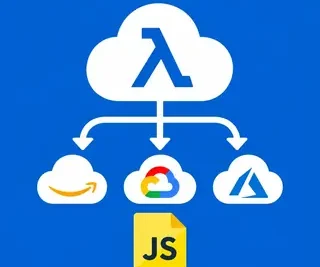 Serverless Deployment Options for JavaScript Applications
 Guide to Deploying a JavaScript Application - Step-by-Step for Beginners
 Optimizing Hosting Costs for JavaScript Web Applications
JavaScript Hosting & Deployment
Choosing the right hosting and deployment strategy is critical for your JavaScript applications, whether you’re launching a simple static site or a complex serverless API. This category helps learners and developers transition from local coding to live production, covering cost optimization, beginner-friendly deployment guides, serverless architecture, and platform comparisons. We focus on practical, actionable steps to get your code online quickly and efficiently.
Optimizing Hosting Costs for JavaScript Web Applications
Learn how to minimize monthly expenses without sacrificing performance. Explore strategies like using static hosting for frontend-only apps, scaling down resources during low traffic, and leveraging free tiers from providers like Netlify, Vercel, or Cloudflare Pages. We break down hidden costs such as bandwidth overages, database connections, and build minutes, helping you budget accurately. Key factors include choosing between shared, VPS, and serverless plans, plus tips on caching and CDN usage to reduce server load. Expect practical checklists and real-world pricing examples tailored for indie developers and small startups.
Guide to Deploying a JavaScript Application - Step-by-Step for Beginners
This subcategory is your friendly walkthrough from “it works on my machine” to a live URL. You’ll learn how to prepare your project for production—setting environment variables, building static assets, and configuring routing for SPAs. We cover deployment to popular platforms like GitHub Pages, Netlify, and Vercel using both drag-and-drop and CLI methods. No prior DevOps experience required; we explain concepts like continuous deployment via Git, custom domains, and SSL certificates in plain language. By the end, you’ll have confidence deploying both frontend and simple Node.js backends.
Serverless Deployment Options for JavaScript Applications
Dive into the world of serverless—where you write code without managing servers. Explore AWS Lambda, Google Cloud Functions, and Azure Functions, but also simpler alternatives like Vercel Functions and Netlify Edge Functions. We explain how serverless scales automatically, charges only for execution time, and fits perfectly with JavaScript’s event-driven nature. Ideal for APIs, webhooks, and database triggers, serverless removes infrastructure headaches. Expect tutorials on deploying a basic HTTP handler, integrating with a frontend, and managing cold starts and timeouts effectively. This section also compares serverless vs. containers for long-running processes.
Best Hosting Platforms for JavaScript Applications - [Platform Name] vs [Platform Name]
We pit major platforms against each other to help you decide where to host your project. Compare Vercel vs. Netlify for frontend-heavy apps, Heroku vs. Railway for full-stack Node.js, and Cloudflare Pages vs. GitHub Pages for static sites. Each head-to-head reviews pricing, build speed, global CDN performance, and ease of use. We also discuss hidden limitations like cold start latency or restrictive free tiers. Whether you prioritize first load speed, developer experience, or scalability, this subcategory provides side-by-side feature tables and real-world latency tests. Make an informed choice based on your project’s specific needs.
Frequently Asked Questions
What is the cheapest way to host a JavaScript static site?
For a purely static JavaScript site (no server-side code), use free tiers from Netlify, Vercel, or Cloudflare Pages. These services offer generous bandwidth and SSL certificates at no cost, and you only pay if you exceed limits or need advanced features like password protection. Deploying via GitHub is free, making this the most budget-friendly option.
Do I need a server to deploy a JavaScript application?
Not always. If your app only consists of HTML, CSS, and client-side JavaScript (like React or Vue), static hosting works fine. If you have a Node.js backend, you’ll need a server, but serverless platforms can host your API on demand without a persistent server, often at lower cost for low traffic.
How long does it take to deploy a JavaScript app for the first time?
With modern platforms like Netlify or Vercel, the first deployment takes under 10 minutes—including connecting your GitHub repo and setting up automatic builds. If you use a drag-and-drop upload, it’s less than a minute. The learning curve is mainly around configuring environment variables and custom domains.
What is the difference between hosting and deployment in JavaScript?
Hosting refers to the infrastructure that serves your files (e.g., a server or CDN). Deployment is the process of getting your code from a local environment or repository to that hosting infrastructure. In practice, you deploy your app to a host, but many tools combine both—like pushing to GitHub which triggers a build on Vercel.
Can I use serverless for a real-time chat application in JavaScript?
Serverless is not ideal for persistent WebSocket connections, which typically require a long-running server. For real-time features, consider alternatives like Firebase or Socket.io on a traditional VPS. However, you can use serverless for individual HTTP endpoints that trigger database updates, alongside a managed service for WebSockets.