
Asynchronous JavaScript & Performance Optimization
Master the art of Asynchronous JavaScript & Performance Optimization with LearnJavaScriptQuickly, your go-to hub for turning sluggish, tangled code into lightning-fast, responsive applications. Dive deep into the event loop, callbacks, Promises, and async/await to conquer concurrency, while learning to profile bottlenecks, streamline DOM updates, and slash load times with smart bundling and Service Workers. Whether you’re tackling Core Web Vitals, mobile constraints, or even WebAssembly integration, this category packs step-by-step guidance, real-world exercises, and proven strategies to boost both speed and user experience. Elevate your coding skills and build seamless, offline-ready apps that stand out—start optimizing today! 🚀⚡
 Memory Management and Garbage Collection in JavaScript
 Async/Await Syntax in Detail - Making Asynchronous Code Easier
 JavaScript and Web Performance Metrics - Core Web Vitals
 Advanced Concurrency in JavaScript - Actors and Agents
 WebAssembly and JavaScript Performance - Integration and Use Cases
 Promise Chaining and Error Handling with Promises
 Performance Monitoring and Real-time Analytics in JavaScript Applications
 Mobile JavaScript Performance Optimization - Best Practices
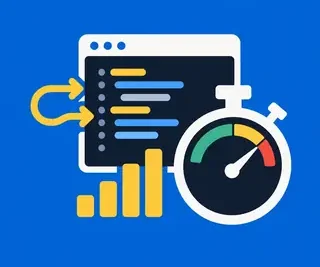 Code Profiling and Performance Measurement Techniques
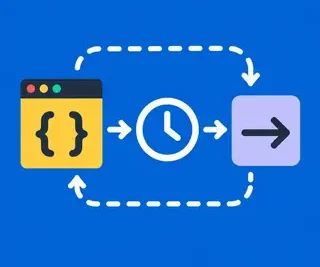 Understanding Asynchronous JavaScript - Callbacks Explained
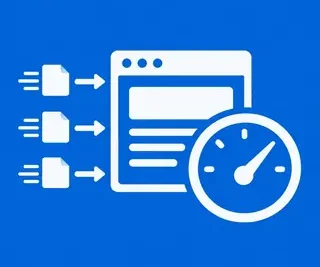 Network Request Optimization Strategies for Web Applications
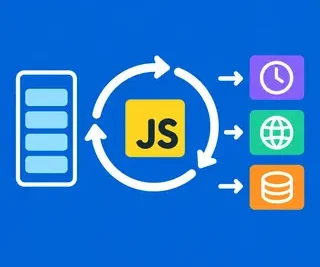 The JavaScript Event Loop and Concurrency Model
 Service Workers for Offline Web Applications and Caching
 Optimizing DOM Operations for Better Performance
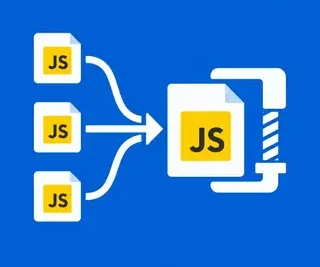 JavaScript Bundling and Minification for Production
 Promises in JavaScript - Introduction and Usage
 Asynchronous Iteration and Generators in JavaScript
Mastering Asynchronous JavaScript & Performance Optimization
Welcome to LearnJavaScriptQuickly’s dedicated hub for asynchronous programming and performance tuning. Here, you’ll find targeted tutorials that demystify callbacks, promises, async/await, event loops, and service workers, while also equipping you with practical techniques to measure, profile, and optimize your web applications. Whether you’re building your first interactive site or refining a production app, these subcategories help you write faster, more responsive, and more reliable JavaScript.
🔄 Asynchronous Iteration and Generators in JavaScript
Learn how to handle data that arrives over time, such as streams or paginated API responses, using generators and the for await...of loop. This section covers creating custom async iterables, managing backpressure, and simplifying complex data flows with lazy evaluation. You’ll see practical examples that reduce memory usage and improve readability compared to traditional callback or promise arrays.
🕐 Promises in JavaScript - Introduction and Usage
Start with the core concept of promises—objects representing eventual completion or failure. Here, you’ll learn how to create, resolve, and reject promises, plus how to use .then(), .catch(), and .finally() to handle asynchronous results. This foundational knowledge is essential for modern JavaScript, enabling cleaner code over callback pyramids and setting the stage for async/await techniques.
📦 JavaScript Bundling and Minification for Production
Optimize your deliverable by understanding what bundlers like Webpack, Rollup, or esbuild do—combining multiple modules into fewer files and minifying code to reduce payload size. This subcategory explains tree shaking, code splitting, and source maps, so you can ship faster-loading apps without sacrificing debuggability. You’ll also learn how to configure simple build pipelines for real-world projects.
⚡ Optimizing DOM Operations for Better Performance
The DOM is often a bottleneck; learn to minimize reflows and repaints by batching updates, using document fragments, and virtualizing long lists. We cover techniques like requestAnimationFrame for smooth animations, avoiding layout thrashing, and efficiently handling event listeners. These practices dramatically improve interaction responsiveness on low-end devices, making your UI feel snappy.
📴 Service Workers for Offline Web Applications and Caching
Discover how service workers act as a network proxy in your browser, enabling offline-first experiences. This section walks you through lifecycle events (install, activate, fetch) and caching strategies—like cache-first or stale-while-revalidate—to serve assets instantly even without a connection. You’ll also manage cache versioning to update your app safely without breaking user sessions.
🌀 The JavaScript Event Loop and Concurrency Model
Understand why JavaScript is single-threaded yet non-blocking, thanks to the event loop, microtask queue, and macrotask queue. This subcategory explains how setTimeout, promises, and I/O operations are scheduled, helping you predict execution order and avoid race conditions. Grasping this model is crucial for debugging async code and writing high-performance apps that don’t freeze.
🌐 Network Request Optimization Strategies for Web Applications
Speed up data fetching using techniques like HTTP caching, request batching, debouncing, and conditional requests (ETags). You’ll also explore prefetching and preloading critical resources, plus how to leverage CDNs and compression (gzip/Brotli). This section ensures your JavaScript calls—whether REST or GraphQL—are efficient, reducing latency and server load.
📞 Understanding Asynchronous JavaScript - Callbacks Explained
Go back to basics with callbacks, the earliest async pattern in JavaScript. Learn how to pass functions as arguments to handle results, manage errors with the “error-first” convention, and avoid callback hell using modularization and named functions. This foundational knowledge helps you read legacy code and appreciate why promises and async/await supersede callbacks.
📊 Code Profiling and Performance Measurement Techniques
Use browser DevTools and Node.js profilers to identify slow functions, memory leaks, and bottlenecked code paths. This subcategory covers Performance.mark(), console.time(), and flame charts, teaching you to measure real impact rather than guessing. You’ll also learn how to interpret results and prioritize fixes for maximum user-perceived speed.
📱 Mobile JavaScript Performance Optimization - Best Practices
Mobile devices have limited CPU and battery; apply strategies like reducing main-thread work, using passive event listeners, and deferring non-critical scripts. We discuss image lazy-loading, touch event optimization, and avoiding janky scroll with will-change and transform-based animations. These tips ensure your site runs smoothly on smartphones with slower connections.
📈 Performance Monitoring and Real-time Analytics in JavaScript Applications
Track real user performance using tools like PerformanceObserver, Web Vitals API, and third-party services (e.g., Sentry or Datadog). This section explains how to collect metrics like FCP, LCP, and CLS in production, send them to your analytics dashboard, and set up alerts for regressions. You’ll turn raw data into actionable insights to continuously improve your app.
⛓️ Promise Chaining and Error Handling with Promises
Master sequential async operations by chaining .then() calls, passing values between steps, and handling errors centrally with .catch(). You’ll also learn about Promise.all, Promise.allSettled, and Promise.race for concurrent tasks, plus how to avoid common pitfalls like unhandled rejections. This subcategory solidifies your ability to write robust, maintainable async logic.
🧩 WebAssembly and JavaScript Performance - Integration and Use Cases
Explore how WebAssembly (Wasm) can accelerate compute-heavy tasks—like image processing or game physics—by running near-native code in the browser. This guide covers compiling C/Rust to Wasm, calling Wasm functions from JavaScript, and knowing when to use Wasm over JS. You’ll also see performance benchmarks and security considerations for safe integration.
🤖 Advanced Concurrency in JavaScript - Actors and Agents
Move beyond the event loop with patterns based on the Actor model, such as using Web Workers or libraries like Nact for message-passing concurrency. This subcategory explains how to split heavy tasks into isolated agents that communicate asynchronously, avoiding shared-state locks and improving parallelism. Ideal for complex apps like multiplayer games or data-heavy dashboards.
📐 JavaScript and Web Performance Metrics - Core Web Vitals
Focus on the three user-centric metrics: Largest Contentful Paint (LCP), First Input Delay (FID), and Cumulative Layout Shift (CLS). Learn how to measure each using web-vitals library, and implement fixes like preloading key resources, deferring third-party scripts, and space-holding images. This section helps you hit Google’s recommended thresholds for better search rankings.
✍️ Async/Await Syntax in Detail - Making Asynchronous Code Easier
Write synchronous-looking code that runs asynchronously using async functions and the await keyword. This subcategory covers error handling with try/catch, parallel execution with Promise.all, and avoiding blocking the main thread. You’ll also see how to handle loops with dynamic awaits and convert existing promise chains to async/await for clarity.
🧠 Memory Management and Garbage Collection in JavaScript
Understand how JavaScript’s garbage collector (GC) works—mark-and-sweep, generational collection—and how to avoid memory leaks caused by global variables, closures, or detached DOM nodes. This section teaches you to use WeakMap and WeakRef, and how to profile heap snapshots. Efficient memory use reduces jank and improves long-running app stability.
❓ Frequently Asked Questions
What is the main difference between callbacks and promises?
Callbacks pass a function to be executed later, but they can lead to “callback hell” with nested code. Promises represent the future result and allow chaining with .then(), making code more readable and enabling centralized error handling. Promises also have states (pending, fulfilled, rejected) that callbacks lack, giving you better control over async flows.
How can I improve my website’s Core Web Vitals score?
Optimize LCP by preloading images and reducing server response time; improve FID by breaking up long tasks with requestIdleCallback and deferring non-essential scripts; fix CLS by reserving space for media and ensuring fonts load with stable metrics. Use the web-vitals library to measure each in real time and iterate.
Should I use Web Workers or service workers for performance?
Web Workers handle CPU-intensive background tasks (e.g., data processing) parallel to the main thread, while service workers intercept network requests for caching and offline support. Use both together—Web Workers for computation, service workers for resource fetching—to achieve a highly responsive, offline-capable app.
Why does my async/await code sometimes freeze the UI?
If await is used on a non-Promise value, it’s treated as resolved, but that’s not the issue. Freezing usually happens because you perform heavy synchronous operations inside an async function before the first await, or because you block with a while loop. Keep async functions truly asynchronous by yielding to the event loop with small delays or using setTimeout to split work.
How do I choose between bundling tools like Webpack and esbuild?
Webpack offers rich plugins, code splitting, and broad ecosystem support, but is slower. esbuild is written in Go and is extremely fast for bundling and minification, making it ideal for quick builds. For production, you might use esbuild for speed or Webpack for advanced features like environment-specific configs—assess your project complexity.