
JavaScript Tooling and Workflow
Master the modern JavaScript tooling and workflow essentials and accelerate your path from novice to confident developer. Our step-by-step guides take you beyond the syntax and into the professional ecosystem that powers real-world projects. Dive deep into package managers like NPM, Yarn, and pnpm to manage dependencies effortlessly, learn to bundle and optimize code with build tools such as Webpack, Parcel, and Rollup, and enforce code quality with ESLint and Prettier for cleaner, more maintainable files. Discover how to automate repetitive tasks using Gulp and Grunt, implement seamless CI/CD pipelines to ship code faster and safer, and structure large-scale applications with monorepo setups. With hands-on tutorials, practical exercises, and real-world projects, you’ll refine your workflow, boost productivity, and write production-ready JavaScript with confidence. Start building smarter today—choose any topic and level up your professional toolchain now.
 Setting Up a Monorepo for JavaScript Projects
 Continuous Integration and Continuous Deployment (CI/CD) for JavaScript Projects
 Task Runners - Gulp and Grunt
 Code Linters and Formatters - ESLint, Prettier
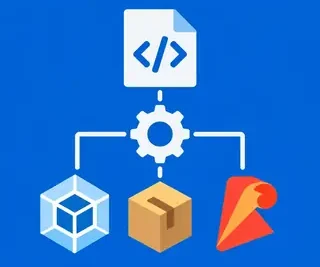 JavaScript Build Tools - Webpack, Parcel, Rollup
 Package Managers - NPM, Yarn, pnpm Deep Dive
JavaScript Tooling and Workflow Mastery at LearnJavaScriptQuickly
Welcome to your gateway for mastering the modern JavaScript ecosystem. Here at LearnJavaScriptQuickly, we transform beginners into efficient developers by demystifying the tools that power professional workflows. From package managers to CI/CD pipelines, this category is your step-by-step path to automating repetitive tasks, improving code quality, and shipping projects faster. Whether you’re just learning to install your first library or orchestrating a multi-package monorepo, these guides are packed with practical examples, clear explanations, and hands-on projects to solidify your skills.
📦 Package Managers - NPM, Yarn, pnpm Deep Dive
Master the heart of JavaScript dependency management. Our deep dive covers npm, Yarn, and pnpm—explaining their unique hoisting strategies, lockfile formats, and performance trade-offs. You’ll learn to install, update, and audit packages effectively, resolve version conflicts, and publish your own modules. Expect practical tutorials on creating package.json scripts, using workspaces, and optimizing install speed. By the end, you’ll confidently choose the right tool for any project and troubleshoot common dependency pitfalls like phantom dependencies or duplicated packages.
🛠️ JavaScript Build Tools - Webpack, Parcel, Rollup
Build tools bundle your code for the browser, and this section breaks down the three giants: Webpack for full configurability, Parcel for zero-config simplicity, and Rollup for library-focused tree-shaking. You’ll follow real-world setups—from creating a basic HTML entry to optimizing production builds with code splitting and caching. We emphasize loaders, plugins, and dev servers so you can transform modern ES modules, JSX, and assets into performant files. Perfect for beginners, as we start from scratch and build up to advanced optimization patterns.
🔍 Code Linters and Formatters - ESLint, Prettier
Write cleaner, consistent code automatically. Learn to configure ESLint for catching bugs and enforcing style rules, and pair it with Prettier to format everything uniformly. Our guides cover setting up robust rule sets, integrating with editors, and automating fixes via pre-commit hooks. You’ll understand the difference between linting (logic) and formatting (aesthetics), and how to avoid conflicts between the two. Hands-on exercises will have you linting a real project, creating custom rules, and even building your own shareable config for team use.
⚙️ Task Runners - Gulp and Grunt
Streamline repetitive jobs like minification, compilation, and image optimization. While modern build tools often replace them, Gulp and Grunt remain useful for simple, fast automation. We explain Gulp’s streaming pipeline vs Grunt’s configuration-based approach, showing you how to write efficient tasks that run quickly. You’ll create practical workflows—like auto-prefixing CSS or watching files for changes—and learn when to choose a task runner over a bundler. Each tutorial includes copy-paste-ready code and clear explanations of underlying streams and callbacks.
🚀 Continuous Integration and Continuous Deployment (CI/CD) for JavaScript Projects
Ship with confidence using automated pipelines. This section covers setting up GitHub Actions, Travis CI, and Netlify to run tests, lint, build, and deploy your JavaScript apps automatically. You’ll learn to write YAML configuration files, cache dependencies for speed, and use environment secrets safely. Real-world examples include deploying a React app to Vercel and running unit tests on every pull request. We also explain the concept of deployment gates and rollback strategies, helping you move from manual pushes to professional, hands-free releases.
🏗️ Setting Up a Monorepo for JavaScript Projects
Manage multiple packages with a single, unified repository. Here, you’ll explore popular tools like Lerna and Turborepo, plus native workspaces from npm/yarn/pnpm. We guide you through structuring a monorepo for a shared codebase—say, a React app plus a utilities library—and handling versioning, cross-package dependencies, and script orchestration. Learn to enforce consistent formatting, run tests across all packages, and optimize build caching for faster CI runs. This section is ideal for those aiming to scale their learning into team-level project organization.
Frequently Asked Questions
What is the best package manager for beginners?
For absolute beginners, npm is the safest start because it’s pre-installed with Node.js and has the largest ecosystem. However, pnpm is increasingly recommended due to its faster installs, disk-space savings, and strict dependency isolation. We suggest learning npm first to understand fundamentals, then exploring pnpm for larger projects where performance matters. Yarn is also great—choose it if you prefer a friendlier CLI and explicit workspaces support.
Do I need Webpack if I use Parcel?
No, you typically need only one build tool per project. Parcel is excellent for quick prototypes and small to medium apps because it requires zero config—it auto-detects your files and plugins. Webpack is more powerful when you need fine-tuned control over complex optimizations, code splitting, or custom loaders. For most beginners, Parcel reduces overwhelm; once you outgrow it, you can migrate to Webpack with our advanced guides.
How do ESLint and Prettier work together without conflicts?
They solve different problems: ESLint catches errors and enforces logic-focused rules (like no-unused-vars), while Prettier handles formatting (quotes, semicolons, spacing). To avoid conflicts, disable ESLint’s formatting rules (e.g., indent, quotes) and rely on Prettier for those. Use the eslint-config-prettier to turn off conflicting rules, and run Prettier first, then ESLint. In practice, most editors format on save with Prettier, then lint in the terminal or via pre-commit hooks.
What is the simplest CI/CD setup for a solo developer?
For a solo project, GitHub Actions is the easiest—it’s free for public repos and built into GitHub. Start with a basic workflow that runs npm install, npm test, and npm run build on every push. For deployment, use Netlify or Vercel’s automatic integration: simply push to your main branch, and they deploy for you. This gives you automated testing and live updates without managing servers—ideal for learning CI/CD without DevOps overhead.
Is a monorepo overkill for a beginner’s projects?
Yes, for simple single-app projects, a monorepo adds unnecessary complexity. However, if you start building multiple small packages (like a component library and a demo app), it becomes valuable. We recommend learning single-repo basics first, then experimenting with a two-package monorepo using npm workspaces. It teaches you important skills like dependency linking and script orchestration that scale well to real-world jobs. But don’t force it—use it when you actually need shared code.