
JavaScript Security
Master JavaScript security from the ground up with practical, hands-on guidance designed for rapid skill-building. 🔐 This category equips you to identify and neutralize common vulnerabilities like XSS, CSRF, and injection attacks, while mastering secure coding practices—from input validation and output encoding to robust authentication with JWT and OAuth 2.0. Learn to harden your apps with Content Security Policy (CSP) and HTTP security headers, and discover how to scan NPM dependencies for hidden risks. Whether you’re auditing code, implementing penetration testing, or simply writing safer JavaScript, these tutorials transform security from an afterthought into a core skill—fast. 💻 Boost your developer credibility and protect your users with actionable, real-world techniques you can apply immediately. Start securing your JavaScript projects today!
 Content Security Policy (CSP) and HTTP Security Headers
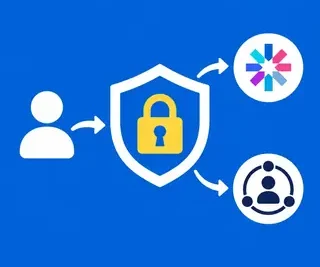 Authentication and Authorization in JavaScript Applications - JWT, OAuth 2.0
 Dependency Security in JavaScript Projects - NPM and Vulnerability Scanning
 Security Testing and Penetration Testing for JavaScript Applications
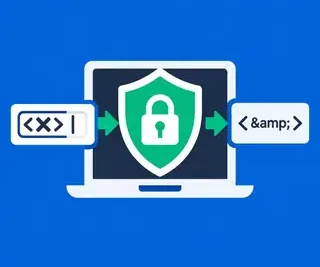 Secure Coding Practices in JavaScript - Input Validation, Output Encoding
 Common JavaScript Security Vulnerabilities - XSS, CSRF, Injection
## Introduction to JavaScript Security JavaScript powers most of the modern web, but with great power comes great responsibility. Securing your JavaScript code is not optional—it’s essential for protecting user data, preventing breaches, and maintaining trust. On **LearnJavaScriptQuickly**, we break down complex security concepts into actionable, beginner-friendly lessons. Whether you’re building a simple website or a full-stack app, this category will help you identify threats, implement defenses, and write resilient code from day one. --- ### Common JavaScript Security Vulnerabilities - XSS, CSRF, Injection Cross-Site Scripting (XSS), Cross-Site Request Forgery (CSRF), and injection attacks are the most frequent threats you’ll face. XSS lets attackers inject malicious scripts into your pages, stealing cookies or session data. CSRF tricks authenticated users into performing unwanted actions, like changing passwords. Injection flaws, such as SQL or command injection, occur when untrusted input is executed as code. Here, you’ll learn real-world examples, how to spot vulnerable patterns, and step-by-step fixes—like sanitizing user input and using proper escaping. Expect practical demos and quick wins to harden your code immediately. --- ### Secure Coding Practices in JavaScript - Input Validation, Output Encoding Writing secure JavaScript starts with discipline. This subcategory focuses on two foundational pillars: **input validation** (ensuring data meets expected formats) and **output encoding** (neutralizing malicious characters before rendering). You’ll learn to use whitelists over blacklists, leverage built-in validators, and apply context-aware encoding for HTML, URLs, and JavaScript contexts. We also cover safe DOM manipulation, avoiding `eval()`, and using modern frameworks like React’s automatic escaping. Each lesson includes before-and-after code snippets, so you can see exactly how a vulnerable function becomes hardened against attacks—without sacrificing performance or readability. --- ### Security Testing and Penetration Testing for JavaScript Applications You can’t fix what you don’t find. This subcategory introduces you to both automated and manual security testing tailored for JavaScript apps. Learn to use tools like **OWASP ZAP**, **Burp Suite**, and browser DevTools to intercept requests, fuzz inputs, and simulate attacks. We’ll walk through writing basic penetration test scripts for common vulnerabilities, interpreting results, and prioritizing fixes based on risk. You’ll also explore unit testing for security edge cases and integrating security checks into your CI/CD pipeline. By the end, you’ll confidently run your own mini security audit on any JavaScript project. --- ### Dependency Security in JavaScript Projects - NPM and Vulnerability Scanning Your code is only as secure as its dependencies. With millions of npm packages, malicious or outdated libraries are a major risk. Here, you’ll master **npm audit**, `npm outdated`, and tools like **Snyk** and **Dependabot**. Learn to read vulnerability reports, distinguish critical from negligible issues, and apply patches without breaking your app. We also cover best practices for lockfiles, package-lock.json hygiene, and vetting packages before installation. Real-world case studies show how supply-chain attacks happen—like the event-stream incident—and how to prevent them with automated scanning and regular reviews. --- ### Authentication and Authorization in JavaScript Applications - JWT, OAuth 2.0 Authentication verifies *who* you are; authorization decides *what* you can do. This subcategory breaks down **JWT (JSON Web Tokens)** and **OAuth 2.0** into clear, implementable steps. Learn to safely store tokens (avoiding XSS-prone localStorage), handle token refresh, and validate signatures with proper algorithms. For OAuth, we cover authorization flows for SPAs, mobile apps, and server-to-server communication, including PKCE and state parameters. You’ll also see how to implement role-based access control (RBAC) and avoid common pitfalls like token leakage or insufficient expiration. Sample code for Node.js and Express is included throughout. --- ### Content Security Policy (CSP) and HTTP Security Headers A strong defense-in-depth strategy includes headers that block attacks at the browser level. Here, you’ll learn to configure **Content Security Policy (CSP)** to restrict script sources, inline execution, and object loading—dramatically reducing XSS impact. We also explore other critical headers: `X-Content-Type-Options`, `X-Frame-Options`, `Strict-Transport-Security`, and `Referrer-Policy`. Each lesson explains what the header does, how to set it via meta tags or server configuration, and common mistakes (like using `'unsafe-inline'`). You’ll even test your output using online checkers to see your security grade improve in real time. ---
Frequently Asked Questions
What is the easiest way to prevent XSS in JavaScript?
Always encode output based on context—use `textContent` instead of `innerHTML`, and employ framework auto-escaping like React’s. Validate user input with whitelist patterns, and set a strict Content Security Policy that disallows unsafe inline scripts. These three steps eliminate the vast majority of XSS risks.
How do I check if my npm packages are safe?
Run `npm audit` in your project folder to see known vulnerabilities. For deeper, continuous scanning, integrate Snyk or GitHub’s Dependabot. Review each vulnerability’s severity and patched version, then update via `npm update` or a targeted package install. Always maintain a package-lock.json to lock exact dependency versions.
What is the difference between JWT and OAuth 2.0?
JWT is a token format that contains claims (like user ID and expiry) and is signed. OAuth 2.0 is an authorization framework that determines how tokens are issued and exchanged. Often, OAuth 2.0 uses JWTs as access tokens for APIs. Use JWT alone for simple first-party authentication, and OAuth 2.0 when integrating third-party logins or delegating access.
Can I implement CSP without breaking my existing site?
Yes. Start in “report-only” mode via the `Content-Security-Policy-Report-Only` header to log violations without blocking. Gradually tighten directives, moving inline script to external files. Use nonces or hashes for legitimate scripts. Test thoroughly on staging before enforcing the policy, and monitor your report endpoint for any missed issues.
Why is input validation not enough for security?
Input validation prevents malformed data from entering your system, but it doesn’t guarantee safety during output. For example, a valid email string can still contain HTML that executes if rendered unsafely. Always pair validation with output encoding and layered defenses like CSP and parameterized queries for database operations. Defense in depth is key.