
JavaScript Development Tools & Software
Unlock the full potential of your coding journey with the essential JavaScript Development Tools & Software that every modern developer needs in their arsenal. Whether you’re a beginner taking your first steps or an intermediate coder aiming to level up, mastering the right tools is the secret to writing cleaner, faster, and more efficient code. From powerful code editors and IDEs that streamline your workflow to robust testing frameworks that ensure your code is bulletproof, this hub is your go‑to guide. Dive into head‑to‑head comparisons of the best editors, discover top debugging tools that turn frustrating errors into quick fixes, and learn how performance monitoring software can supercharge your web apps. We also break down the essential JavaScript libraries and frameworks that power the modern web—so you can build with confidence. With practical, step‑by‑step tutorials and real‑world examples, you’ll not only choose the perfect toolset but also learn how to use it effectively. Stop guessing and start building—your future code will thank you! 🚀🛠️
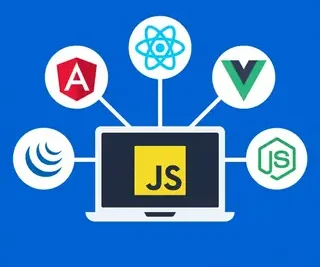 Essential JavaScript Libraries and Frameworks Every Developer Should Know
 Top JavaScript Debugging Tools and How to Use Them Effectively
 JavaScript Performance Monitoring Tools - Track and Optimize Your Web App
 Best Code Editors and IDEs for JavaScript Development - [IDE Name] vs [IDE Name]
 Best JavaScript Testing Frameworks - [Framework Name] vs [Framework Name]
JavaScript Development Tools & Software: Your Quick-Start Guide
Welcome to LearnJavaScriptQuickly's dedicated hub for JavaScript Development Tools & Software. Here, you’ll discover hands-on comparisons, practical guides, and performance insights to supercharge your coding workflow. Whether you're a beginner picking your first editor or an intermediate dev optimizing a live app, this category cuts through the noise, offering actionable, step-by-step advice on testing, debugging, monitoring, and essential libraries. Save time, avoid common pitfalls, and boost your JavaScript productivity immediately.
Best JavaScript Testing Frameworks - [Framework Name] vs [Framework Name]
Testing is non-negotiable for reliable JavaScript. This subcategory delivers head-to-head battles—like Jest vs Vitest, Mocha vs Cypress, and Playwright vs Selenium—focusing on real-world speed, syntax simplicity, and integration ease. You'll learn which framework suits unit tests, integration tests, or end-to-end scenarios, plus how to set up your first test suite in under 10 minutes. Expect side-by-side code examples, common pitfalls, and performance benchmarks to make an informed choice for your next project.
Best Code Editors and IDEs for JavaScript Development - [IDE Name] vs [IDE Name]
Your editor is your daily cockpit. Here, we compare VS Code vs WebStorm, Atom vs Sublime Text, and Neovim vs Brackets—not just on looks, but on extension ecosystems, debugging tools, Git integration, and autocomplete speed for JavaScript. We also provide keyboard shortcut cheat sheets and configuration tips to turn any editor into a JavaScript powerhouse. Perfect for beginners who want a lightweight start and intermediates seeking advanced refactoring and IntelliSense features without bloating their system.
JavaScript Performance Monitoring Tools - Track and Optimize Your Web App
Slow web apps lose users. This section focuses on metrics that matter—FCP, LCP, CLS, and TTI—using tools like Lighthouse, WebPageTest, New Relic, and Datadog. You’ll learn how to set up real-user monitoring (RUM) and synthetic tests, interpret waterfall charts, and fix common JavaScript bottlenecks like render-blocking scripts, memory leaks, and excessive DOM manipulation. Each guide includes practical optimization checklists and before/after performance score examples to help you achieve faster load times and smoother interactions.
Top JavaScript Debugging Tools and How to Use Them Effectively
Debugging is where many beginners get stuck. We demystify the browser’s built-in DevTools (Chrome, Firefox, Edge), plus powerful extensions like React DevTools, Vue Devtools, and Redux DevTools. Learn to set breakpoints, watch variables, use console.log strategically, and step through asynchronous code with call stacks and scope panels. You’ll also explore debugging Node.js with ndb and Node Inspector, plus tricks for handling memory snapshots and performance profiles. By the end, you’ll confidently isolate bugs in any JavaScript environment.
Essential JavaScript Libraries and Frameworks Every Developer Should Know
You don’t need to know every library, but you should know the pillars. This subcategory covers React, Vue, Angular for UI, Express and Next.js for backend/full-stack, and jQuery, Lodash, and Axios for everyday utilities. We explain when to use a framework vs a library, how to choose based on project size and team skills, and provide starter templates and migration tips. Crucially, we highlight modern alternatives like Solid and Svelte for performance-focused developers, plus state management tools like Redux and Zustand.
Frequently Asked Questions
Which JavaScript testing framework is best for beginners?
For absolute beginners, Jest is the most approachable due to its zero-config setup, built-in assertions, and clear error messages. It also works seamlessly with React and Node.js. Start with Jest for unit tests, then later explore Playwright for end-to-end testing once you feel comfortable with async patterns and DOM interactions.
What is the fastest code editor for JavaScript development?
VS Code is currently the fastest and most feature-rich free option, thanks to its optimized Electron shell and rich extension marketplace. For extremely lightweight needs, Neovim or Sublime Text launch faster, but VS Code provides superior IntelliSense, debugging, and Git integration, making it the best balance of speed and power for most JavaScript developers.
How do I monitor JavaScript performance in production?
Use real-user monitoring (RUM) tools like Datadog or New Relic to capture actual visitor metrics—load times, errors, and Core Web Vitals. Additionally, set up Lighthouse CI in your deployment pipeline to catch regressions. Pair these with frontend logging via Sentry to track JavaScript exceptions and their stack traces in real time.
What is the most effective way to debug a JavaScript memory leak?
Open Chrome DevTools > Memory and take a heap snapshot, then perform a series of actions and take a second snapshot. Compare them to identify objects that remain referenced. Look for detached DOM nodes, global variables, or closures holding large arrays. Use the Allocation Timelines feature to spot suspicious allocations and then refactor to null out references or use WeakMap where appropriate.
Should I learn React or Vue as a beginner in 2025?
Both are excellent, but Vue has a gentler learning curve with its HTML template syntax and smaller API surface. React, however, offers more job opportunities and stronger ecosystem tools. If your goal is quick employment or enterprise work, choose React. For tinkering and smaller projects, Vue saves time. You can always learn the second later—the concepts transfer well.