Understanding the JavaScript Event Loop and Concurrency Model
Welcome to LearnJavaScriptQuickly’s deep dive into the JavaScript Event Loop and Concurrency Model—the engine that powers asynchronous behavior in your code. This subcategory is your gateway to mastering how JavaScript handles multiple tasks simultaneously without blocking the main thread. You’ll explore call stacks, callback queues, microtasks, and the infamous “single-threaded” myth, all through practical examples and performance-focused insights. Whether you’re debugging a slow-loading app or optimizing API calls, this section equips you with the mental model to write faster, more responsive JavaScript.
🔁 The Call Stack and How Functions Execute
Your first stop is the call stack—JavaScript’s LIFO (Last In, First Out) structure that tracks function invocations. Expect to see how synchronous code runs line by line, stack frames pile up, and errors like “Maximum call stack size exceeded” occur. We’ll break down recursive calls and visualize stack behavior with simple diagrams, ensuring you can predict execution order in any script. This foundation is critical because every async pattern—from setTimeout to promises—depends on the stack’s state.
Beyond theory, you’ll practice identifying stack overflow risks in real projects, such as infinite loops or deep recursion in DOM traversal. We’ll also compare the stack to a task list, showing why long-running operations must be broken into smaller chunks. By the end, you’ll confidently trace any function’s lifecycle from call to return, spotting bottlenecks before they degrade user experience. This section lays the groundwork for appreciating how concurrency emerges from a single-threaded base.
⏳ Callback Queue and Microtask Queue Explained
Here, we demystify the two-tier queue system that orchestrates asynchronous callbacks. The callback queue (or macrotask queue) holds tasks like setTimeout, DOM events, and I/O operations, while the microtask queue prioritizes promises and queueMicrotask. You’ll learn why microtasks always run before the next macrotask—a subtle yet powerful rule that affects promise chains and async/await. Expect interactive examples that show how the event loop drains both queues in a strict cycle, preventing starvation and ensuring fairness.
We’ll also tackle common pitfalls, like accidentally blocking microtasks with heavy synchronous code, which can delay promise resolutions indefinitely. Through timing logs and visual simulations, you’ll see how flipping between queues impacts rendering and user input handling. Armed with this knowledge, you can prioritize tasks wisely—for instance, batching DOM updates inside microtasks versus deferring heavy computations to macrotasks. This section transforms abstract queue theory into actionable optimization strategies for your apps.
🔄 The Event Loop’s Tick Cycle in Action
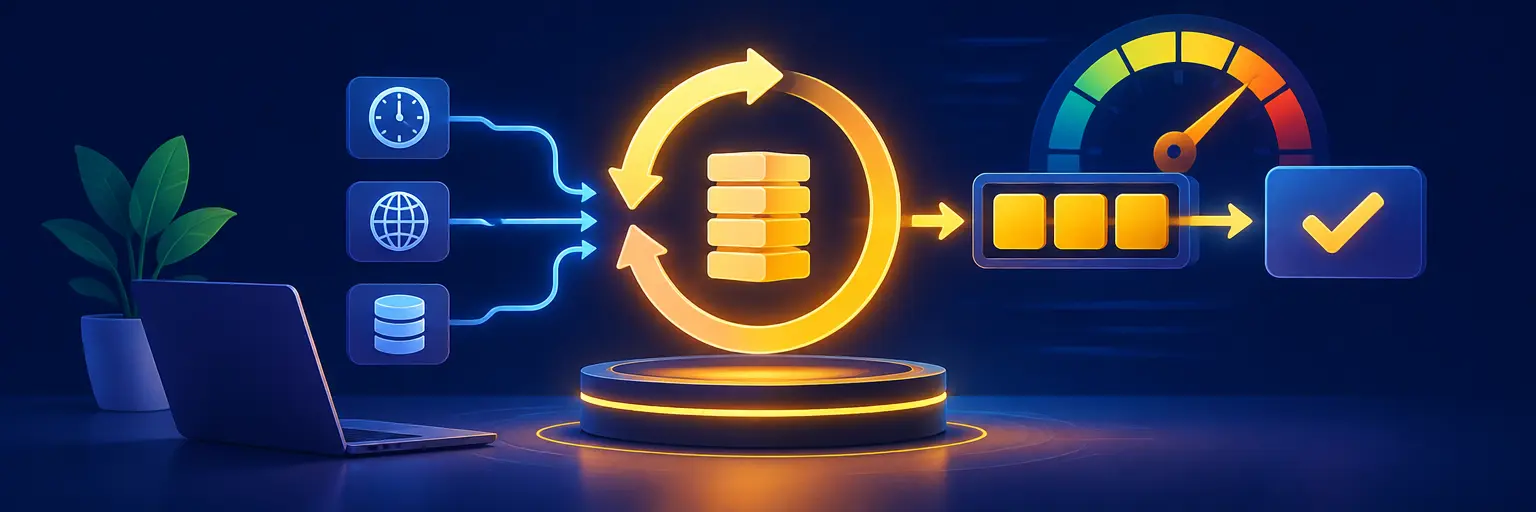
This section zooms into the core loop mechanics, showing how each “tick” processes one macrotask, then flushes all available microtasks, and finally updates rendering if needed. Expect a step-by-step walkthrough of a full cycle—from script start to idle—using real code snippets with setTimeout, Promise, and requestAnimationFrame. You’ll understand why setTimeout(fn, 0) doesn’t run immediately and how the browser interleaves painting with JavaScript execution, which is vital for smooth animations.
We’ll also explore edge cases, such as nested promises that spawn microtasks during the flush phase, and how the loop handles starvation or infinite microtask recursion. By simulating various code flows in the browser’s devtools, you’ll see the event loop’s heartbeat in real time. This knowledge helps you debug race conditions, optimize await usage, and design non-blocking algorithms that keep your UI responsive even under heavy load. Mastery here turns you from a JS beginner into a concurrency-aware developer.
⚙️ Concurrency vs. Parallelism: What JavaScript Really Does
Many learners confuse concurrency with parallelism, but JavaScript’s model is concurrent, not parallel—except for Web Workers. In this section, we clarify that single-threaded JavaScript juggles multiple tasks by interleaving them on one thread, achieving concurrency, while parallelism requires true multi-threading via workers or external processes. Expect practical comparisons: using async/await for I/O-bound tasks (like fetching data) versus worker threads for CPU-intensive tasks (like image processing). You’ll learn when to stick with the event loop and when to offload work to avoid freezing the main thread.
We’ll also cover the browser’s Web Worker API and Node’s worker_threads, showing minimal setup examples for parallel execution. By distinguishing between network latency (concurrency-friendly) and pixel crunching (parallel-friendly), you’ll make informed architectural decisions. This section boosts your SEO-relevant expertise in “performance optimization” by teaching you to profile and split workload intelligently, ensuring your apps feel instant and scalable.
🛠️ Debugging Async Bugs with Event Loop Insights
Now you’ll apply everything to real-world debugging. We’ll dissect common async pitfalls—like “unhandled promise rejection,” “state mutation during await,” and “stale closures in loops”—and show how the event loop’s ordering causes them. Expect hands-on exercises where you trace execution timelines, use breakpoints in async functions, and leverage the browser’s performance panel to identify long tasks or excessive microtask flushes. You’ll also learn to write deterministic tests using fake timers and controlled promises.
Moreover, we’ll share patterns to avoid bugs: always handle rejections, snapshot state before await, and use AbortController to cancel pending requests. By understanding where tasks sit in queues, you can predict race conditions and resolve them with proper flags or mutexes. This practical section closes the loop, turning theoretical knowledge into debugging superpowers that save hours on complex applications. Each exercise builds confidence in reading async code like a narrative.
📈 Performance Tuning via Event Loop Awareness
Finally, we transform event loop understanding into measurable performance gains. Here, you’ll learn to profile your code using the Performance API and Chrome DevTools’ “Performance Monitor,” identifying long tasks that delay frame rendering. Expect tips on breaking complex synchronous functions into smaller async chunks, using requestIdleCallback for non-critical work, and throttling events with requestAnimationFrame. We’ll also cover memory management linked to closures and queue sizes, ensuring no hidden leaks slow down your app over time.
You’ll see before-and-after case studies: a slow image gallery transformed by batch processing, and a chat app optimized by debouncing microtask-heavy operations. These examples illustrate how adjusting task priorities—via setImmediate (Node) or postMessage hacks—can improve perceived speed. By mastering this, you’ll not only write faster code but also communicate metrics like “first contentful paint” and “time to interactive” more effectively, making you a valuable asset in any performance-focused team.
Frequently Asked Questions
What is the difference between the callback queue and microtask queue?
The callback queue (macrotask) handles tasks from setTimeout, I/O, and UI events, while the microtask queue processes promises and queueMicrotask. After every macrotask, the event loop runs all pending microtasks before moving on. This means microtasks have higher priority and execute earlier, which is crucial for promise resolution timing and avoiding unnecessary delays in your async code.
Why does setTimeout(fn, 0) not run immediately?
Even with a zero delay, setTimeout schedules a macrotask, which only runs after the current call stack is empty and all microtasks are flushed. If you’re in a busy loop, fn waits until the loop finishes. This prevents recursive timers from blocking the main thread, but it also means “immediate” calls are deferred slightly for better responsiveness.
Can JavaScript execute code in parallel with multiple threads?
By default, JavaScript is single-threaded, so it achieves concurrency, not parallelism. However, Web Workers (browser) and worker threads (Node.js) allow true parallel execution for CPU-intensive tasks. These workers run separate scripts, communicate via messages, and do not block the main thread—ideal for tasks like heavy computation or data processing.
How can I avoid blocking the event loop with a heavy operation?
Break large synchronous tasks into smaller chunks using await new Promise(requestAnimationFrame) or setTimeout(fn, 0) to yield control. Alternatively, offload to a Web Worker to keep the main thread free. For loops, process a few items per frame, or use requestIdleCallback for low-priority work. Profiling with DevTools helps identify long tasks first.
What is a race condition in async JavaScript, and how to fix it?
A race condition occurs when multiple async operations complete out of order, causing unexpected state changes. For example, two API calls triggering updates. Fix by using an AbortController to cancel stale requests, checking a flag (like a request ID) before updating state, or chaining with async/await to enforce sequential completion. Always handle errors with .catch to avoid unhandled rejections.