Understanding Asynchronous JavaScript: Callbacks Explained
Welcome to LearnJavaScriptQuickly! This subcategory demystifies one of JavaScript’s most essential yet often confusing concepts: callbacks. If you’ve ever wondered why your code runs out of order or how to handle delays like fetching data, you’re in the right place. Here, you’ll learn how callbacks enable asynchronous operations, making your web apps faster and more responsive. From basic syntax to real-world patterns, we’ll guide you step-by-step, with clear examples and hands-on exercises. By the end, you’ll confidently use callbacks for event handling, API requests, and file operations—without the dreaded “callback hell.” Let’s unlock the power of non-blocking JavaScript together! 🚀
🔍 What Exactly Is a Callback Function?
A callback is simply a function passed as an argument to another function, executed later—often after an asynchronous task completes. In JavaScript, functions are first-class objects, meaning you can pass them around like variables. For example, setTimeout(() => console.log("Hi"), 1000) uses an arrow function as a callback. This pattern is the backbone of event listeners, HTTP requests, and timers. Understanding this core idea is vital for mastering async code. We’ll break down the anatomy of callbacks, showing how the outer function controls when the inner function runs, and why this matters for performance.
You’ll also see callbacks used in higher-order functions like map, filter, and reduce, where they process array elements. But in asynchronous contexts, callbacks defer execution until a task finishes, preventing the browser from freezing. We’ll contrast synchronous (blocking) with asynchronous (non-blocking) behavior, using real-world analogies like ordering coffee☕. This foundational knowledge ensures you grasp why callbacks are the building blocks for promises and async/await later in your learning journey.
⚙️ The Event Loop: How Callbacks Get Scheduled
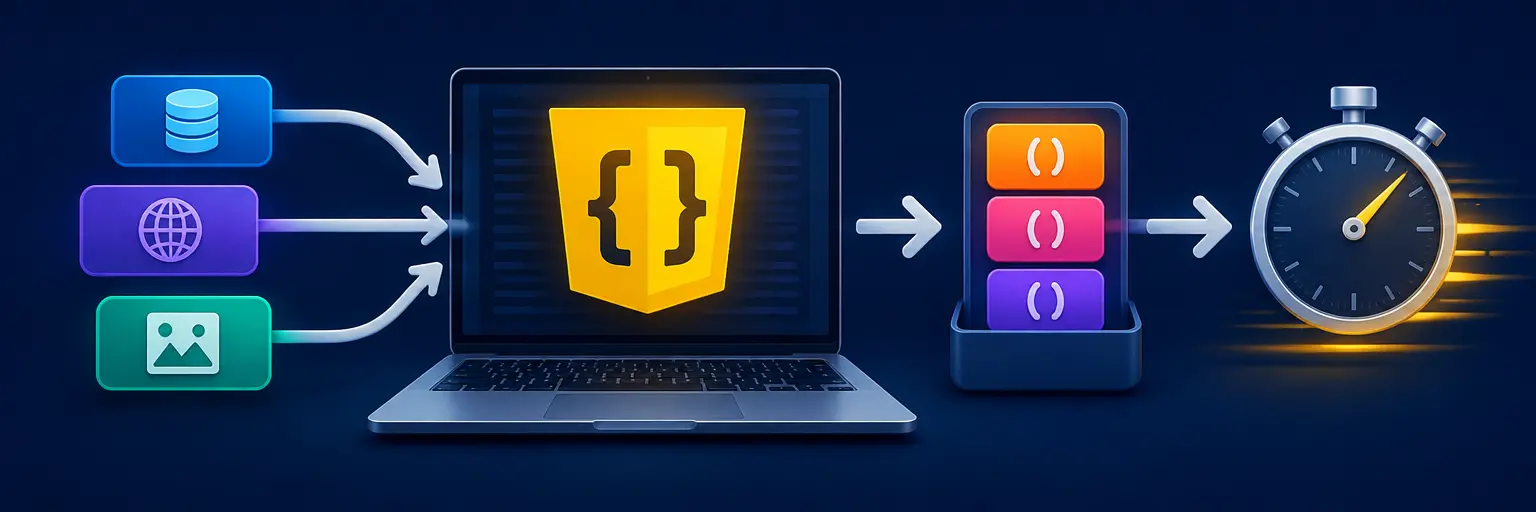
Have you ever wondered how JavaScript handles multiple tasks simultaneously? It’s single-threaded, so callbacks rely on the event loop to manage execution order. When you call an async function, like fetch, it sends a request and immediately moves on—the callback is queued in a task queue. Once the call stack is empty, the event loop pushes the callback onto the stack. We’ll illustrate this with a visual timeline: main code runs, async operation starts, and then the callback fires after the stack clears. This mechanism ensures your UI stays responsive during network delays or database reads.
In this section, you’ll practice tracing code execution step-by-step, predicting output order. We’ll cover microtasks (Promise.then) versus macrotasks (setTimeout), showing how they have different priorities. You’ll learn practical tips like using console.log to debug async flow. By internalizing the event loop, you’ll avoid common pitfalls, such as referencing stale variables or assuming callbacks run instantly. This understanding is crucial for writing predictable, efficient asynchronous code in any real-world project.
🛠️ Writing Your First Callbacks: Patterns and Examples
Enough theory—let’s code! We’ll start with simple callbacks in event listeners: button.addEventListener('click', handleClick). Then we’ll progress to custom functions that accept callbacks, like a mock loadData(callback) that simulates a server response using setTimeout. You’ll create functions that fetch user data, process arrays, and handle errors gracefully. We’ll emphasize callback signatures, including the common pattern of first argument as error (Node.js style) versus success/failure parameters. Each example includes inline comments and console outputs for instant feedback.
You’ll also learn the continuation-passing style (CPS), where a function’s result is “continued” via a callback. This is foundational for libraries like jQuery’s AJAX and older Node.js APIs. We’ll show you how to refactor callback-based code to be more readable by naming functions instead of using anonymous ones. By the end, you’ll have a toolbox of patterns: forEach with callbacks, asynchronous iteration, and parallel execution using counters. These skills directly translate to managing multiple network requests or reading multiple files, making your applications robust and maintainable.
⚠️ Avoiding Callback Hell: Best Practices and Solutions
You’ve likely heard of callback hell—nested callbacks that create a pyramid of doom, making code unreadable. We’ll show you clear examples, such as sequential API calls where each request depends on the previous response. Then we’ll introduce three powerful solutions: modularization (breaking into named functions), early returns for error handling, and promises as a modern alternative. You’ll refactor a messy nested snippet into clean, flat code, improving maintainability. We’ll also discuss async libraries like async.js and how they simplify control flow (series, parallel, waterfall).
Additionally, we’ll cover the limitations of callbacks: lack of built-in error propagation and difficulty chaining operations. By understanding these pain points, you’ll appreciate why ES6 introduced Promises. However, you’ll also see scenarios where callbacks are still the best choice—like single-event handlers or Node.js streams. We’ll provide a decision framework: use callbacks for one-off events, promises for multiple sequential operations, and async/await for readability. This balanced perspective ensures you’re not just escaping callback hell but choosing the right tool for each task.
🚦 Error Handling with Callbacks: Inversion of Control
One of the trickiest aspects of callbacks is managing errors. In synchronous code, you use try/catch, but that doesn’t work with async callbacks because the stack is gone. We’ll teach you the error-first callback pattern: function(err, data), where you check err first. You’ll practice writing callbacks for file reading and network requests that gracefully handle failures, retry logic, and fallback values. We’ll also discuss inversion of control—when you pass your callback to someone else’s code, you lose control over when and how it’s called. This can lead to bugs like calling the callback twice or never at all.
To mitigate this, we’ll introduce best practices like defensive coding: use setTimeout with zero delay as a safety net or wrap callbacks in a helper that guards against double invocation. You’ll learn how to propagate errors up the call stack by calling an outer error handler. We’ll also touch on callback-based libraries and their conventions, helping you read third-party docs with confidence. By mastering error handling, you’ll write production-ready code that anticipates failures, keeping your app stable even when external services are down.
📊 Real-World Use Cases: Callbacks in APIs and Events
Now it’s time to see callbacks in action across common JavaScript environments. In browsers, we have XMLHttpRequest and fetch (though fetch uses promises, its older counterpart relies on callbacks). You’ll build a simple image loader with an onload callback. In Node.js, callbacks dominate file system operations (fs.readFile), database queries (MongoDB driver), and HTTP servers. We’ll walk through a mini-server that responds to requests using callbacks to read files and send responses. You’ll also explore event emitters, like Node’s EventEmitter, where callbacks listen to custom events—useful for user actions, chat messages, or progress updates.
We’ll also cover debouncing and throttling—techniques that use setTimeout and callbacks to control how often a function runs, essential for scroll and resize events. You’ll implement a simple search bar that filters results after a pause in typing. These practical examples tie together everything you’ve learned, demonstrating how callbacks power interactive, real-time web applications. By the end, you’ll be able to read existing callback-based code with ease and integrate it into your own projects, whether you’re working on a frontend dashboard or a backend API.
Frequently Asked Questions
What is the difference between synchronous and asynchronous callbacks?
Synchronous callbacks execute immediately during the outer function's execution, like Array.map. Asynchronous callbacks are delayed and run later, after the current call stack clears, such as setTimeout. The key difference is timing: async callbacks don’t block the main thread, allowing other code to run in between. In practice, you’ll use sync callbacks for data transformations and async ones for I/O operations like network requests or file reads.
Can I use async/await instead of callbacks?
Yes, async/await is a modern, cleaner syntax built on Promises, which internally use callbacks. However, callbacks are still widely used in older libraries and Node.js APIs. You can wrap callback-based functions with util.promisify to convert them into Promises, then use async/await. But understanding callbacks remains essential for debugging, reading legacy code, and working with event-driven patterns where await isn’t straightforward.
How do I handle multiple callbacks running in parallel?
Use a counter: increment a variable for each async operation, and when the counter reaches the expected total, run a final callback. Alternatively, use Promise.all if you can convert callbacks to promises first. For example, fetch three user profiles concurrently, then aggregate results once all complete. Be cautious of race conditions—ensure callbacks don’t share mutable state without proper synchronization.
What is “callback hell” and how do I avoid it?
Callback hell refers to deeply nested callbacks that make code hard to read and maintain—a pyramid of right-aligned code. Avoid it by naming functions instead of using inline anonymous ones, flattening the structure. Use early returns to handle errors and exit early. For complex chains, switch to Promises or async/await. Short, focused functions with clear names also improve readability dramatically.
Why do some callbacks use an error-first parameter?
The error-first pattern is a convention primarily from Node.js, where the first argument to the callback is an error object (or null if success). This standardizes error handling across libraries, making it predictable. You check if (err) { handle } before using data. It simplifies asynchronous error propagation and avoids exceptions since you can’t easily catch errors from async code. You’ll find this in fs.readFile, http.request, and many NPM packages.