
Building a LocationBased Game with JavaScript Browser APIs

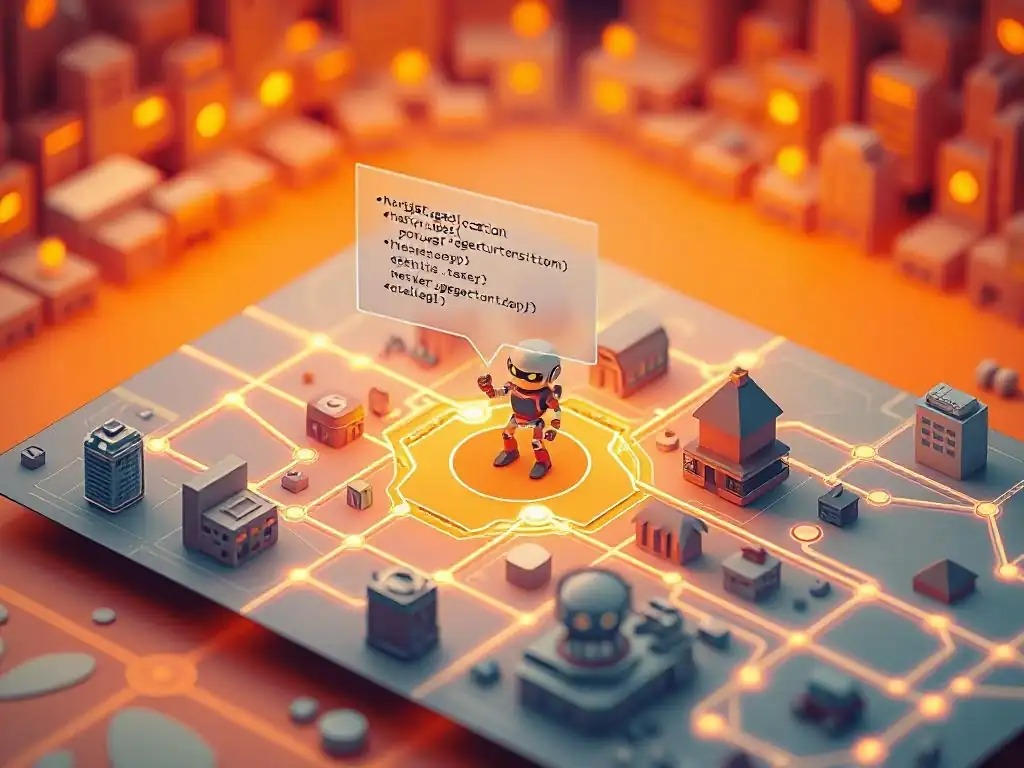
Welcome to LearnJavaScriptQuickly, your one-stop shop for conquering JavaScript! Ready to build something truly interactive? Dive into our in-depth tutorial on creating a JavaScript game geolocation tutorial, leveraging browser APIs to craft engaging location-based experiences. Discover how to harness the power of APIs and unlock a world of exciting possibilities in web application development. Let's get started!
- Introduction to Geolocation and Game Development
- Implementing Geolocation
- Designing Game Mechanics
- Building the User Interface
- Adding Advanced Features
- Testing and Deploying
- Conclusion: Further Exploration
- Frequently Asked Questions
- Final Reflection: Charting New Worlds with Geolocation in JavaScript
- Unleash Your Inner Game Developer: Build Your First Location-Based Game!
Introduction to Geolocation and Game Development
Building engaging and interactive games often involves leveraging the capabilities of the device the game is running on. One particularly exciting area is location-based gaming, where the player's real-world location directly influences the game's mechanics and narrative. This tutorial will guide you through the process of creating a location-based game using JavaScript's Geolocation API, offering a practical, step-by-step approach perfect for solidifying your understanding of both game development and browser APIs.
We'll focus on building a simple scavenger hunt game, demonstrating core concepts applicable to more complex location-aware applications. Mastering this fundamental example will empower you to create more sophisticated geolocation-based games and applications, enhancing your JavaScript skills and portfolio.
This tutorial is designed for intermediate JavaScript developers comfortable with basic programming concepts and familiar with working with APIs. We will cover everything from setting up your development environment to implementing the core game logic, ensuring a comprehensive learning experience relevant to the keyword "JavaScript game geolocation tutorial".
Understanding the Geolocation API
The Geolocation API is a powerful tool within the browser that allows access to the user's current geographical location. It provides latitude and longitude coordinates, enabling developers to build applications that respond dynamically to the user's physical position. However, it's crucial to remember that using the Geolocation API requires explicit user permission. The browser will prompt the user to grant access, and the application should gracefully handle scenarios where permission is denied. The core methods of the API are relatively straightforward: getCurrentPosition() retrieves the current location, while watchPosition() allows for continuous location tracking. Accuracy varies depending on factors such as GPS signal strength and the user's environment. Error handling is vital, as location data may not always be available. We'll explore best practices for handling potential errors and ensuring a smooth user experience. Understanding the limitations and potential inaccuracies is key to building robust and reliable location-based applications. For example, we need to consider how to manage situations where the user's location is unavailable or changes unexpectedly. We will also touch upon privacy considerations and best practices for handling user location data responsibly.
Setting up a Development Environment
Before we begin building our location-based game, let's ensure we have the necessary tools and environment set up. You'll need a code editor (VS Code, Sublime Text, Atom, etc.) and a web browser. No special libraries or frameworks are required for this initial project; we'll be working directly with the browser's built-in Geolocation API and JavaScript.
Creating a simple HTML file to house our JavaScript code is sufficient to get started. We'll also need to ensure that our browser supports the Geolocation API. Most modern browsers do, but it's always good to check. Finally, we'll focus on writing clean, well-commented code, making sure to follow best practices for JavaScript development.
This includes using meaningful variable names, adhering to consistent indentation, and employing error handling techniques to make our code robust and easy to maintain. A well-structured project from the start is essential for efficient development and easier debugging. This section will provide a detailed step-by-step guide to setting up the project, ensuring a smooth development process.
Project Overview: A Simple Scavenger Hunt
Our project will be a simple scavenger hunt game. The game will generate a random location within a predefined radius (e.g., 1 kilometer) from the user's current location. This target location will represent a "treasure". The user's task is to navigate to this location using the information provided by the application (distance to the treasure, direction).
The application will use the Geolocation API to track the user's location and provide feedback on their progress. We will implement a visual representation of the user's position and the target location, potentially using simple map markers or even a more sophisticated map integration (though this is beyond the scope of our initial basic example). The game will end when the user is within a specified proximity of the target location.
Success will be rewarded with a message or score update, while failure will prompt the user to try again. This core structure provides a basic framework that can be expanded upon with features like multiple treasures, scoring systems, leaderboards, and more advanced map integrations, demonstrating the scalability of the techniques learned in this tutorial. We'll focus on the fundamental concepts first, ensuring a strong foundation for future expansion.
Implementing Geolocation
This section dives deep into the practical implementation of geolocation within your JavaScript game. We'll explore how to obtain user location data, handle potential errors gracefully, and finally, convert those raw coordinates into a format usable for displaying on a map. This tutorial focuses on building a robust and user-friendly experience, essential for any engaging geolocation-based game. Mastering these techniques will significantly enhance your JavaScript game development skills, allowing you to create interactive and location-aware experiences. This is a crucial aspect of many modern JavaScript games, particularly those incorporating augmented reality (AR) elements or location-based challenges.
The core of our location-based game relies on the browser's navigator.geolocation API. This API provides access to the user's geographical location, offering a powerful tool for creating interactive experiences. However, it's crucial to handle potential errors and user permissions carefully.
The primary method is getCurrentPosition(). This function takes three arguments: a success callback, an error callback, and an options object (optional). The success callback receives a Position object containing the latitude, longitude, and timestamp of the location. The error callback handles permission denials or location acquisition failures.
Here's a basic example:
function getLocation() {
  if (navigator.geolocation) {
    navigator.geolocation.getCurrentPosition(showPosition, showError);
  } else {
    console.error("Geolocation is not supported by this browser.");
  }
}

function showPosition(position) {
  console.log("Latitude: " + position.coords.latitude);
  console.log("Longitude: " + position.coords.longitude);
}

function showError(error) {
  switch(error.code) {
    case error.PERMISSION_DENIED:
      console.error("User denied the request for Geolocation.");
      break;
    case error.POSITION_UNAVAILABLE:
      console.error("Location information is unavailable.");
      break;
    case error.TIMEOUT:
      console.error("The request to get user location timed out.");
      break;
    case error.UNKNOWN_ERROR:
      console.error("An unknown error occurred.");
      break;
  }
}

getLocation();
This code snippet demonstrates the fundamental steps: checking for API support, requesting location data, and handling both successful retrieval and error scenarios. Remember that users must grant permission for the browser to access their location.
Handling Location Errors and Permissions
Error handling is paramount when working with geolocation. Users might deny permission, the location might be unavailable, or the request might time out. Robust error handling ensures a smooth user experience and prevents unexpected crashes. The showError function in the previous example provides a basic framework. However, for a production-ready game, more sophisticated error handling is needed.
Consider these enhancements:
- User-friendly error messages: Instead of simply logging errors to the console, display informative messages to the user, explaining why the game can't access their location and suggesting solutions (e.g., enabling location services).
- Retry mechanism: If the location is temporarily unavailable, implement a retry mechanism with exponential backoff to avoid overwhelming the user with repeated requests.
- Fallback mechanisms: If geolocation fails completely, provide a fallback mechanism, such as allowing the user to manually input their location or using a default location.
- Permission request handling: Clearly communicate to the user why your game needs access to their location and only request permission when absolutely necessary. Respect user privacy and provide clear options for managing location permissions.
Converting Coordinates to Map Coordinates (using Leaflet)
Raw latitude and longitude coordinates are not directly usable for displaying a location on a map within your game. You'll need a mapping library like Leaflet to handle the coordinate transformation and rendering. Leaflet simplifies the process of creating interactive maps, allowing you to easily display markers, tiles, and other map elements.
Leaflet's LatLng object represents geographical coordinates. You can create a LatLng object from your position.coords.latitude and position.coords.longitude values and use it to place a marker on the map:
// Assuming 'map' is your initialized Leaflet map object
var latlng = L.latLng(position.coords.latitude, position.coords.longitude);
var marker = L.marker(latlng).addTo(map);
This code snippet shows how to seamlessly integrate geolocation data with Leaflet. Remember to include the Leaflet library in your project and initialize the map before using this code. Leaflet offers extensive features beyond simple marker placement, allowing for customization and enhancement of your game's map interface. Consider adding map tiles, custom icons, and interactive elements to elevate the user experience. The possibilities are vast, and Leaflet's comprehensive documentation provides guidance on advanced map manipulation techniques.
Designing Game Mechanics
This section details the core mechanics of our location-based game, focusing on how we'll leverage JavaScript's geolocation capabilities to create an engaging and challenging experience for players. Our game will be a scavenger hunt, using the player's real-world location as the game board. The challenge lies in strategically placing virtual "treasures" at specific geographic coordinates, requiring players to navigate the physical world to discover them. Effective game design hinges on balancing challenge with reward, ensuring players feel a sense of accomplishment without becoming frustrated. We'll explore several key design considerations to achieve this balance.
Defining Scavenger Hunt Objectives
The success of our location-based game heavily relies on the design of the scavenger hunt objectives. These objectives need to be clear, achievable, and rewarding. We'll implement a tiered system, starting with simpler objectives near the player's initial location and progressively increasing difficulty and distance as the player progresses. Each objective will be associated with a specific geographic coordinate (latitude and longitude) obtained using the navigator.geolocation API.
For instance, early objectives might involve finding a nearby landmark, such as a specific statue or fountain within a 100-meter radius. Later objectives could challenge players to locate less obvious points of interest further afield, perhaps requiring them to decipher clues or solve puzzles to pinpoint their location. The difficulty will be adjusted dynamically based on the player's current score and progress.
We will employ a JSON structure to store objective data, including:
| Property | Data Type | Description | Example |
|---|---|---|---|
id |
integer |
Unique identifier for the objective. | 1 |
title |
string |
Title or brief description of the objective. | "Find the Oak Tree" |
latitude |
number |
Latitude coordinate of the objective location. | 34.0522 |
longitude |
number |
Longitude coordinate of the objective location. | -118.2437 |
radius |
number |
Radius (in meters) around the coordinate considered a successful find. | 50 |
clue |
string |
Optional clue to help the player find the objective. | "Look for the tree with the carved heart." |
points |
integer |
Points awarded upon successful completion of the objective. | 100 |
image |
string |
Optional image related to the objective. (Not implemented in this tutorial) | null |
This structured data allows for easy management and scalability of objectives, enabling the creation of a varied and engaging game experience. Adding new objectives simply involves adding new entries to the JSON data.
Creating Interactive Map Elements with Leaflet
To enhance the user experience, we'll incorporate Leaflet, a popular JavaScript library for interactive maps. Leaflet will provide a visual representation of the player's location and the objectives on a map. This allows players to track their progress and strategize their movements.
Leaflet's simplicity and efficiency make it an ideal choice for this project. Its API is straightforward, allowing us to easily add markers for objectives, display the player's current location, and manage map interactions. We will use the player's location data obtained from the navigator.geolocation.getCurrentPosition() method to update their position on the map in real-time. This continuous update creates a dynamic and engaging gameplay experience. The map will be a crucial element, visually representing the game world and guiding the player through the scavenger hunt. We'll also consider adding features like zooming and panning to allow for a more detailed exploration of the game area. Error handling will be crucial to gracefully manage instances where geolocation data is unavailable or inaccurate.
Implementing Game Progression and Scoring
Game progression and scoring are fundamental aspects of any engaging game. In our location-based scavenger hunt, progression is tied directly to the successful completion of objectives. Each completed objective awards the player a predetermined number of points, contributing to their overall score. This score will be displayed prominently on the game interface, providing instant feedback and motivation.
We’ll use local storage to persistently store the player's score and progress. This ensures that the player's achievements are saved even if they close the browser or return to the game later. The game will track the number of objectives completed, the total points earned, and potentially even a leaderboard if we wish to add a competitive element. We'll consider implementing different scoring mechanisms to add complexity, such as awarding bonus points for completing objectives quickly or within a specific time limit. The scoring system will be designed to be flexible and adaptable, allowing us to introduce new scoring mechanics and challenges as the game evolves. The use of JavaScript's localStorage API is essential for this persistent storage of game data. We'll also need error handling to deal with potential issues accessing or storing data in localStorage. This will ensure a robust and reliable game experience.
Building the User Interface
This section details the crucial first step in creating our location-based JavaScript game: designing and implementing the user interface (UI). A well-designed UI is paramount for a positive user experience, ensuring players can easily understand and interact with the game mechanics. We'll focus on creating an intuitive and engaging interface that leverages the power of HTML and CSS, making it easily adaptable for various screen sizes. This is a fundamental aspect of any successful JavaScript game geolocation tutorial.
Designing an Intuitive User Interface
The core of our UI will consist of several key elements: a map displaying the player's location and game elements, a status panel providing information about the player (e.g., score, remaining time, items collected), and potentially interactive buttons for actions within the game. Simplicity and clarity are key. We want to avoid overwhelming the player with unnecessary information or complicated controls.
We'll use a responsive design approach, employing CSS frameworks like Bootstrap or Flexbox to ensure the UI adapts seamlessly to different devices (desktops, tablets, smartphones). This responsiveness is crucial for a JavaScript game geolocation tutorial because it allows the user to play the game on any device without compromising the user experience.
Consider the following structure for our HTML:
<div id="game-container">
  <div id="map"></div>  <!-- Where the map will be displayed -->
  <div id="status-panel">
    <p>Score: <span id="score">0</span></p>
    <p>Time Remaining: <span id="timer">60</span> seconds</p>
    <button id="restart-button">Restart Game</button>
  </div>
</div>
This simple structure allows for easy manipulation and updates using JavaScript. The styling (CSS) will be responsible for the visual appeal and layout. For example, we might use CSS grid or flexbox to arrange the map and status panel effectively. Careful consideration of color palettes, font choices, and iconography will contribute significantly to an engaging user experience.
Displaying Location Data on the Map
Once the user interface is in place, we need to dynamically update the map with the player's location obtained via the Geolocation API. This involves using a mapping library like Leaflet or Google Maps. Both libraries provide robust functionalities for displaying map tiles, markers, and other geographical data.
For this JavaScript game geolocation tutorial, we will focus on efficiently displaying the player's current location on the map using a marker. This marker will update in real-time as the player moves, providing a visual representation of their progress. The accuracy of this location display will depend on the device's GPS capabilities and the available signal strength. Error handling is vital here to gracefully manage situations where location data is unavailable or inaccurate.
The implementation might involve something like this (illustrative, library-specific code would be needed for full functionality):
// Assuming 'map' is a Leaflet map object
let playerMarker = L.marker([latitude, longitude]).addTo(map);

function updatePlayerLocation(latitude, longitude) {
  playerMarker.setLatLng([latitude, longitude]).update();
}
This function updatePlayerLocation is called whenever a new location is obtained, ensuring the marker remains synchronized with the player's actual position. The frequency of location updates can be adjusted to balance accuracy with battery consumption.
Creating Visual Cues for Game Events
To enhance the player's experience and provide clear feedback, visual cues are essential for communicating game events. These cues could include:
- Item Collection: A visual effect (e.g., animation, change in marker color) when the player collects an in-game item.
- Proximity Alerts: A change in the map or status panel to indicate the player is near a point of interest (POI) or another game element. This might involve highlighting the POI on the map or changing its icon.
- Game Over/Win: A clear visual indicator (e.g., a modal popup, screen overlay) to announce the game's conclusion.
These visual cues are critical components of an effective JavaScript game geolocation tutorial. They enhance the engagement and understanding of the game's mechanics. Employing CSS animations, transitions, and potentially JavaScript libraries like GreenSock (GSAP) can significantly elevate the visual quality. Careful consideration of color and animation styles will contribute to a polished and enjoyable gaming experience. The use of appropriate feedback mechanisms ensures the player understands the consequences of their actions and the progress of the game. For instance, a subtle animation when collecting an item provides positive reinforcement and encourages continued gameplay.
Adding Advanced Features
This section delves into enhancing your location-based JavaScript game beyond the basics. We'll explore how to implement real-time location updates, integrate Google Maps for a richer user experience, and optimize performance for mobile devices – crucial aspects for a polished and engaging game. Remember, this builds upon the foundational geolocation concepts already covered. Let's dive in!
Implementing Real-time Location Updates
Real-time location updates are key to a dynamic location-based game. Instead of relying on single location pings, we need continuous updates to reflect the player's movement accurately. This requires careful consideration of several factors, primarily the frequency of location updates and handling potential errors.
The core of this functionality lies in using the watchPosition() method instead of getCurrentPosition(). watchPosition() continually monitors the user's location and triggers a callback function whenever the position changes. However, continuous updates can drain the device's battery and impact performance. Therefore, strategic implementation is crucial.
Here's a sample code snippet illustrating this approach:
let watchId = navigator.geolocation.watchPosition(
  (position) => {
    // Update game state with position.coords.latitude and position.coords.longitude
    updatePlayerLocation(position.coords.latitude, position.coords.longitude);
  },
  (error) => {
    // Handle geolocation errors (e.g., user denied permission, location unavailable)
    console.error('Geolocation error:', error);
    // Consider implementing fallback mechanisms or alternative game modes.
  },
  {
    enableHighAccuracy: true, // For more precise location data, but consumes more battery
    timeout: 5000,          // Timeout after 5 seconds if location isn't acquired
    maximumAge: 0           // Don't use cached location data
  }
);

// Function to stop watching location updates (important for memory management)
function stopWatchingLocation() {
  navigator.geolocation.clearWatch(watchId);
}
The options object allows fine-tuning the accuracy and frequency of updates. Experiment with these settings to balance accuracy with battery life. Remember to always handle potential errors gracefully, providing informative feedback to the user and implementing appropriate fallback mechanisms. Efficient error handling is crucial for a robust and user-friendly game. Consider adding a visual cue to the user if location services are unavailable or if accuracy is low.
Integrating Google Maps API for Enhanced Features
Integrating the Google Maps API significantly enhances the user experience. Instead of simply using latitude and longitude coordinates, you can display a visually appealing map, overlay game elements, and utilize Google Maps' powerful features. This provides a more intuitive and engaging gameplay environment.
To integrate the Google Maps API, you'll need a Google Maps API key. Once you obtain your key, you can include the Google Maps JavaScript API in your project and use its functions to create and manipulate maps. This allows for features like displaying the player's location as a marker, showing points of interest, and creating interactive map overlays.
The level of integration depends on your game's design. You might display a static map showing the game area or create a dynamic map that updates in real-time to reflect the player's movements and interactions with the game world. Google Maps offers extensive documentation and tutorials that can guide you through the implementation process. Remember to consider the implications of increased data usage and potential performance overhead when using the Google Maps API. For example, consider using lower resolution map tiles for mobile devices.
Optimizing Performance for Mobile Devices
Optimizing performance is paramount for a positive mobile gaming experience. Location-based games, especially those relying on real-time updates, can be particularly demanding on mobile devices. Several strategies can significantly improve performance:
- Reduce the frequency of location updates: As mentioned earlier, constantly requesting location updates drains battery life. Implement intelligent update intervals based on game events or player actions.
- Minimize JavaScript code execution: Optimize your JavaScript code to reduce computational overhead. Use efficient algorithms and data structures. Avoid unnecessary calculations or DOM manipulations.
- Use efficient data structures: Choose appropriate data structures for storing and managing game data. For instance, consider using lightweight structures like arrays instead of complex objects when possible.
- Implement caching mechanisms: Cache frequently accessed data to minimize repeated requests to the server or API.
- Lazy loading of assets: Load game assets only when they're needed. This prevents unnecessary loading of large files, particularly images.
- Testing on various devices: Thoroughly test your game on a variety of mobile devices to identify performance bottlenecks and make necessary optimizations. This is crucial for ensuring a consistent and enjoyable user experience across different hardware and software configurations. Pay special attention to battery consumption and frame rates during testing.
Remember that game development is an iterative process. Continuous testing and optimization are essential to creating a high-performing and engaging location-based game. Prioritize performance optimization from the beginning of the development process to avoid major refactoring later. Use profiling tools to identify specific performance bottlenecks and focus your optimization efforts accordingly.
Testing and Deploying
This section focuses on the crucial final steps in developing your location-based JavaScript game: rigorous testing and seamless deployment. Successfully navigating these stages ensures a smooth user experience and a polished final product. Remember, thorough testing is paramount for any JavaScript application, but especially for geolocation-dependent games where accuracy and functionality are key.
Thorough Testing Across Browsers and Devices
Testing your geolocation JavaScript game across various browsers and devices is non-negotiable. Inconsistencies in browser implementations of the Geolocation API can lead to unexpected behavior. For example, permission prompts might differ subtly, or the accuracy of location data could vary significantly. Similarly, different screen sizes and device capabilities (e.g., mobile vs. desktop) will impact the game's user interface and overall playability.
Here's a structured approach to thorough testing:
- Browser Compatibility: Test on major browsers like Chrome, Firefox, Safari, and Edge. Pay close attention to how the game handles permission requests and location data retrieval in each browser. Note any discrepancies in behavior or error messages.
- Device Compatibility: Test on a range of devices, including desktops, laptops, tablets, and smartphones. Consider different operating systems (iOS, Android, Windows, macOS). The game's responsiveness and user experience should be consistent across all devices.
- Network Conditions: Test under various network conditions, including slow connections and intermittent connectivity. Your game should gracefully handle situations where location data is unavailable or delayed. Implement appropriate error handling and user feedback mechanisms.
- Edge Cases: Consider edge cases such as:
- Users denying location permissions. How does your game handle this? Does it provide alternative gameplay or clear instructions?
- Inaccurate or unavailable location data. Does your game provide informative error messages? Does it fallback to default values?
- Users moving rapidly. How does the game respond to rapidly changing coordinates? Does it filter out noisy data?
| Browser | OS | Device | Result | Notes |
|---|---|---|---|---|
| Chrome | Windows 10 | Desktop | Successful location retrieval; smooth gameplay | No issues observed |
| Firefox | macOS | Laptop | Successful location retrieval; minor UI glitches | Investigate UI responsiveness on smaller screens |
| Safari | iOS 16 | iPhone 13 | Location retrieval slow; occasional errors | Optimize location data handling for mobile devices |
| Edge | Android 12 | Samsung Tab | Successful location retrieval; smooth gameplay | No issues observed |
Testing should be iterative. Address any bugs or inconsistencies identified during testing before proceeding to deployment. Consider using browser developer tools to debug JavaScript errors and network requests. Remember to thoroughly document your testing process and results. This documentation will be invaluable for future maintenance and updates.
Debugging Geolocation Issues
Debugging geolocation issues often involves careful examination of browser console logs and network requests. Errors related to permission requests, location data accuracy, and network connectivity are common.
Here are some common geolocation debugging strategies:
- Check Browser Console: The browser's developer console is your first line of defense. Look for error messages related to the Geolocation API. These messages often provide clues about the source of the problem. For example, you might see errors indicating that location permissions were denied or that location data is unavailable.
- Inspect Network Requests: Examine network requests to ensure that your application is correctly requesting and receiving location data. Look for HTTP status codes that indicate errors (e.g., 404 Not Found, 500 Internal Server Error).
- Verify Permissions: Double-check that your game is requesting location permissions correctly. Ensure that the user has granted the necessary permissions. If permissions are denied, your game should handle this gracefully.
- Simulate Location: Use browser developer tools to simulate different locations to test various scenarios. This allows you to test the game's behavior under different conditions without physically changing your location.
- Accuracy Considerations: Remember that geolocation data is inherently imprecise. Account for this imprecision in your game design. Don't rely on pinpoint accuracy; instead, use appropriate thresholds and error handling to manage variations in location data.
Deploying to a Web Server
Once you've thoroughly tested your game, you're ready for deployment. This involves uploading your game files to a web server that makes them accessible to users. Several options exist for hosting a web application, ranging from simple solutions to more complex setups.
Key deployment considerations include:
- Server Selection: Choose a web server that meets your needs in terms of performance, scalability, and security. Many hosting providers offer various plans tailored to different website sizes and traffic volumes.
- File Upload: Upload all necessary files, including HTML, CSS, JavaScript, and any other assets (images, sounds, etc.) to your web server. Ensure the correct file structure is maintained.
- HTTPS: Use HTTPS to secure your game and protect user data. HTTPS encrypts communication between the user's browser and your server, preventing eavesdropping and data tampering.
- Testing Post-Deployment: After deploying, retest your game to ensure it functions correctly on the live server. Check that location data is retrieved accurately and that the game performs as expected under real-world conditions.
Remember to regularly update and maintain your game after deployment. This includes addressing bugs, adding new features, and ensuring compatibility with the latest browsers and devices. Providing regular updates demonstrates your commitment to providing a high-quality user experience and keeps your game fresh and engaging for players. Continuously monitoring user feedback and analytics will further improve your game's performance and success.
Conclusion: Further Exploration
This tutorial provided a foundational understanding of how to leverage the JavaScript Geolocation API to build a location-based game. We've covered the basics of obtaining user location, handling potential errors, and using that data to create a simple, engaging experience. However, the possibilities extend far beyond what we've explored here.
The power of combining geolocation with other JavaScript capabilities, like canvas rendering and web storage, unlocks a world of creative opportunities. Remember that accuracy and user privacy are paramount when working with geolocation data; always clearly communicate your app's data usage to your users and adhere to best practices. Let's delve into some avenues for expanding your location-based game development skills.
Exploring Advanced Geolocation APIs
While we focused on the core functionality of navigator.geolocation.getCurrentPosition(), the Geolocation API offers more sophisticated features. For instance, you can use watchPosition() to continuously track the user's location, updating the game state in real-time. This is crucial for games requiring constant location updates, such as augmented reality experiences or real-time multiplayer games. Imagine a game where players can see each other's avatars on a map as they move around in the real world – watchPosition() is key to achieving that. Furthermore, understanding the options available within getCurrentPosition() and watchPosition(), such as enableHighAccuracy, timeout, and maximumAge, allows for fine-grained control over location acquisition, balancing accuracy with battery consumption and user experience. Experimenting with these options will significantly improve the robustness and efficiency of your geolocation-based games. Consider the impact of these options on different devices and network conditions. A high accuracy setting might be ideal for a precision-based game, but it could drain battery quickly on mobile devices.
Creating More Complex Game Mechanics
The simple treasure hunt example we built serves as a solid starting point. However, the possibilities for more intricate game mechanics are vast. Think about incorporating features like:
- Proximity-based triggers: Activate events or challenges only when the player is within a certain radius of a specific location. This could unlock hidden clues, initiate battles, or reveal new areas on the game map.
- Real-world map integration: Use a mapping API (like Google Maps or Leaflet) to display a visual representation of the player's location and game elements on a realistic map. This adds a layer of immersion and allows for more complex game designs.
- Multiplayer functionality: Enable multiple players to interact within the same game world, competing for resources or collaborating to solve puzzles. This requires more advanced techniques, including server-side components and real-time communication protocols.
- Gamification elements: Incorporate points, leaderboards, achievements, and other gamification elements to enhance player engagement and motivation. This can involve integrating with backend services to track and manage player progress.
- Persistent game state: Use
localStorageor a dedicated backend database to store player progress, location history, and other game data between sessions. This allows for a more engaging and replayable experience.
Resources for Continued Learning
To further enhance your JavaScript game geolocation tutorial journey, consider exploring these resources:
- MDN Web Docs Geolocation API Reference: This is an excellent resource for detailed information on the Geolocation API's capabilities and functionalities.
- JavaScript Game Development Tutorials: Numerous online tutorials cover various aspects of game development in JavaScript, including libraries like Phaser and PixiJS, that can greatly simplify the process.
- Mapping API Documentation: Familiarize yourself with the documentation of mapping APIs like Google Maps JavaScript API or Leaflet to integrate map visualization into your games.
- Online Communities and Forums: Engage with other developers through online communities and forums to seek help, share your progress, and learn from others' experiences.
Remember, consistent practice and exploration are key to mastering any skill. Don't be afraid to experiment, iterate, and push the boundaries of what's possible with JavaScript and geolocation. Happy coding! 🎉
Frequently Asked Questions
What is a location-based game?
A location-based game uses the player's real-world location, obtained through their device's GPS, to influence gameplay. This creates a dynamic and immersive experience, blending the virtual and physical worlds. Geolocation APIs are crucial for this functionality.
How does the game get my location?
The game uses the browser's built-in Geolocation API, which requests permission to access your device's GPS data. This information is then used to track your position within the game's virtual map. User permission is always required.
What JavaScript APIs are used in this tutorial?
The tutorial primarily utilizes the browser's Geolocation API to obtain location data. It might also incorporate other APIs depending on the game's specific features, such as APIs for map rendering or data storage.
What kind of games can I build with this tutorial?
You can create many different types of location-based games, such as treasure hunts, augmented reality games, or competitive challenges where players compete based on their proximity to virtual targets. Your creativity is the limit!
Do I need prior programming experience to follow this tutorial?
While some basic programming knowledge is helpful, the tutorial is designed for beginners and provides step-by-step instructions. A basic understanding of JavaScript fundamentals will be beneficial, but isn't strictly required for those willing to learn.
Final Reflection: Charting New Worlds with Geolocation in JavaScript
The convergence of JavaScript's power and geolocation APIs has unlocked a new era of interactive experiences, fundamentally changing how we engage with the digital and physical worlds. No longer confined to screens, games and applications can now seamlessly blend the virtual and real, offering players unique and location-aware adventures. This isn't just a technological advancement; it's a paradigm shift in how we design and interact with digital spaces.
The impact of location-based gaming extends far beyond simple entertainment. It fosters community building, encourages exploration of our surroundings, and even promotes physical activity. The world is a book and those who do not travel read only one page.
– Saint Augustine. This quote perfectly encapsulates the potential of geolocation technology to enrich our understanding and appreciation of the world around us, transforming passive observation into active engagement. The ability to create games that leverage this technology is a powerful tool for both developers and players alike.
Now, consider the possibilities. What unique location-based game could you create? Imagine the innovative experiences you could design, the communities you could build, and the stories you could tell. Don't just read about the potential of JavaScript geolocation; embrace it. Experiment with the APIs, explore the possibilities, and contribute to the ever-expanding landscape of location-aware gaming. The world is waiting to be explored, one line of code at a time.
Unleash Your Inner Game Developer: Build Your First Location-Based Game!
Congratulations on entering the exciting world of location-based game development using JavaScript! You've already mastered powerful browser APIs, and now it's time to apply your new skills.
Here's how to build on your success:
- Create a Simple Game: Put your knowledge into practice by developing a basic location-based game prototype. Even a small project, such as a neighborhood treasure hunt, will significantly enhance your understanding.
- Share Your Work and Get Feedback: Join the LearnJavaScriptQuickly.com forums to discuss your game ideas and challenges with other developers. Collaborating and receiving feedback will accelerate your learning.
- Expand Your Game's Functionality: Explore additional browser APIs and libraries to add more advanced features to your game. The possibilities are endless!
Ready to turn your knowledge into a fully functional game? What innovative location-based mechanic will be the heart of your creation?