JavaScript Error Handling: A Practical Guide to Try, Catch, Finally
🤔 Master JavaScript error handling with our practical guide! Learn to use the `try...catch...finally` statement to gracefully handle exceptions, preventing crashes and…
Read article
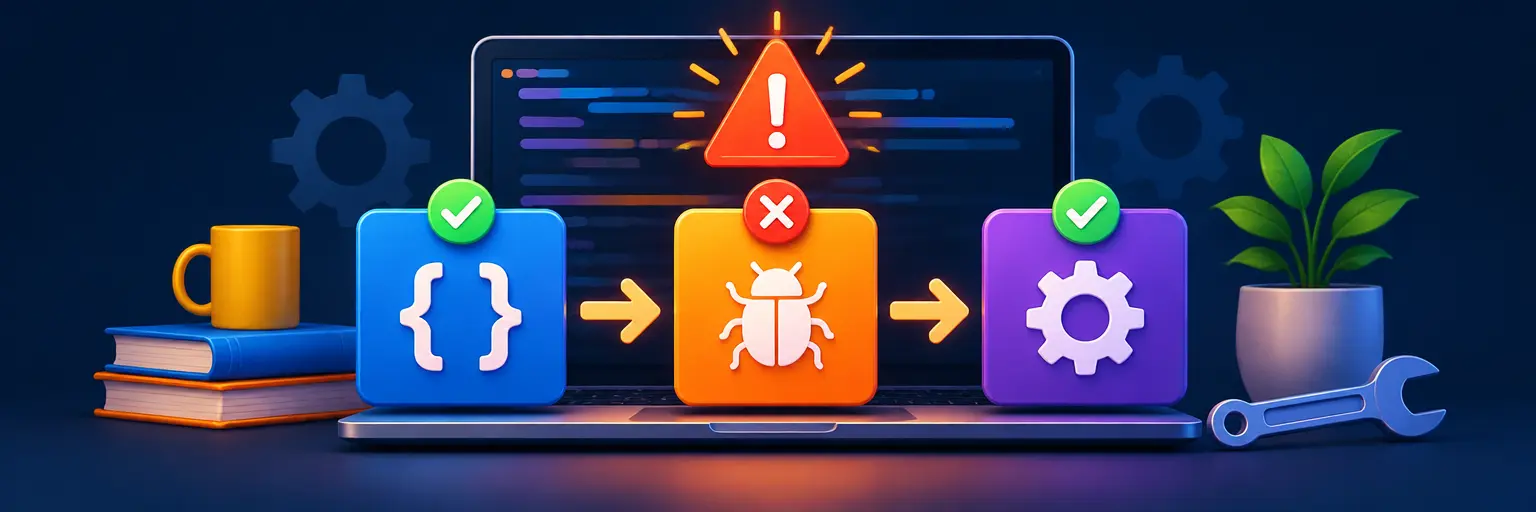
Master the art of writing bulletproof JavaScript with error handling using try, catch, and finally—a core skill every developer needs to build resilient, user-friendly applications. Instead of letting unexpected errors crash your code or frustrate users, you’ll learn to gracefully intercept problems, debug like a pro, and ensure cleanup tasks always run. This guide breaks down the syntax, best practices, and real-world scenarios—from handling API failures to validating user input—with clear, actionable examples. Whether you’re a beginner wrapping your head around exceptions or an intermediate coder aiming to harden your projects, you’ll quickly grasp how to prevent silent failures, log errors meaningfully, and keep your app’s flow intact. Plus, discover common pitfalls (like overusing try/catch or ignoring the finally block) and how to combine these tools with promises and async/await for modern JavaScript. By the end, you’ll write code that fails gracefully, communicates clearly, and stands up to real-world misuse—boosting your confidence and your code’s reliability. Dive in to turn errors from a nightmare into a structured, solvable part of your coding toolkit.
🤔 Master JavaScript error handling with our practical guide! Learn to use the `try...catch...finally` statement to gracefully handle exceptions, preventing crashes and…
Read article
🤔 Master JavaScript's complexities with our comprehensive JavaScript error handling tutorial. Learn to prevent, identify, and gracefully handle errors, building robust and…
Read articleWelcome to the Error Handling in JavaScript subcategory at LearnJavaScriptQuickly, where you’ll transform from a coder who fears crashes into a confident developer who anticipates and controls failures. Here, we focus exclusively on the try, catch, finally trio—the backbone of synchronous error management. Expect practical examples, common pitfalls, and real-world debugging strategies that sharpen your resilience. Whether you’re handling API responses, user inputs, or file operations, these lessons ensure your scripts fail gracefully, not fatally. Dive in to build robust applications that keep running smoothly even when surprises occur.
The try block wraps code that might throw an error; if an exception occurs, execution jumps to catch, which receives the error object for inspection. The finally block always runs—whether an error was thrown or not—making it perfect for cleanup tasks like closing connections or resetting UI states. In this section, you’ll learn the exact placement of each keyword, how to access error properties like message and name, and why finally is optional but powerful for resource management. We dissect real examples, from simple division-by-zero to nested try-catch structures, ensuring you grasp both syntax and execution flow with confidence.
Expect step-by-step code snippets that you can type directly into your browser console or Node.js environment. We emphasize how try-catch does not catch asynchronous errors by default—a critical insight for beginners—and guide you on combining it with promises or async/await. By the end, you’ll know when to use throw manually to create custom errors and how to re-throw errors for higher-level handling. This foundational knowledge prevents silent failures and helps you write self-documenting, maintainable code.
Runtime errors—like undefined variables, null property access, or invalid array operations—are inevitable. This section teaches you to intercept them using try-catch without breaking the user experience. You’ll discover patterns for defensive coding, such as wrapping risky functions, validating inputs before operations, and using conditional logic to avoid exceptions altogether. We show how to log errors to the console or an external service, while still providing fallback values to keep your app functional. These techniques are crucial for production-quality JavaScript, where one unhandled exception can halt an entire script.
We also cover Error objects in depth: creating custom error types, extending the built-in Error class, and using instanceof for type-specific handling. You’ll learn to distinguish between recoverable errors (like missing data) and fatal ones (like network failures) and decide whether to continue execution or show a user-friendly message. Practical exercises simulate flaky APIs and malformed JSON, so you can practice building resilient request handlers that never crash silently. This skill is a must-have for any aspiring full-stack developer.
The finally block is your best friend for ensuring that cleanup code runs under every circumstance—success, failure, or early return. This section focuses on scenarios like closing file streams, clearing timers, removing event listeners, or resetting loading spinners. You’ll see how finally complements try-catch by acting as a guaranteed exit path, even when you re-throw an error or return a value from within the try block. We explain the subtle order: try → catch (if error) → finally → then the rest of the function.
Expect hands-on examples that mimic real modules, such as database connections or fetch requests where you must release resources to prevent memory leaks. We tackle tricky cases: when finally contains a return or throw that overrides the original result, and how to avoid unintended side effects. By mastering finally, you’ll write code that is both robust and efficient, reducing bugs related to unclosed handles or stuck UI states. This knowledge sets you apart from beginners who only rely on catch without cleanup.
Even experienced developers stumble on error handling pitfalls. This section highlights frequent anti-patterns—like swallowing errors silently, using catch without parameters, or catching too broadly—and how to fix them. You’ll learn why an empty catch block is dangerous, because it hides bugs and makes debugging impossible. We also discuss the difference between expected exceptions (which you handle) and unexpected ones (which you should log and perhaps re-throw). Proper error propagation is key: sometimes you need to let errors bubble up to a central handler rather than catching at every level.
We provide a checklist to audit your own code: Are you logging enough context? Are you using throw correctly? Do you distinguish between programming errors and operational errors? By studying anti-patterns, you’ll internalize best practices, such as using error.name and error.stack for debugging, and avoiding `catch (e) { console.log(e) }` in favor of structured logging. This section transforms your mindset from “avoid errors” to “manage errors intelligently,” a hallmark of senior-level JavaScript proficiency.
Writing good error handling is incomplete without testing it. This section guides you on simulating failures using unit tests and debugging tools to verify that your try-catch-finally logic behaves as intended. You’ll learn how to use throw in test cases to trigger specific error paths, inspect call stacks, and set breakpoints inside catch blocks with browser DevTools. We cover the console API’s console.error and console.assert for tracing, plus the debugger statement for pausing execution just before an error occurs.
Practical exercises include writing a function that reads a config file, simulating both missing file and malformed JSON scenarios, and testing with Jest or Mocha. You’ll also explore how to use try-catch around async functions with await and how to test those with rejects assertions. This testing focus ensures your error handling is not just theoretical but verified. By the end, you’ll build a small library with custom error classes and comprehensive tests, proving to yourself—and future employers—that you code with reliability in mind.
Unhandled errors cause the JavaScript engine to throw an exception that stops the current script execution, often breaking the entire page or application. This leads to poor user experience and lost data. Using try-catch lets you intercept errors, log them, and continue running, ensuring your app remains responsive.
No, try-catch only works for synchronous code. For asynchronous operations like setTimeout, promises, or async/await, errors are rejected promises. You must use .catch() on promises or wrap await in try-catch to handle async failures effectively.
Yes, the finally block executes regardless of a return, break, continue, or throw in the try or catch blocks. However, if finally itself contains a return or throw, it overrides the previous one, which can lead to surprising behavior—so use it mainly for cleanup.
Define a class extending Error, call super(message), and set this.name to your custom name. For example, class ValidationError extends Error { constructor(msg) { super(msg); this.name = 'ValidationError'; } }. Then throw new ValidationError('Invalid input') and catch it using instanceof checks.
No, catching every error can hide critical bugs. It’s better to let unexpected errors propagate to a global handler (like window.onerror) and only catch errors you can meaningfully recover from. This keeps your debugging information clear and prevents silent failures.