Common JavaScript Errors and How to Fix Them – Syntax and Logic Errors
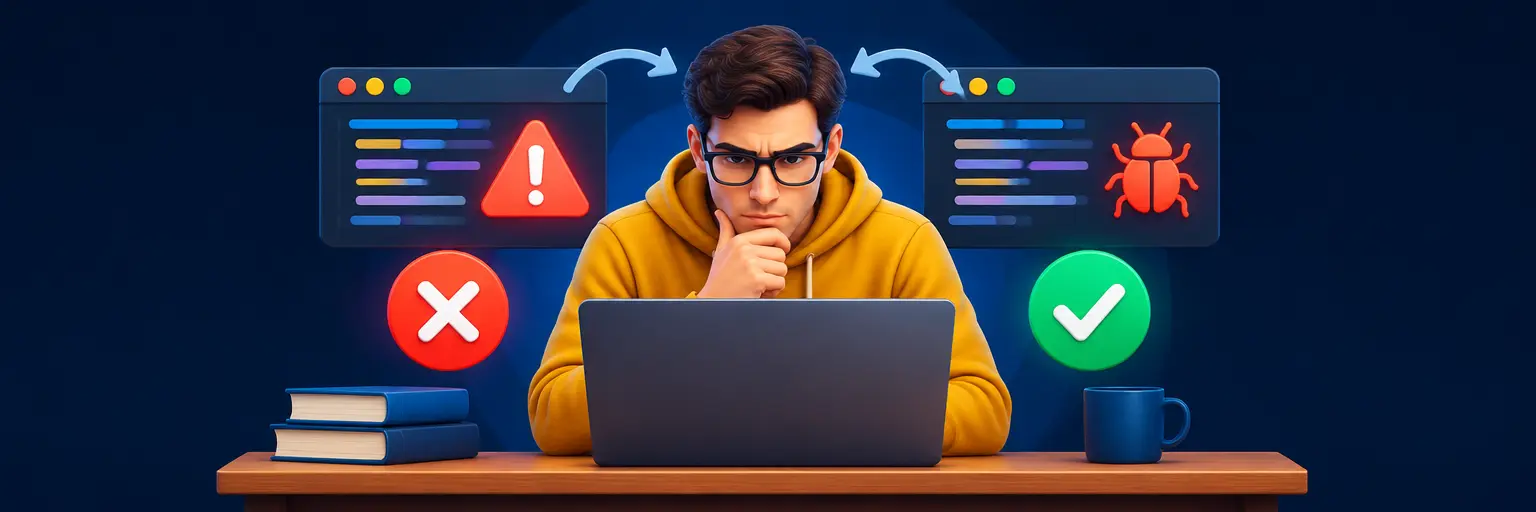
Welcome to this focused subcategory from LearnJavaScriptQuickly, where we break down the most frequent JavaScript pitfalls that trip up beginners and intermediates alike. Here, you’ll master the art of spotting syntax errors (those annoying typos, missing brackets, or misplaced commas) and logic errors (where the code runs but behaves unexpectedly). By the end, you’ll debug faster, write cleaner code, and boost your confidence for real-world projects. Dive in below to uncover practical fixes, common traps, and hands-on examples that turn frustration into fluency.
🔍 Understanding Syntax Errors: The Silent Killers
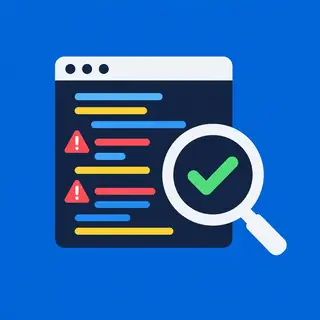
Syntax errors are the first wall every JavaScript learner hits. They occur when the engine can’t parse your code due to incorrect grammar—like forgetting a closing parenthesis, using a reserved word, or mismatched quotes. These errors stop execution immediately, displaying a red flag in the console. Common examples include missing semicolons, unclosed strings, or incorrectly nested braces. The fix often lies in reading the error message carefully and checking the line number, but tools like linters can catch them before runtime.
To master this, you’ll learn to use browser DevTools effectively, interpret stack traces, and adopt habits like consistent indentation and using an editor with real-time syntax highlighting. We’ll walk through 10 typical syntax blunders, from stray commas in arrays to using let incorrectly, with before-and-after code snippets. You’ll also practice fixing errors in small exercises designed to mirror real coding scenarios, ensuring you can spot and resolve them instantly during your own development.
🧠 Logic Errors: When Code Runs But Misbehaves
Logic errors are trickier because the code executes without throwing any exceptions, yet the output isn’t what you expected. For instance, a loop that runs one too many times, a condition using = instead of ===, or a misplaced variable scope. These bugs often require step-by-step debugging, adding console.log() statements, or using breakpoints in DevTools to trace data flow. We’ll show you how to isolate the faulty logic by testing small segments and comparing expected vs. actual outputs.
This section teaches you systematic approaches like rubber duck debugging and binary search debugging. You’ll learn to recognize patterns behind common logical mistakes, such as off-by-one errors in loops, incorrect operator precedence, or misuse of truthy/falsy values. Through real-world exercises, you’ll fix broken functions that calculate totals, filter arrays, or handle user input—building a mental toolkit to catch these elusive bugs before deployment.
🛠️ Fixing Common Syntax Mistakes in Strings & Numbers
Strings and numbers are where beginners stumble most often. Examples include using single quotes inside a string without escaping, mixing number types (integers vs. floats) leading to precision issues, or accidentally concatenating instead of adding. Syntax fixes involve proper escape sequences like \' or backticks for template literals, while logic fixes require careful type conversion using Number() or parseInt(). We’ll also cover the infamous NaN and how to avoid it by validating inputs.
Expect practical tips like always using === for comparisons, checking for undefined before operations, and leveraging toFixed() for decimals. You’ll get downloadable cheat sheets for string escape characters and number formatting. Plus, we’ll include mini-challenges where you correct a given set of buggy expressions, reinforcing your ability to spot and repair these frequent issues in your own code.
🔁 Debugging Loops and Conditionals: The Usual Suspects
Loops and conditionals are the backbone of logic, and errors here often cause infinite loops or skipped iterations. A classic mistake is using i < array.length instead of i <=, or forgetting to increment the counter. Similarly, if-else chains might have unreachable branches due to reversed conditions. Syntax errors like missing braces around the loop body can also cause unintended single-line executions. We’ll break down how to avoid these by writing pseudocode first and verifying edge cases like empty arrays.
You’ll learn to use breakpoints and watch expressions to monitor variable changes in real time. We’ll provide a structured checklist for debugging loop conditions, including checking bounds, step increments, and exit criteria. The exercises will include fixing a loop that prints the wrong series, correcting a conditional that always evaluates true, and refactoring a nested loop for better readability—all aimed at boosting your debugging speed on the job.
⚡ Tooling & Best Practices for Fast Error Resolution
Beyond manual fixes, modern tooling can prevent and solve errors instantly. This includes using ESLint for style and syntax issues, Prettier for formatting, and TypeScript for type-checking (if you’re open to it). We’ll guide you through setting up these tools in your local environment, plus how to use source maps to debug minified code. Also, learn the art of reading error messages—many beginners ignore the first line, but it often contains the exact token and line number.
Finally, we’ll stress the importance of writing modular code, using descriptive variable names, and breaking complex functions into smaller testable pieces. You’ll get a workflow for tackling any error: reproduce, isolate, hypothesize, fix, and validate. This section also introduces console.table(), console.time(), and debugger statements for advanced inspection. By adopting these practices, you’ll reduce error frequency and trim debugging time by half, making you a more efficient and confident coder.
Frequently Asked Questions
What is the difference between a syntax error and a logic error?
A syntax error occurs when the JavaScript engine cannot parse your code due to incorrect grammar, like a missing comma or bracket, and the script stops running. A logic error means the code runs without crashing but produces incorrect output, such as an off-by-one loop or a misplaced condition. Syntax errors are easier to spot via console messages; logic errors require testing and debugging.
Why does my console show "Unexpected token" when I run my code?
This error usually points to a syntax mistake like a missing parenthesis, bracket, or quote in the line indicated. Check the highlighted position in your code and look for unclosed constructs, stray commas, or reserved words used as variable names. Use an editor like VSCode with bracket matching to quickly find mismatched pairs.
How can I avoid infinite loops in JavaScript?
Always ensure your loop’s exit condition will eventually become false. Check that you increment or modify the loop variable correctly, and test with small input sizes first. Use a maximum iteration guard (e.g., let count = 0; while (count < 100)) as a safety net. Also, log your variable values inside the loop to see where it gets stuck.
Do I need to use semicolons in JavaScript?
No, JavaScript has automatic semicolon insertion, but omitting them can lead to subtle bugs, especially when starting a line with ( or [. It’s best practice to include semicolons consistently to avoid unexpected line breaks being interpreted as statement endings. Many style guides and linters enforce them for reliability.
What’s the fastest way to debug a logic error without a debugger?
Use console.log() at strategic points to print variable values and track execution flow. Compare the expected vs. actual output at each step. Alternatively, write small isolated functions to test a specific piece of logic. You can also use console.assert() to test assumptions and break your code into simpler parts.