SinglePage Applications (SPAs) and Browser JavaScript
🤔 Mastering Single Page Applications (SPAs) is easier than you think! This JavaScript SPA tutorial for beginners provides a step-by-step guide to…
Read article
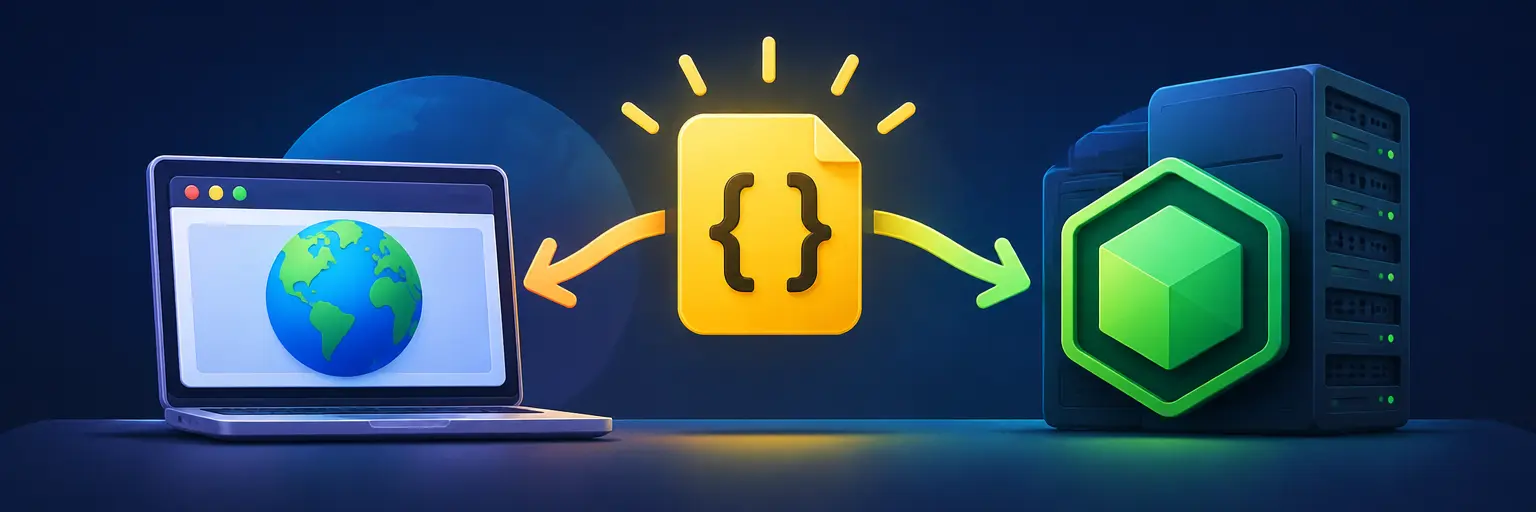
JavaScript runs everywhere, but the environment it lives in changes everything. On LearnJavaScriptQuickly, we break down the critical differences between the browser and Node.js—from global objects like window vs global, to APIs like DOM vs fs. Understanding these JavaScript environments is key to writing code that works where you intend, whether you’re building interactive web pages or server-side apps. This guide covers event loops, module systems, and common pitfalls, helping you transition smoothly between client-side and server-side development. Master these fundamentals, and you’ll debug faster and architect better from day one.
Understanding where your JavaScript code runs is just as critical as writing the code itself. In this subcategory, you’ll discover the fundamental differences between the browser environment and Node.js, focusing on global objects, APIs, module systems, and event loops. Whether you’re building interactive web pages or server-side applications, mastering both environments will make you a versatile developer. Let’s dive into how each one shapes your JavaScript journey.
In the browser, your JavaScript lives inside the window object, which provides access to the DOM, browser history, and localStorage. This means you can manipulate elements using document.querySelector() or handle user clicks via addEventListener(). Without these APIs, you cannot interact with the visible web page. On the other hand, Node.js uses the global object, which offers server-side utilities like process for environment variables and Buffer for binary data. You won’t find document or window here—only filesystem and network tools. For beginners, recognizing this distinction prevents errors like trying to access window in a Node script.
When you run JavaScript in a browser, you also get access to fetch for HTTP requests and WebSockets for real-time communication. Node.js, however, historically relied on the http module, though modern Node versions now include a global fetch as well. This convergence is exciting but still differs in streaming and performance. Your code’s behavior can change drastically based on the host environment, so always check which globals are available. We’ll explore practical examples to solidify these concepts, ensuring you know exactly where each API lives and how to use it safely.
Browsers originally had no built-in module system, so developers used script tags and global variables—a messy approach. Today, ES Modules (import/export) are supported natively in modern browsers, allowing you to split code into clean files. With type="module" in your HTML script tag, you can use top-level await and static imports. However, older browsers might still struggle, requiring bundlers like Webpack or Vite. For Node.js, the story is different: it initially adopted CommonJS with require() and module.exports. This synchronous system is robust for server-side code but lacks static analysis. Now, Node.js also supports ES Modules, but you need to set "type": "module" in your package.json or use the .mjs extension.
Choosing the right module system affects your project’s maintainability and compatibility. In the browser, ES Modules shine for front-end apps because they enable tree-shaking—removing unused code—and faster loading. In Node.js, many legacy packages still use CommonJS, but modern libraries are migrating to ESM. As a quick learner, you should practice converting between the two. For example, const fs = require('fs') becomes import fs from 'fs' in ESM. We’ll show you common pitfalls like default vs. named exports, and how to handle mixed environments in a single codebase. This knowledge is vital for working on real projects that span both client and server.
The event loop is the heart of JavaScript’s non-blocking I/O, but it behaves differently in browsers and Node.js. In the browser, the event loop handles user interactions, timers, and rendering. It prioritizes repainting frames to keep animations smooth—something server-side code never worries about. Node.js’s event loop is optimized for I/O operations like file reads, network requests, and database queries. It uses a libuv library to manage thread pools, allowing you to handle thousands of concurrent connections with a single thread. The phases—timers, pending callbacks, idle, poll, check, close callbacks—are more complex than browsers, but conceptually similar in avoiding blocking.
For beginners, understanding setTimeout and Promise is the first step. In a browser, setTimeout(fn, 0) ensures the UI updates before running the callback. In Node.js, the same code may execute immediately after the current operation completes. Additionally, Node.js provides process.nextTick(), which runs before the event loop continues—something not available in browsers. This difference can cause unexpected ordering in your logs. We’ll walk through mini-projects, like a web scraper (Node) and a button-click counter (browser), to see how asynchronous patterns differ. By mastering both, you’ll write efficient code that leverages each environment’s strengths, avoiding common pitfalls like memory leaks or starving the UI thread.
Debugging in the browser is typically done via DevTools, which offer a rich interface for inspecting the DOM, monitoring network requests, and setting breakpoints. You can use console.log(), but also console.table() for objects and debugger statements to pause execution. Performance panels help you find slow layout or script execution. For Node.js, debugging is often text-based, using the built-in --inspect flag to connect Chrome DevTools for a similar experience. Alternatively, you can use node:inspector module or third-party tools like nodemon for hot-reloading. Unlike the browser, Node.js lacks a visual DOM inspector, so you rely on logging with util.inspect() for deep object details.
One huge advantage in Node.js is the ability to add debug console and breakpoints in your IDE (like VS Code) without leaving your editor. Browser debugging requires switching between the editor and DevTools. However, browser tools are superior for CSS and layout issues. For JavaScript logical errors, both environments support similar stack traces and source maps. We’ll teach you how to set up launch.json for Node debugging and use console.time() for performance tuning. You’ll also learn about error handling—uncaught exceptions behave similarly, but Node has process.on('uncaughtException') for global recovery. This practical skill saves hours when building full-stack applications.
Why should you care about these environments? Because choosing the right one determines your app’s architecture. For example, a single-page application (SPA) runs in the browser, but it needs a Node.js server for API endpoints. You might also use isomorphic JavaScript—code that runs in both, like form validators or utility libraries. To write such code, avoid using environment-specific globals without checks. Use typeof window !== 'undefined' or typeof process !== 'undefined' to detect the host. This pattern is common in libraries like Axios or Lodash. Additionally, Node.js can run client-side build tools like Babel, and browsers can run server-rendered HTML with embedded scripts, creating a seamless loop.
Migrating from one environment to another requires careful consideration of dependencies. For instance, localStorage is only in browsers; use fs or a database in Node. On the other hand, Node’s process.env has no browser equivalent—you’d use a bundler to inject environment variables. We’ll give you a checklist: replace window with globalThis for universal reference, use fetch in both (but handle streams differently), and avoid Node’s path module in browser code. With practical examples like a weather app that fetches data from a Node API and renders in the browser, you’ll see how to combine both worlds. By the end, you’ll confidently choose the right tool for any project—front-end, back-end, or full-stack.
Yes, for core logic like loops and functions, but not for APIs. Avoid using window, document, or require without checks. Use globalThis to access globals universally. For modules, choose a bundler or write conditional exports to work in both, like using ES Modules with a build step.
require and import?require() is CommonJS, synchronous, and default in Node.js. import is ES Module syntax, asynchronous, and native in browsers. You can use import in Node.js by setting "type": "module". For compatibility, use dynamic import() which works in both.
No. Browsers prioritize rendering and user events; Node’s event loop handles I/O and uses phases like poll and timers. Both are single-threaded but have different task priorities. For example, process.nextTick() exists only in Node, while requestAnimationFrame() exists only in browsers.
Use typeof window !== 'undefined' for browser, and typeof process !== 'undefined' for Node.js. Alternatively, check globalThis—but be careful because globalThis exists in both. For bundlers, use compile-time constants like process.env.NODE_ENV.
Because they depend on Node.js-specific APIs like fs, path, or crypto. These are not available in browsers for security reasons. Use polyfills or browser-compatible alternatives like crypto.subtle for hashing. Always check the package’s “browser” field in its package.json.