Master JavaScript Syntax and Basic Constructs: Your First Step to Coding Confidence
Welcome to the JavaScript Syntax and Basic Constructs subcategory, the essential foundation of your LearnJavaScriptQuickly journey. Here, you’ll decode the grammar of JavaScript—from variables and data types to operators, control flow, and functions. This page is your launchpad for writing clean, error-free code. By mastering these core building blocks, you’ll not only understand how JavaScript thinks but also build the muscle memory needed to tackle complex projects. Expect clear, bite-sized explanations, real-world analogies, and interactive examples that turn theory into practical skill. Let’s demystify the syntax that powers the web—one keyword at a time.
🔤 Variables and Data Types: The Containers of Your Code
Every JavaScript program revolves around storing and manipulating data. In this section, you’ll learn the three ways to declare variables—let, const, and var—and when to use each for optimal scoping and safety. We’ll dive into primitive data types like strings, numbers, booleans, null, and undefined, plus the typeof operator to inspect values. You’ll also grasp the subtle difference between mutable objects and immutable primitives, which prevents countless runtime bugs.
Expect hands-on exercises that convert everyday scenarios—like tracking a shopping cart total or toggling a like button—into variable declarations. You’ll practice dynamic typing, where variables can change type, and learn why const is your default choice for cleaner, more predictable code. By the end, you’ll confidently choose the right container for any value, avoiding common pitfalls like accidental reassignment or memory leaks. This foundational knowledge is the bedrock for every subsequent lesson, so we’ve packed it with visual diagrams and quick-reference tables.
🧮 Operators and Expressions: Calculating and Comparing
Operators are the verbs of JavaScript—they perform actions on values. Here, we cover arithmetic operators (+, -, *, /, %), assignment operators (=, +=, -=), and comparison operators (==, ===, !=, !==). You’ll master the critical difference between loose equality (==) and strict equality (===), which prevents type coercion surprises. Logical operators (&&, ||, !) and the ternary operator (? :) round out your toolkit for concise decision-making.
You’ll see real-life examples like calculating discounted prices, validating user input length, or checking if a user is logged in and an admin. We emphasize operator precedence with clear nesting examples, so you avoid “order of operations” bugs. Interactive coding challenges let you predict outputs before running the code, sharpening your mental model. By mastering expressions, you’ll write more concise and readable code, replacing verbose if-else blocks with elegant operator chains.
🔀 Control Flow: Making Decisions and Looping with Confidence
Control flow determines the path your code takes, making your programs smart and responsive. This section covers if, else if, else statements, and switch cases for multi-way branching. You’ll also learn loops—for, while, and do...while—as well as break and continue to control iteration flow. We’ll emphasize the modern for...of loop for arrays and for...in for objects, reducing boilerplate code.
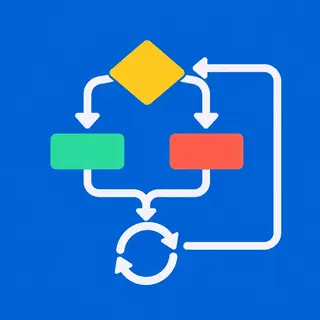
Expect to build a mini quiz app that validates answers and provides immediate feedback, plus a countdown timer using loops. You’ll practice avoiding infinite loops and structuring conditions for readability. We use flowcharts and step-by-step walkthroughs to map logical paths, so you can think like a machine. From error handling to feature toggling, these constructs are the decision engines of your code, and mastering them ensures your programs react correctly to any input.
⚙️ Functions: Reusable Blocks for Clean Logic
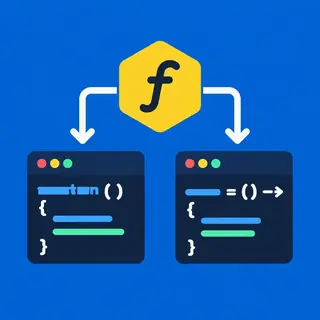
Functions are the heart of modular JavaScript. Here, you’ll learn function declarations, expressions, and arrow functions (() => {}), including their syntax and lexical this. We cover parameters, default values, rest parameters (...args), and returning values. You’ll also explore scope—global vs local—and closures, which let functions “remember” variables. Callback functions, where you pass a function as an argument, will be introduced as a precursor to asynchronous JavaScript.
You’ll refactor a repetitive script into clean, reusable functions, turning a messy codebase into a maintainable module. Exercises include validating email formats, generating Fibonacci sequences, and building simple math utilities. We’ll highlight common mistakes like overwriting global variables or forgetting to return, with linting tips. By the end, you’ll understand why functions are called “first-class citizens” and how to decompose problems into testable chunks, a skill that scales to any project size.
🔧 Error Handling and Debugging Basics: Write Robust Code from Day One
Even pros make mistakes—great debugging turns them into features. This section introduces try...catch...finally for graceful error handling, plus throw to create custom errors. You’ll learn to use the browser’s DevTools console, console.log, console.table, and breakpoints to trace execution. We cover common runtime errors like TypeError, ReferenceError, and SyntaxError, explaining why they occur and how to fix them quickly.
Hands-on practice involves intentionally breaking code and then systematically isolating issues. You’ll build a “form validator” that throws friendly error messages, and a small calculator that handles division by zero with try-catch. We offer debugging checklists and best practices for logging without cluttering production code. By mastering these skills, you’ll not only write syntactically correct code but also resilient code that fails gracefully, saving hours of frustration in every future project.
Frequently Asked Questions
What is the difference between let, const, and var?
var has function scope and can be redeclared, while let and const are block-scoped and cannot be redeclared in the same scope. const prevents reassignment, but objects declared with it can still be mutated. Use const by default, let when you need to reassign, and avoid var in modern code.
Why should I use strict equality (===) instead of loose equality (==)?
Strict equality checks both value and type, avoiding type coercion that leads to unexpected results like 0 == "0" being true. Loose equality can hide bugs and make code unpredictable. Always use === and !== unless you explicitly need coercion, which is rare.
How do I avoid infinite loops in JavaScript?
Infinite loops occur when the loop condition never becomes false. Always ensure your loop variable is updated inside the body, and test exit conditions with edge cases. Use break or return for early exits, and set a maximum iteration count for safety. Debug with console logs to monitor variable values.
What is the difference between function declarations and arrow functions?
Function declarations are hoisted, meaning you can call them before they appear in the code. Arrow functions are not hoisted and are always expressions. Arrow functions also don’t have their own this; they inherit it from the surrounding scope. Use arrows for callbacks and concise logic, but stick to declarations for top-level functions.
How can I practice JavaScript syntax effectively as a beginner?
Start with small, focused exercises—like converting temperatures or fizzbuzz—and rewrite them using different constructs (loops, functions, ternaries). Use online code playgrounds (CodePen, JSFiddle) to experiment instantly. Read others’ code on GitHub and debug it. Consistency matters more than hours; aim for 20–30 minutes daily with real examples from your own projects.