JavaScript Testing and DevOps: Integrating Testing into Your Pipeline
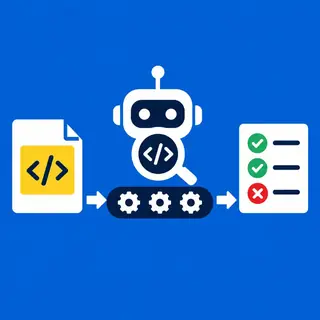
😊 Seamlessly integrate automated JavaScript testing into your DevOps pipeline. Learn how to streamline your workflow, catch bugs early, and accelerate deployment…
Read article

Master JavaScript testing with confidence—our focused guides on unit tests and integration tests break down complex concepts into simple, actionable steps. Whether you’re verifying individual functions or ensuring seamless interactions between modules, you’ll learn industry-standard tools like Jest, Mocha, and Cypress through hands-on examples that mirror real-world scenarios. Skip the theory overload and dive straight into practical debugging techniques that catch bugs early, speed up your workflow, and make your code rock-solid. Perfect for beginners and intermediate devs, these tutorials turn testing from a chore into a superpower—helping you write cleaner, more reliable JavaScript that ships with confidence. Start testing smarter, not harder! 🚀

😊 Seamlessly integrate automated JavaScript testing into your DevOps pipeline. Learn how to streamline your workflow, catch bugs early, and accelerate deployment…
Read article
🤔Master JavaScript array object testing! This tutorial simplifies testing complex data structures like arrays and objects, providing practical techniques and examples to…
Read article
🤔 Master efficient JavaScript microservices testing strategies! This article explores distributed testing approaches, crucial for ensuring the reliability and scalability of your…
Read articleWelcome to the ultimate guide on testing JavaScript code, specifically focusing on unit tests and integration tests. Here at LearnJavaScriptQuickly, we know that debugging and optimizing your code isn’t just about fixing errors—it’s about preventing them. This subcategory is your hands-on roadmap to writing reliable, maintainable JavaScript using proven testing frameworks like Jest, Mocha, and Vitest. You’ll learn how to isolate functions, simulate user interactions, and ensure different parts of your app work together seamlessly. Whether you’re a beginner building your first test suite or an intermediate developer refining your workflow, this page covers everything from test syntax to mocking and async testing. Get ready to boost your coding confidence and ship bug-free features faster.
Unit tests focus on testing a single piece of code—usually a function or a module—in complete isolation. This means you check that a function returns the expected output for given inputs, without worrying about external dependencies like databases or APIs. For example, you might test a utility function that formats dates or calculates discounts. The key benefit is fast feedback: when a unit test fails, you know immediately which small part of your code is broken. You’ll learn to write clear, descriptive test cases using describe and it blocks, and practice the AAA pattern (Arrange, Act, Assert) to keep your tests readable and structured.
In this section, you’ll also discover how to set up a minimal testing environment with Jest, the most popular JavaScript testing framework. We’ll walk through installing Jest, configuring package.json, and writing your first test suite. You’ll see real-world examples like testing a palindrome checker or a shopping cart total. Moreover, you’ll learn how to handle edge cases—empty strings, negative numbers, undefined values—which are often the source of hidden bugs. By mastering unit tests, you’ll create a safety net that lets you refactor code confidently, knowing that any regression will be caught instantly.
While unit tests validate isolated pieces, integration tests check that multiple modules collaborate correctly. For instance, you might test a user registration flow where a form validation function passes data to an API call, which then updates the UI. These tests simulate real-world interactions and catch issues like mismatched data formats, incorrect function signatures, or broken event handlers. Integration tests are slower than unit tests but provide a higher level of assurance that your entire system functions as expected. You’ll learn how to structure integration tests using beforeAll and afterEach hooks to manage setup and cleanup.
Here, we’ll show you how to test common scenarios like fetching data from a mock server or updating a state management store. We’ll introduce tools like Supertest for testing HTTP endpoints and React Testing Library for testing UI components in a real DOM environment. You’ll understand how to mock external dependencies using jest.mock or spyOn to simulate network requests without actually hitting the internet. Through practical projects—such as a todo app with local storage or a weather widget that fetches API data—you’ll gain confidence in building integration tests that mimic user journeys and uncover subtle bugs that unit tests miss.
JavaScript offers several testing frameworks, each with its own strengths. Jest is the all-in-one solution popular in React projects—it includes a test runner, assertion library, mocking utilities, and code coverage reports out of the box. Mocha is a flexible, lightweight runner that requires you to choose additional libraries like Chai for assertions, making it highly customizable but more setup-heavy. Vitest is a modern, blazing-fast alternative that integrates natively with Vite and supports ES modules, making it ideal for new projects. We’ll compare their syntax, performance, and ecosystem support to help you decide which fits your workflow.
In this section, you’ll see side-by-side examples of the same test written in Jest, Mocha, and Vitest, so you can spot the differences in API style and configuration. We’ll also cover how to add sinon for spies and stubs in Mocha, and how to leverage Jest’s built-in jest.fn() for mocking. Beginners often find Jest easiest to start with due to its zero-config setup, while experienced developers might prefer Mocha’s flexibility or Vitest’s speed. By the end, you’ll have a clear strategy for selecting the right tool based on your project’s size, team preferences, and performance needs.
Writing tests is more than just checking for correct outcomes—it’s about designing tests that are maintainable, deterministic, and easy to debug. You’ll learn best practices like naming tests descriptively (e.g., “should return total price with discount”), keeping each test focused on one behavior, and avoiding repeated setup by using beforeEach hooks correctly. We’ll also dive into the test pyramid concept, which recommends having many unit tests, fewer integration tests, and even fewer end-to-end tests. This balance ensures quick feedback while still covering critical workflows.
Additionally, we’ll cover how to handle asynchronous code in tests using async/await, Promises, and callbacks. You’ll practice testing functions that fetch data, use timers, or rely on random values by mocking those dependencies. We’ll show you how to use test.todo to plan future tests and test.skip to temporarily ignore failing ones. You’ll also learn about code coverage metrics—how to read Istanbul reports and which thresholds are reasonable. By following these patterns, your test suite becomes a documentation tool that explains how your code should behave, making onboarding easier for new team members and reducing time spent on manual regression testing.
Tests aren’t just for verification—they’re powerful debugging aids. When a test fails, it gives you a precise clue about what’s broken. This section teaches you how to read test output, interpret stack traces, and use console.log or the debugger keyword within test cases to inspect variables. You’ll learn how to isolate failing tests using test.only or running a single file to speed up iteration. Moreover, you’ll discover how to use tests to reproduce bugs before fixing them—write a test that fails with the current buggy behavior, then fix the code until the test passes, a technique called test-driven development (TDD).
We’ll also discuss common pitfalls like false positives (tests that pass but don’t actually verify anything) and flaky tests that randomly fail due to timing issues or shared state. You’ll learn how to use mock timers to test time-dependent code reliably and how to reset mocks between tests to avoid leakage. Practical examples include debugging a inaccurate date formatter or an API retry mechanism. By embracing tests as a debugging tool, you’ll spend less time scratching your head and more time making confident changes. This mindset shift is crucial for moving from junior to senior-level JavaScript development.
Unit tests focus on isolated pieces of code, like a single function, mocking all external dependencies. Integration tests check how multiple modules or services work together, such as a function calling an API and updating the UI. Unit tests are fast and pinpoint exact failures, while integration tests catch issues in data flow and interaction but run slower. Both are essential for reliable software.
For beginners, Jest is recommended because it comes with built-in assertions, mocking, and code coverage, requiring zero extra setup. It works seamlessly with React and Node.js. If you prefer flexibility and already use Mocha, you’ll need Chai for assertions and Sinon for mocks. Vitest is great for modern Vite projects with fast hot-reload. Start with Jest to learn core concepts, then experiment later.
In Jest, use jest.mock() to replace an API module with a fake implementation. For example, mock fetch by returning a resolved Promise with fake data. You can also use jest.spyOn() to observe or change behavior of an existing method. For integration tests, consider using a library like nock to intercept HTTP requests, ensuring you don’t make real network calls.
TDD is a workflow where you write a failing test first, then write the smallest amount of code to make it pass, and finally refactor. Apply it by identifying a feature, writing a unit test for its expected behavior, watching it fail, coding the function, then running the test until green. Repeat for edge cases. This ensures your code is thoroughly tested and designed from the start.
Use code coverage tools like Istanbul integrated with Jest to see what percentage of lines, functions, and branches are executed. Aim for at least 80% coverage for critical logic, but remember coverage isn’t everything—check that you’re testing behavior, not just lines. Good tests also test edge cases and error scenarios. Regularly review and remove redundant tests to keep your suite maintainable.