JavaScript Custom Events: Use Cases and RealWorld Examples
🤔 Unlock the power of JavaScript custom events! This tutorial provides practical JavaScript custom event examples, showing you how to create and…
Read article
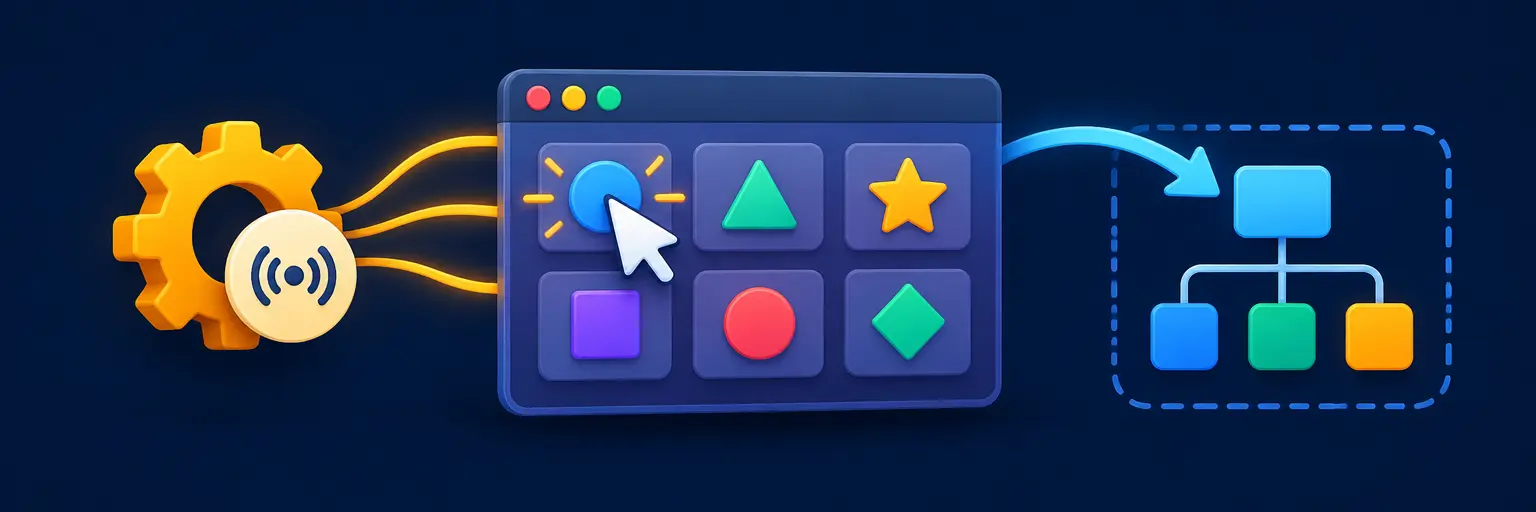
Master the art of Advanced Event Handling Patterns by diving into Custom Events and Event Delegation—the two pillars of scalable, interactive web development. 🌟 Instead of scattering listeners across every element, learn how to delegate events to a parent container, dramatically boosting performance and simplifying dynamic content management. 🚀 And with custom events, you can create your own semantic triggers—like userLoggedIn or cartUpdated—that decouple your UI logic and make your code more readable, testable, and maintainable. 💡 Whether you’re building complex dashboards, real-time apps, or just want to write cleaner JavaScript, these patterns are essential for DOM manipulation and crafting interactive user interfaces. Let’s transform your code from reactive to proactive! ✨

🤔 Unlock the power of JavaScript custom events! This tutorial provides practical JavaScript custom event examples, showing you how to create and…
Read article
🤔 This JavaScript event delegation tutorial empowers you to efficiently handle events across dynamic elements, optimizing performance and simplifying your code. Learn…
Read articleWelcome to Advanced Event Handling Patterns—the perfect next step in your JavaScript journey. Here, you’ll move beyond basic `click` and `keydown` listeners to build scalable, maintainable, and highly interactive web interfaces. This subcategory focuses on two powerful patterns: custom events (creating your own event types) and event delegation (managing events efficiently for dynamic content). By mastering these, you’ll write less code, improve performance, and create cleaner architecture for complex apps. Whether you’re building a dashboard, a game, or a single-page app, these skills are essential for intermediate developers ready to level up. Let’s dive into practical, hands-on techniques with real-world examples.
Custom events allow you to define your own event types, such as `userLoggedIn` or `cartUpdated`, and trigger them when specific actions occur. This decouples your code—components can communicate without tightly coupling functions. You’ll learn to use `new CustomEvent('eventName', { detail: { data } })` and `dispatchEvent()` to send data along with the event. This is especially useful for building reusable widgets or micro-frontends where different parts of your app need to react to changes without direct references.
You’ll also explore the bubbling and capturing phases for custom events, allowing parent elements to listen or intercept. For example, a custom `itemSelected` event can bubble up from a list item to a container, enabling centralized handling. We’ll cover how to listen using `addEventListener` with the custom type, and how to pass complex objects through the `detail` property. By the end, you’ll be able to design event-driven architectures that feel natural and are easy to debug, boosting your app’s responsiveness and flexibility.
Event delegation is a technique where you attach a single event listener to a parent element instead of adding listeners to each child. This is a game-changer when dealing with dynamic lists, tables, or any content added after page load. You’ll learn how to use the `event.target` property to identify which child triggered the event, then act accordingly. This reduces memory usage and simplifies code maintenance, especially when elements are frequently added or removed.
We’ll dive into practical patterns like handling clicks on `
When you merge custom events with delegation, you unlock a powerful pattern for building complex interactive systems. Imagine a dynamic table where each row dispatches a custom `rowSelected` event, and the container uses delegation to listen and process it. This separation of concerns makes your code highly modular. You’ll learn how to create a clean event bus pattern using custom events that bubble up, then handle them at a higher level with delegated listeners, reducing dependency on global variables.
We’ll walk through a real-world project—like a multi-step form or a drag-and-drop interface—where custom events signal state changes and delegation manages interaction points. You’ll see how to pass `detail` objects that carry payloads like IDs or values, making your event handling both specific and flexible. This combination also simplifies testing, as you can simulate events programmatically. By the end of this section, you’ll be equipped to design scalable UI logic that remains readable and performant, perfect for professional-grade JavaScript applications.
Advanced event handling isn’t just about functionality; it’s about efficiency. We’ll cover how to avoid listener leaks by removing event listeners when no longer needed, especially with custom events. You’ll learn to use `{ once: true }` for one-time events and to leverage `abortController` for clean cleanup. Delegation inherently reduces the number of listeners, but we’ll discuss how to optimize your selector logic to avoid expensive `matches()` calls.
You’ll also explore debouncing and throttling for high-frequency events like `scroll` or `mousemove` when combined with delegation. Practical tips include using `event.passive` for touch events to boost scroll performance. We’ll show you how to profile your app using browser dev tools to spot bottlenecks. Additionally, you’ll learn defensive coding—checking `event.target` existence and using fallback behaviors. These best practices ensure your interactive interfaces remain smooth, even under heavy user interaction, and elevate your code to production-ready standards.
Debugging events can be tricky, but with the right tools, you’ll master it. We’ll teach you to use `console.log` inside listeners, but more importantly, how to leverage browser devtools’ event listener breakpoints and the "Event Listeners" panel. For custom events, you can dispatch them manually in the console to test handlers. You’ll also understand how to inspect event propagation by logging `event.eventPhase` and `event.currentTarget`.
For testing, you’ll learn to simulate events using JavaScript—both native and custom—to write unit tests with Jest or Mocha. We’ll cover how to mock event objects and assert that handlers run correctly. You’ll also see patterns for testing delegation, ensuring that dynamically added elements trigger the right logic. We’ll include a mini-project where you build a simple event-driven component and test it thoroughly. This section ensures you’re not just writing event code, but verifying it works under all conditions, which is a hallmark of a senior developer.
Custom events are user-defined, meaning you create the event type and can attach any data via the `detail` property. Native events like `click` are built into the browser. Both use the same `addEventListener` and `dispatchEvent` mechanisms. Custom events allow you to communicate application-specific actions, such as `userLoggedIn`, which native events don’t cover. They bubble and can be canceled, just like native events.
Event delegation reduces the number of event listeners attached to the DOM. Instead of adding a listener to each child element, you attach one to a parent and use `event.target` to determine the child. This improves performance, especially with many elements or dynamic content. It also simplifies code—adding new elements doesn’t require new listeners, and you can handle events centrally, making maintenance easier.
Yes, absolutely. Custom events bubble like native ones, so you can dispatch a custom event on a child and listen for it on a parent using delegation. This is powerful for component communication. For example, a button inside a card can dispatch a `cardAction` event, and the card container can listen once for all buttons. This combines clean data passing with efficient listener management.
Use the `CustomEvent` constructor with the `detail` option. For example: `new CustomEvent('myEvent', { detail: { id: 123 } })`. Then, when you dispatch it, listeners can access the data via `event.detail`. The `detail` property can hold any JavaScript object, including arrays, functions, or other objects. This allows you to transfer complex information without using global variables.
A common mistake is assuming `event.target` is always the element you expect—it could be a child text node or an inner element. Use `closest()` to find the nearest matching ancestor instead of relying on direct matches. Another issue is forgetting to check if `event.target` exists or is valid before acting. Also, avoid using excessive delegation for non-dynamic content where individual listeners are simpler, as over-delegation can reduce readability.