Building Interactive Forms: Using Click Events to Validate User Input
😊 Master JavaScript form validation with click events! This tutorial shows you how to build interactive forms using click event handlers to…
Read article

Master the art of interactivity with DOM Events—your gateway to building dynamic, responsive web pages. From click and mouseover to keypress, this subcategory dives deep into the core event types that power modern user interfaces. You’ll learn how to capture user actions, trigger precise responses, and debug event flow like a pro. Whether you’re a beginner eager to make your first button come alive or an intermediate dev polishing your event delegation skills, this guide turns raw JavaScript into real-world magic. Start with the basics—addEventListener, event objects, and propagation—then level up to advanced patterns like throttling and touch interactions. Every click, hover, or tap becomes an opportunity to enhance UX, and we’ll show you the fastest, cleanest ways to do it. Perfect for your journey at LearnJavaScriptQuickly, this section is packed with practical examples and mini-projects that make learning stick. No fluff, just actionable code that you can test immediately. Let’s make your pages talk back and react instantly—because a static site is just a document; a dynamic one is an experience.
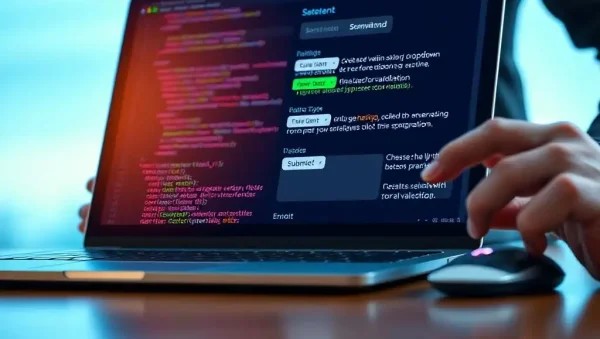
😊 Master JavaScript form validation with click events! This tutorial shows you how to build interactive forms using click event handlers to…
Read article
😊 Elevate your web designs with engaging interactivity! This JavaScript mouseover effects tutorial provides a step-by-step guide to creating dynamic effects using…
Read article
😊 Learn to build dynamic image galleries with this JavaScript image gallery tutorial! Master mouseover events to create interactive showcases, enhancing user…
Read articleWelcome to our deep dive into DOM Events—specifically click, mouseover, and keypress—the building blocks of any interactive web page. As part of our DOM Manipulation & Interactive UI Development category, this subcategory will teach you how to capture user actions, respond in real time, and create seamless experiences. Whether you’re building a simple button or a complex game, mastering these events is essential. You’ll learn not only the syntax but also best practices for event delegation, performance, and accessibility. Let’s get your JavaScript skills interactive today!
The click event is the most common and intuitive way users interact with your UI. It fires when a user presses and releases a mouse button over an element, or when they tap on a touchscreen. In this section, you’ll master addEventListener('click', handler), understand event object properties like target and currentTarget, and learn how to handle clicks on dynamic elements using event delegation. Expect practical examples like toggling menus, submitting forms, and building custom modals.
We’ll also cover advanced patterns, such as preventing default browser behavior (e.g., link navigation) and stopping event propagation to avoid unintended triggers. You’ll discover how to make buttons accessible with keyboard equivalents, and how to use event.detail for detecting double-clicks. By the end, you’ll be able to build responsive, click-driven interfaces that feel polished and professional.
Mouseover (and its counterpart mouseout) fires when the pointer enters or leaves an element. This is your gateway to creating rich hover states—changing colors, showing tooltips, or highlighting menu items. We’ll dive into the difference between mouseover/mouseout (which bubble) and mouseenter/mouseleave (which don’t), helping you choose the right tool for each scenario. Expect to build image galleries, mega-menus, and interactive data tables.
You’ll also learn to handle mouse movement with mousemove for custom cursors or parallax effects. We’ll discuss performance pitfalls, like excessive reflows, and how to use throttling and requestAnimationFrame to keep animations smooth. This section includes real-world examples like product cards with zoom-on-hover and dynamic tooltip positioning using getBoundingClientRect().
Keypress events (and modern keydown/keyup) let you respond to user typing, shortcuts, and form input. We’ll clarify the differences: keypress is deprecated and only for character keys, while keydown/`keyup` fire for all keys including arrows and modifiers. You’ll learn to capture event.key, event.code, and event.which, and how to handle special keys like Enter, Escape, and Ctrl+Z for enhanced UX.
Expect to build live search filters, keyboard-navigable menus, and inline editing forms. We’ll also cover preventing default actions (e.g., blocking form submission on Enter), and handling focus management for accessibility. Advanced tips include detecting key combinations with event.ctrlKey and creating global shortcuts using window.addEventListener. This section is packed with code snippets you can copy into your projects.
When you have many similar elements (like list items or buttons) or content added via AJAX, attaching a listener to each one is inefficient. Event delegation lets you attach a single listener to a parent and use event.target to determine which child was clicked. This section teaches you the pattern, including how to filter targets with closest() and handle dynamically injected nodes without re-binding.
We’ll discuss use cases like todo lists, comment sections, and infinite scroll feeds. You’ll also learn to avoid common bugs, such as mistaking target for currentTarget, and how to properly remove delegated listeners. Performance benefits are huge—less memory and faster setup. By mastering delegation, you’ll write cleaner, more scalable JavaScript that works seamlessly with modern SPAs and frameworks.
Now it’s time to combine click, mouseover, and keypress events into a single, cohesive interface. This section walks you through building a modal dialog with keyboard support, a custom dropdown menu, and an editable table row. You’ll see how to coordinate events—for example, opening a menu on click, highlighting items on mouseover, and navigating with arrow keys for accessibility.
We’ll emphasize state management (like tracking open/closed status), preventing event conflicts, and using setAttribute('aria-expanded') for screen readers. Each project includes step-by-step logic, error handling, and a final test checklist. By the end, you’ll have reusable patterns you can apply to any interactive widget. This is where theory becomes practice—so roll up your sleeves and code along with us!
Click fires only after both mousedown and mouseup occur on the same element. Mousedown triggers as soon as the button is pressed, and mouseup when released. Use click for general actions; use mousedown for drag-and-drop or to start interactions immediately.
Use keydown because keypress is deprecated and only works for printable characters. Keydown fires for all keys, including special ones like Escape and Arrow keys, and gives you consistent behavior across browsers. For text input, listen for input events instead.
You can use event.stopPropagation() to prevent bubbling to parent elements, or check a flag variable to ignore repeated events. For rapid-fire events like mouseover or keydown, implement throttling or debouncing with setTimeout to limit execution frequency.
Because mouseover bubbles, moving between a parent and its children triggers the event repeatedly. Use mouseenter and mouseleave instead—these do not bubble and fire only when the pointer enters or leaves the element itself, giving you cleaner behavior.
Yes, absolutely. Use addEventListener multiple times with different handlers; they will all run in order. For the same event type (e.g., two click handlers), both execute independently. This is great for separating concerns, like one handler for UI updates and another for analytics.