How to Add VoiceOvers to Your JavaScript Game for Enhanced Immersion
😊 Elevate your JavaScript game with immersive voiceovers! This tutorial provides a step-by-step guide to seamlessly integrating audio, transforming your projects from…
Read article
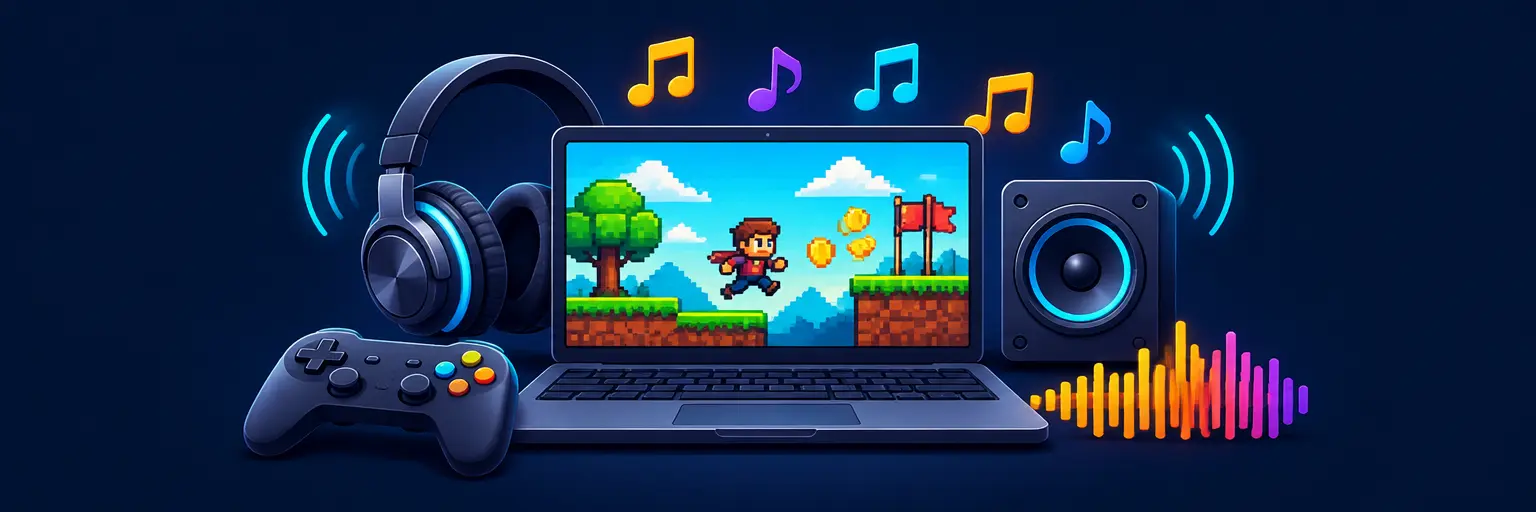
Bring your JavaScript games to life with immersive audio! Whether you’re crafting a retro arcade shooter or a puzzle adventure, adding sound effects and background music transforms a static experience into an engaging, memorable one. In this section, you’ll learn how to harness the Web Audio API and HTML5 audio elements to trigger crisp sound effects for jumps, collisions, and victories—plus layer dynamic music that adapts to gameplay. We’ll cover essential techniques like playback control, volume balancing, loop management, and even simple procedural sound generation for unique, code‑made effects. No need for external tools—just plain JavaScript and a bit of creativity. Perfect for beginners and intermediates, these tutorials will help you build polished mini‑projects that feel professional and fun. Dive in, and let your games be heard! 🎮🔊
😊 Elevate your JavaScript game with immersive voiceovers! This tutorial provides a step-by-step guide to seamlessly integrating audio, transforming your projects from…
Read article
😊 Elevate your JavaScript game development skills with this tutorial! Learn how strategically implemented music dramatically improves player immersion and enhances the…
Read articleSound and music are the heartbeat of any memorable JavaScript game, transforming a static canvas into an immersive world. On LearnJavaScriptQuickly, this subcategory focuses on practical, code-first techniques using the Web Audio API and HTML5 audio elements. You’ll learn how to add background tracks, trigger sound effects on collisions, adjust volume dynamically, and preload assets for zero-lag performance. Whether you’re building a simple arcade clone or a complex puzzle, mastering audio will boost player engagement and polish your project—essential for ranking high in user experience and SEO-driven game showcases.
Start with the core building blocks of the Web Audio API: AudioContext, oscillators, and gain nodes. You’ll create beeps, laser shots, and explosion noises entirely from code—no external files needed. This section explains how to initialize an AudioContext, schedule sounds with start/stop times, and control pitch and volume in real-time. For beginners, this is a low-latency solution that works across all modern browsers.
You’ll also learn to handle browser autoplay policies, which block sound before user interaction. By adding a “Start Game” button that unlocks the AudioContext, you ensure a smooth user experience. The tutorial includes reusable functions for one-shot effects and looping ambient tones, perfect for mini-games where file sizes matter. Expect clear diagrams and commented code snippets that you can copy directly into your project.
Fetching audio files on the fly causes stutters and frustration. Here, you’ll master asset preloading with Promise.all and the HTML5 Audio object. You’ll build a central audio manager that loads background music (MP3/OGG) and sound effects (WAV) before the game loop starts. This manager also handles play, pause, and mute states globally, making it easy to add a settings panel.
You’ll also explore file size optimization—choosing the right format (e.g., MP3 for music, WAV for short effects) and using sprites to combine multiple effects into one file. The tutorial includes a progress bar for loading, which improves perceived performance. By the end, you’ll have a robust system that avoids memory leaks and supports cross-browser fallbacks, ensuring your game runs smoothly on Chrome, Firefox, and Safari.
This section focuses on timing and synchronization. You’ll learn how to play a collision sound right when two objects intersect, a jump sound on key press, and a game-over jingle on state change. Using the requestAnimationFrame loop, you’ll check for event flags and call your sound manager efficiently without overlapping sounds. We’ll also cover sound variation—randomizing pitch or volume to avoid repetitive tones.
You’ll implement a simple priority system: critical sounds (like death) interrupt quieter ones, while background music fades during dialogue. The code examples include a debounce technique to prevent sound spam when holding a key. This practical approach is ideal for action games where multiple effects occur within milliseconds. You’ll leave with a clear mental model of event-driven audio that enhances gameplay feedback.
Background music shouldn’t play at the same volume during a boss fight and a menu screen. Here, you’ll use GainNode to create smooth volume fades and real-time adjustments. Learn to fade music out on pause and fade it back in on resume, plus how to switch between different tracks based on game states (e.g., calm vs. intense). We’ll also cover seamless looping by using the loop property and ensuring no gaps between repetitions.
You’ll build a global volume slider that controls both music and effects, with separate sub-volumes for each. The tutorial explains how to use the AudioContext.currentTime for precise scheduling, avoiding clicks or pops during changes. For advanced learners, there’s a bonus section on using an AnalyserNode to visualize audio in real-time—a great add-on for mini-projects that showcases your skills.
Mobile browsers have stricter audio rules and lower memory limits. This section addresses these challenges with practical solutions: create a single AudioContext, resume it on touch, and cache all decoded buffers to prevent repeated decoding. You’ll also learn to reduce latency by using short, compressed sounds and limiting simultaneous playback to three or four channels. For complex games, we’ll implement a simple mixing system that frees up resources after playback ends.
Performance metrics are covered: how to monitor audio buffer usage and detect dropped frames. You’ll also test on low-end devices using Chrome’s DevTools throttling. The final example is a mobile-ready jump-and-run game with background music and collision effects, demonstrating best practices. This ensures your game runs without audio-related lag, improving both user retention and search engine ranking for mobile-first indexing.
No. You can generate simple beeps, blips, and noise via the Web Audio API using oscillators and filters. This is great for prototypes. For richer music or voice, you’ll need MP3/OGG files, but you can start with code-generated sounds and substitute files later.
Chrome requires a user gesture to unlock the AudioContext. Add a “Start” button and, inside its click handler, call audioCtx.resume(). Then play your sounds. This is a standard workaround that also works on mobile browsers.
For short effects (
Implement a simple mixer that limits concurrent plays. For example, use a counter that increments on play and decrements on end, and ignore new requests if the limit (e.g., 4) is reached. Also, randomize gain slightly to add variety without spam.
If you preload and decode buffers, the main thread impact is minimal. Avoid creating new AudioContexts per sound. Use one context and manage nodes efficiently. Test with performance tools; typically, audio adds less than 1ms per frame, so it’s safe for 60fps games.