
JavaScript for Beginners
Kickstart your coding journey with JavaScript for Beginners—the perfect starting point to master the world’s most popular programming language from scratch. Whether you dream of building interactive websites, games, or data visualizations, this category breaks down complex concepts into simple, step-by-step lessons designed for absolute newcomers. Learn how to set up your development environment, write your first console output, and avoid common pitfalls with practical examples. Dive into essentials like variables, data types, operators, and control flow, then get hands-on with basic DOM manipulation and fun mini-projects such as a to-do list or counter. Perfect for self-learners, this hub also offers interview prep, jargon explanations, and effective study strategies to fast-track your progress. Start building real skills today—no prior experience needed—and turn curiosity into confidence with JavaScript! 🚀
 Your First Steps in JavaScript - Console Output and Alerts
 Working with Strings for Beginners - Basic Operations
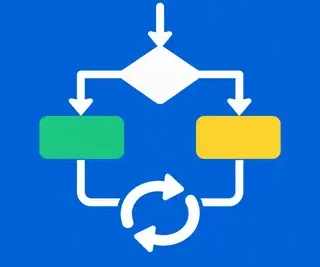 Control Flow in JavaScript for Beginners - If Statements and Loops
 Effective Learning Strategies for JavaScript Self-Learners
 Contributing to Open Source as a Beginner JavaScript Developer
 Building a Portfolio as a Beginner JavaScript Developer
 Simple JavaScript Projects for Beginners - To-Do List, Counter
 Top JavaScript Learning Resources for Self-Learners
 Understanding Variables and Data Types for Beginners
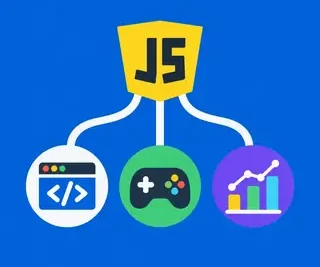 JavaScript Learning Paths - Web Development, Game Development, Data Visualization
 Working with Numbers for Beginners - Arithmetic Operations
 Setting Up Your JavaScript Development Environment
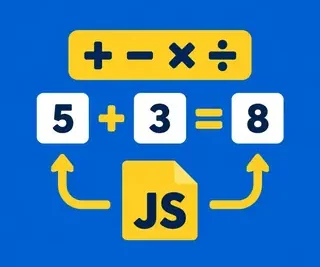 Operators and Expressions Explained Simply for Beginners
 Understanding JavaScript Jargon and Terminology for Newcomers
 Common JavaScript Interview Questions for Beginners
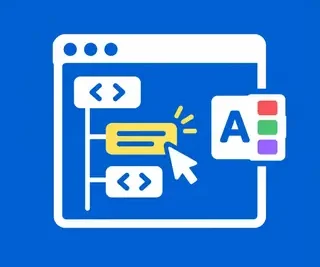 Basic DOM Manipulation for Beginners - Changing Text and Styles
 Common Mistakes Beginners Make in JavaScript and How to Avoid Them
 Introduction to Functions for Absolute Beginners
Master JavaScript for Beginners – Your Complete Starting Point
Welcome to LearnJavaScriptQuickly’s dedicated hub for JavaScript beginners. Whether you’re completely new to coding or looking to solidify your foundation, this category is designed to guide you step-by-step through the essential building blocks of JavaScript. You’ll find practical tutorials, clear explanations, and actionable advice—all optimized to help you move from “what is a variable?” to confidently writing your first interactive web pages. Our subcategories below cover everything from setting up your environment to handling interview questions, so you can learn at your own pace and build real skills fast.
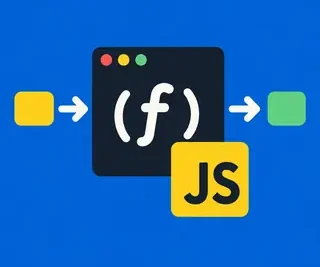
📘 Introduction to Functions for Absolute Beginners
Functions are the heart of JavaScript—they let you reuse code and create logic that responds to user actions. As a beginner, you’ll learn how to define a function, call it, and pass parameters without feeling overwhelmed. We break down the syntax, show you real-world examples like greeting a user or calculating a sum, and help you avoid the confusing parts like scope and return values. By the end, you’ll be writing your own simple functions with confidence.
⚠️ Common Mistakes Beginners Make in JavaScript and How to Avoid Them
Every coder stumbles, but knowing the usual pitfalls saves you hours of debugging. This subcategory highlights frequent errors like forgetting semicolons, misusing equality (== vs ===), or accidentally redeclaring variables. Each mistake comes with a clear “why it happens” and a practical fix, often with side-by-side code comparisons. You’ll learn to read error messages, use console.log effectively, and build clean habits from day one—turning frustration into a learning opportunity.
🎨 Basic DOM Manipulation for Beginners – Changing Text and Styles
The Document Object Model (DOM) is how JavaScript interacts with your HTML—and it’s where beginners see instant visual results. Here, you’ll discover how to select an element by ID or class, change its text content, and modify CSS styles like color or font size. Simple examples, such as a button that updates a paragraph or toggles a dark mode class, will make the concepts stick. This hands-on approach builds your confidence to create interactive pages without needing a framework.
💼 Common JavaScript Interview Questions for Beginners
Even junior roles expect you to answer basic JavaScript questions—so prepare early. This subcategory covers the most frequently asked topics, such as “What is a closure?” or “How does var differ from let?” Each question includes a concise, beginner-friendly answer plus a mini example you can memorize and explain. You’ll also learn how to approach whiteboard-style problems and what interviewers really look for, helping you turn your new skills into job opportunities.
🔤 Understanding JavaScript Jargon and Terminology for Newcomers
From “hoisting” to “callback,” JavaScript is full of buzzwords that confuse beginners. This subcategory acts as your friendly dictionary—defining terms in plain English and then showing a tiny code snippet that illustrates each one. You’ll learn the difference between a statement and an expression, what “truthy” means, and why “asynchronous” isn’t as scary as it sounds. Clear definitions remove the intimidation factor and let you read tutorials and documentation with ease.
➗ Operators and Expressions Explained Simply for Beginners
Operators are the tools that perform calculations and comparisons in your code. This subcategory walks you through arithmetic (+, -, *, /), assignment (=, +=), and comparison (>, ===) operators with everyday examples like a basic calculator or a pricing tool. You’ll also see how expressions are built by combining values and operators, and how the order of operations matters. No maths degree required—just step-by-step practice that feels natural.
🛠️ Setting Up Your JavaScript Development Environment
You can write JavaScript in any text editor, but the right setup makes learning smoother. This subcategory guides you through installing a modern editor like Visual Studio Code, setting up a live server extension, and opening your browser’s developer console. You’ll also learn how to create your first HTML file that includes a <script> tag, and how to check for errors systematically. Clear screenshots and simple steps ensure you’re coding within minutes, not hours.
🔢 Working with Numbers for Beginners – Arithmetic Operations
Numbers are everywhere in programming—from counters to scores. Here, you’ll practice using JavaScript’s arithmetic operators (+, -, *, /, %) through engaging mini-projects like building a tip calculator or a simple grading system. You’ll also learn about useful number methods like Math.round() and toFixed() to handle decimals. Each lesson focuses on practical use, so you never feel like you’re doing abstract math—just real coding.
🗺️ JavaScript Learning Paths – Web Development, Game Development, Data Visualization
Not all JavaScript learning is the same—your goal shapes what you focus on. This subcategory outlines three distinct paths: web development (DOM, events, APIs), game development (canvas, loops, collision detection), and data visualization (chart libraries, arrays, objects). For each path, we list the key topics, suggested beginner projects, and resources to explore next. You’ll be able to choose your direction early and tailor your practice to what excites you most.
📦 Understanding Variables and Data Types for Beginners
Variables store your data, and data types define what that data looks like. This subcategory explains the core types—string, number, boolean, undefined, and null—with plain-language descriptions and quick examples. You’ll also learn how to declare variables with let, const, and (when appropriate) var, plus how to check types using typeof. Simple exercises like swapping two values or building a profile card will cement your understanding.
📚 Top JavaScript Learning Resources for Self-Learners
With endless tutorials online, it’s hard to know where to spend your time. This subcategory curates the best free and paid resources—including MDN Web Docs, freeCodeCamp, JavaScript.info, and interactive platforms like Codecademy. For each resource, we explain what it’s best for, how to use it effectively, and how to avoid getting stuck. You’ll also find tips on combining video courses with reading and practice, so you can build a self-study routine that actually works.
✅ Simple JavaScript Projects for Beginners – To-Do List, Counter
Projects turn theory into skill, and these two classics are perfect for beginners. A counter app teaches you event listeners, changing text content, and simple state—while a to-do list covers arrays, adding items, and removing them. Each project is broken into manageable steps with full code examples and explanations. By building both, you’ll practice selecting elements, handling user input, and updating the page dynamically—the essential muscle for more complex apps.
📁 Building a Portfolio as a Beginner JavaScript Developer
Your portfolio is your ticket to jobs and freelance work, even as a beginner. This subcategory shows you how to showcase your growing JavaScript skills—even if you only have small projects. You’ll learn how to write clear project descriptions, host your work on GitHub Pages, and add a simple “About” section. Tips on creating a clean, readable layout and linking your code repositories will help you present your journey professionally, turning practice into opportunities.
🌍 Contributing to Open Source as a Beginner JavaScript Developer
Open source isn’t just for experts—it’s a fantastic way to learn and build your resume. This subcategory explains how to find beginner-friendly issues labeled “good first issue” on GitHub, how to fork and clone repositories, and how to submit a pull request without fear. You’ll also learn best practices like reading CONTRIBUTING.md and commenting on issues. Real-world examples show you that your first contribution can be as simple as improving documentation or fixing a small bug.
🧠 Effective Learning Strategies for JavaScript Self-Learners
Learning code alone requires smart techniques, not just hard work. Here, you’ll discover evidence-based strategies like spaced repetition, active recall (testing yourself), and the Feynman technique (explain it simply). You’ll also learn how to break big topics into small chunks, use the 20-minute focus rule, and avoid tutorial hell by building projects early. Concrete routines and study schedules help you stay consistent and make steady progress every single week.
🔀 Control Flow in JavaScript for Beginners – If Statements and Loops
Control flow lets your code make decisions and repeat actions—essential for any program. This subcategory covers if/else statements for conditional logic (like checking user age) and for and while loops for repetition (like printing numbers 1–10). Each concept is explained with everyday analogies, and you’ll write tiny programs that combine conditions and loops. By the end, you’ll have a clear mental model of how JavaScript decides what to execute, step by step.
🔡 Working with Strings for Beginners – Basic Operations
Strings are text, and you’ll use them constantly—from messages to form inputs. This subcategory teaches you how to create strings (with quotes or backticks), find their length, join them with concat() or template literals, and extract characters or substrings. You’ll also practice common methods like toUpperCase(), indexOf(), and replace(). Hands-on examples, such as validating a username or formatting a greeting, make string work feel easy and logical.
🚀 Your First Steps in JavaScript – Console Output and Alerts
Every programmer starts by making the computer “say” something. This subcategory introduces you to the browser console with console.log()—your best debugging friend—and to the simple alert() dialog for user interaction. You’ll learn how to open your console, write your first “Hello, World!”, and understand the difference between logging and alerting. These first tiny wins build muscle memory for typing JavaScript and help you see immediate feedback, making you eager to learn more.
Frequently Asked Questions
Do I need prior coding experience to start JavaScript for beginners?
No, absolutely not. This category is designed for absolute beginners—we explain every term, give simple examples, and assume zero knowledge. You only need a computer and a modern browser. Start with “Console Output and Alerts,” then follow the learning path that interests you. Patience and practice are more important than experience.
How long will it take to learn JavaScript basics?
It depends on your time investment, but most self-learners can grasp core concepts—variables, functions, loops, DOM—within 4 to 8 weeks, if they practice for at least 30 minutes daily. Building small projects accelerates learning. Don’t rush; focus on understanding each subcategory before moving on.
What is the best beginner-friendly IDE for JavaScript?
For beginners, Visual Studio Code is the most popular and friendly choice. It’s free, has a live server extension, and highlights errors in real-time. You can also use a simple online editor like CodePen for quick experiments. The key is to use a stable editor with syntax highlighting and autocomplete.
How can I practice JavaScript daily without feeling overwhelmed?
Break practice into 15–20 minute sessions. Use free platforms like freeCodeCamp or solve one small problem each day—e.g., “write a function that adds two numbers.” Revisit “Common Mistakes” and “Learning Strategies” for tips. The goal is consistent, bite-sized practice, not marathon sessions.
Can I get a developer job after finishing these beginner subcategories?
These subcategories give you a strong foundation, but you’ll need more practice and project work for a job. Start with the portfolio and open source sections, then move on to advanced topics like asynchronous JavaScript and frameworks. Many self-taught developers land junior roles after 6–12 months of consistent learning and building.