
JavaScript for Web Games & Mini-Projects
Ready to turn your coding skills into playable, interactive experiences? 🕹️ This is the ultimate launchpad for building JavaScript for Web Games & Mini-Projects—where you’ll go from static scripts to dynamic, browser-based worlds. Master the art of the game loop, handle user input like a pro, and bring your ideas to life with the Canvas API for buttery-smooth 2D graphics. Whether you’re crafting a simple calculator, an interactive form with smart validation, or exploring physics, collision detection, and even AI pathfinding, every tutorial is step-by-step and project-based. Dive into popular frameworks like Phaser, PixiJS, and Three.js for 3D adventures, or keep it lightweight with vanilla JavaScript. From adding sound effects and background music to testing for quality assurance and implementing monetization strategies, we cover the full journey—including game jams and portfolio-ready project ideas. Learn fast, build faster, and start shipping mini-games that wow. 🚀
 Game Design Principles for Simple JavaScript Web Games
 Developing Data Visualization Tools with JavaScript - Charts and Graphs
 Adding Sound and Music to JavaScript Games
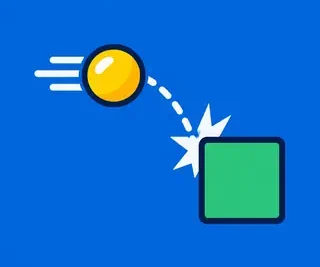 Basic Game Physics in JavaScript - Movement and Collision Detection
 Participating in JavaScript Game Jams and Project Ideas
 Game Loop and Animation in JavaScript Games
 Handling User Input in JavaScript Games - Keyboard and Mouse Events
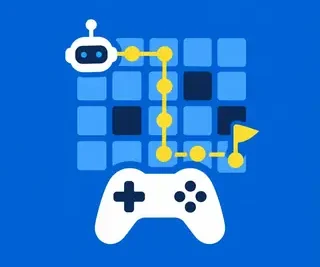 Advanced Game Mechanics in JavaScript - AI and Pathfinding
 Mobile Game Development with JavaScript - Frameworks and Tools
 Introduction to Web Game Development with JavaScript and HTML5 Canvas
 Monetization Strategies for Web Games - Ads and In-App Purchases
 3D Game Development with JavaScript and Three.js
 Creating Interactive Forms with JavaScript - Validation and Submission
 Building a Simple Calculator with JavaScript - Step-by-Step Guide
 JavaScript Game Frameworks and Libraries - Phaser, PixiJS, Babylon.js
 Game Testing and Quality Assurance for JavaScript Games
 Using the Canvas API for 2D Game Graphics and Animations
Master JavaScript for Web Games & Mini-Projects
Welcome to the JavaScript for Web Games & Mini-Projects category at LearnJavaScriptQuickly. Here, you’ll transform your coding skills into interactive, playable experiences. From building a simple calculator to crafting full 3D worlds, this hub covers essential frameworks, game loops, physics, user input, and even monetization. Each subcategory is packed with step-by-step tutorials, practical examples, and project ideas, perfect for beginners and intermediate learners looking to solidify JavaScript through fun, hands-on creation.
🎮 Using the Canvas API for 2D Game Graphics and Animations
This subcategory demystifies the Canvas API, your gateway to drawing shapes, sprites, and backgrounds directly in the browser. You’ll learn to manipulate pixels, create smooth animations using requestAnimationFrame, and handle redrawing cycles efficiently. Expect practical guides on rendering game objects, rotating characters, and building particle effects, all with clean, reusable code.
🧪 Game Testing and Quality Assurance for JavaScript Games
Quality is key in game development. Here, you’ll discover automated testing techniques with frameworks like Jest or Mocha, plus manual debugging strategies for timing, collisions, and performance. We cover unit tests for game logic, integration tests for user interactions, and how to profile memory usage. By the end, you’ll be able to ship polished, bug-free browser games that run smoothly across devices.
🕹️ JavaScript Game Frameworks and Libraries - Phaser, PixiJS, Babylon.js
Stop reinventing the wheel. This section compares Phaser (2D scenes and physics), PixiJS (lightweight rendering), and Babylon.js (powerful 3D engines). You’ll get quick-start templates, syntax comparisons, and project recommendations for each. Whether you’re building a platformer or a 3D dungeon crawler, you’ll know which tool fits your needs and how to leverage its built-in features for faster development.
🧮 Building a Simple Calculator with JavaScript - Step-by-Step Guide
This classic mini-project is perfect for beginners. You’ll walk through creating a fully functional calculator with HTML, CSS, and vanilla JavaScript. Learn to handle button events, manage operation order, and display results dynamically. We also cover keyboard support and error handling for division by zero, ensuring your calculator feels professional and responsive.
📝 Creating Interactive Forms with JavaScript - Validation and Submission
Interactive forms are essential for web games (think login screens or high-score entry). This subcategory teaches you client-side validation using regex patterns, custom error messages, and real-time feedback. You’ll also master AJAX submission with fetch API, handling async responses, and preventing duplicate submissions. Perfect for adding secure, user-friendly interfaces to any project.
🌐 3D Game Development with JavaScript and Three.js
Dive into the third dimension with Three.js. You’ll learn to create scenes, cameras, lighting, and 3D objects from scratch. We cover loading textures, animating meshes, and implementing basic first-person controls. By the end, you’ll have a small 3D world with a moving character, setting the foundation for more complex games or visualizations.
💰 Monetization Strategies for Web Games - Ads and In-App Purchases
Turn your hobby into income. This section explores practical ad integration (like Google AdSense or pre-roll ads) and in-app purchases for premium features or virtual goods. You’ll learn how to integrate payment APIs (Stripe or PayPal), implement subscription models, and balance user experience with revenue. We also discuss legal considerations and analytics for tracking earnings.
🚀 Introduction to Web Game Development with JavaScript and HTML5 Canvas
Start from zero. This foundational subcategory covers the basics of game architecture, including game loops, sprite management, and collision detection. You’ll build your first simple game—like a bouncing ball or a clicker—using Canvas and vanilla JS. Each lesson emphasizes readability, modular code, and best practices, preparing you for more advanced frameworks later.
📱 Mobile Game Development with JavaScript - Frameworks and Tools
Reach players on the go. This subcategory introduces mobile-friendly frameworks like Phaser (with touch support) and Cordova or Capacitor for packaging as native apps. You’ll learn responsive design, touch event handling, and performance optimization for slower devices. Expect practical tips on handling screen sizes, orientation changes, and mobile-specific APIs like vibration.
🤖 Advanced Game Mechanics in JavaScript - AI and Pathfinding
Make your enemies smart. This advanced section teaches artificial intelligence for NPCs using state machines and decision trees. You’ll also implement pathfinding algorithms like A* and Dijkstra for grid-based movement. Code examples include enemy patrol patterns, seeking behavior, and obstacle avoidance, all optimized for real-time gameplay.
⌨️ Handling User Input in JavaScript Games - Keyboard and Mouse Events
Responsive controls make games playable. Here, you’ll master keyboard events (keydown, keyup) and mouse events (click, mousemove) with proper polling for game loops. We cover preventing default browser actions, handling multiple key presses simultaneously, and touch equivalents for mobile. You’ll build a control scheme that feels instant and accurate.
🔄 Game Loop and Animation in JavaScript Games
The heartbeat of any game. This subcategory explains the requestAnimationFrame loop, delta time computation, and fixed timestep updates. You’ll learn to separate updates from rendering for smooth, deterministic gameplay. We also discuss frame rate independence and how to avoid janky animations, ensuring your game runs at 60 FPS on most hardware.
🏆 Participating in JavaScript Game Jams and Project Ideas
Get inspired and build fast. This section lists upcoming game jams (like Ludum Dare) and provides dozens of mini-project ideas with difficulty ratings—from memory card games to endless runners. You’ll learn time-management strategies for jams, how to scope projects, and how to showcase your work. Perfect for building a portfolio or just having fun.
⚡ Basic Game Physics in JavaScript - Movement and Collision Detection
Nothing feels worse than floating movement. This subcategory covers velocity, acceleration, and friction for realistic motion. You’ll implement axis-aligned bounding box (AABB) collision detection, resolve overlaps, and add simple gravity. We also touch on circle-to-circle collisions and spatial partitioning for performance. Build a bouncing ball or a platformer character with confidence.
🎵 Adding Sound and Music to JavaScript Games
Audio elevates immersion. You’ll learn to use the Web Audio API for generating sound effects (beeps, explosions) and controlling volume, panning, and playback rate. We cover preloading audio files, managing multiple sounds, and syncing music to game events. Includes tips on royalty-free sound sources and optimizing file sizes for quick loading.
📊 Developing Data Visualization Tools with JavaScript - Charts and Graphs
Beyond games, mini-projects often include dashboards. This subcategory teaches Chart.js and D3.js for creating interactive bar charts, line graphs, and pie charts. You’ll fetch JSON data, animate transitions, and handle tooltips. Perfect for adding a stats screen to your game or building a standalone analytics tool.
🎨 Game Design Principles for Simple JavaScript Web Games
Great mechanics need great design. This section covers player motivation, difficulty curves, and feedback loops. You’ll learn about level design, reward structures, and UI/UX tips specific to web games. We also discuss color theory and typography for accessible interfaces. Use these principles to make your projects addictive, not just functional.
Frequently Asked Questions
Do I need to know HTML and CSS before starting these JavaScript game tutorials?
Yes, basic HTML for structuring elements and CSS for styling are essential. Most tutorials assume you can create buttons, divs, and a canvas element. If you’re new, spend a day reviewing fundamentals like selectors and box model—then dive right in.
Which JavaScript game framework is best for a complete beginner?
Start with Phaser due to its extensive documentation, built-in physics, and active community. It handles rendering and input, so you focus on game logic. PixiJS is faster but lower-level, while Babylon.js is ideal if you want 3D from the start.
Can I make a 3D game without a game engine like Unity?
Absolutely. Three.js is a JavaScript library that provides a 3D engine in the browser. You’ll manage scenes, cameras, and lighting manually, but it’s fully capable of complex 3D games. Performance depends on your code and hardware, not your choice of engine.
How do I test my JavaScript game for bugs and performance issues?
Use browser dev tools to inspect console errors and profile frames per second. Write unit tests for pure logic functions (e.g., collision detection) and integration tests for UI flows. Tools like Playwright can automate user interactions. For performance, monitor memory and CPU during gameplay.
Is it possible to earn money from free web games?
Yes, through ads (display or rewarded video) and in-app purchases like skins or extra lives. You can also use sponsorship deals or offer a premium, ad-free version. However, success requires decent traffic, so focus on making engaging games that people share.