Essential Fetch API: The Basics of Making Web Requests in JavaScript
😊 Master asynchronous web requests with our JavaScript Fetch API tutorial! Learn the fundamentals of making HTTP requests in JavaScript, empowering your…
Read article
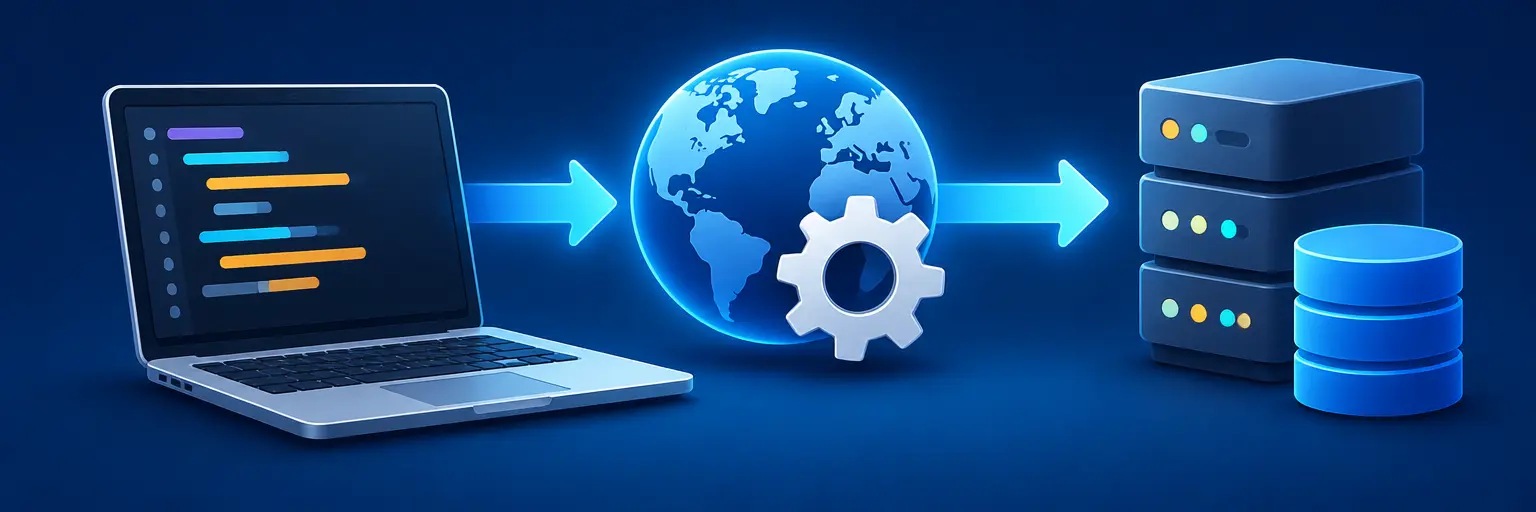
Master the Fetch API and start making basic API requests like a pro! This foundational skill is your gateway to dynamic, data-driven web applications. With Fetch, you can effortlessly retrieve JSON, send user input, and update your UI without reloading the page—perfect for AJAX and modern web development. Simplify your code with promise-based syntax, handle errors gracefully, and unlock endless possibilities for integrating third-party services. Whether you’re building a weather app or fetching user profiles, this tutorial breaks down the essentials with clear examples and practical exercises. Fast-track your JavaScript journey today and transform static pages into interactive experiences. 🚀
😊 Master asynchronous web requests with our JavaScript Fetch API tutorial! Learn the fundamentals of making HTTP requests in JavaScript, empowering your…
Read article
😊 This Beginner's guide to Fetch API simplifies web requests! Learn how to easily retrieve data from APIs using this powerful, modern…
Read article
🤔 Master JavaScript's power with our "JavaScript API fetch tutorial"! This guide simplifies API requests, equipping beginners and intermediate learners with practical…
Read articleWelcome to Fetch API Fundamentals—the essential starting point for any JavaScript developer ready to move beyond static pages. Here, you’ll learn how the built-in fetch() method lets you request data from servers, send JSON payloads, and handle responses seamlessly. Whether you’re building a weather app, a todo list, or a full e-commerce platform, understanding Fetch is non-negotiable. This subcategory breaks down the core mechanics of basic GET and POST requests, error handling, and async patterns, all with practical, beginner-friendly examples. By the end, you’ll confidently make your first API calls and integrate live data into your projects—no jQuery or XMLHttpRequest needed.
Fetch API is a modern replacement for the older XMLHttpRequest. It returns a **Promise**, meaning you can chain .then() or use async/await to handle asynchronous operations cleanly. You’ll discover that fetch(url) initiates a request, and the promise resolves to a Response object—not the actual data. To extract JSON, you call response.json(), which itself returns another promise. This two-step process is crucial for beginners to grasp. Expect hands-on exercises that walk you through requesting data from public APIs like JSONPlaceholder, and see how the browser’s console reveals request status, headers, and body.
We’ll also demystify the HTTP lifecycle: what happens when a request is sent, how the server responds with status codes (200, 404, etc.), and why you must check response.ok before parsing. You’ll learn that fetch does not reject on HTTP errors—only on network failures—so you’ll add your own logic to handle bad responses. This foundation ensures you never face silent failures in your apps. Each tutorial includes live code snippets and browser demos, so you can follow along step-by-step. By mastering this promise pattern, you’ll also prepare for more advanced topics like interceptors and streaming.
The classic starting point is a GET request to retrieve data. You’ll build a mini-project that fetches a list of users or posts and displays them in HTML. We’ll break down the syntax: fetch('https://api.example.com/users'), then handle the response, and finally update the DOM. You’ll also learn how to set headers (like Accept: application/json) and params (via URL strings or URLSearchParams). Expect a guided exercise where you fetch random facts from a public API and render them on button click—instantly boosting your confidence.
We emphasize error handling from day one. You’ll wrap your fetch in try/catch for async/await, or add a .catch() to the promise chain. You’ll also inspect the network tab in DevTools to see the exact request headers, payload, and latency. This practical debugging skill is invaluable. After this section, you’ll be able to read any API documentation, find the correct endpoint, and write a clean fetch call—no more guessing. Each lesson includes a downloadable starter file, so you can experiment freely and break things safely.
Fetch isn’t just for reading—it’s for writing. With POST requests, you’ll send JSON data to create new resources. You’ll learn the crucial method and headers options: setting 'Content-Type': 'application/json' and the body as a JSON string using JSON.stringify(). We’ll build a form that submits a new todo item to a fake REST API, then confirms success via the response status. This is where the power of Fetch shines—you’ll see how to handle the returned object and update your UI without reloading the page.
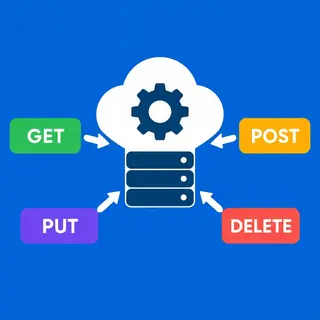
We’ll also cover edge cases: what if the server expects application/x-www-form-urlencoded? Or if you need to send FormData for file uploads? You’ll get mini-patterns for each. Additionally, we’ll discuss idempotency and why you’d choose PUT versus POST—a common interview question. Each tutorial includes a working sandbox where you can tweak the payload and observe live responses. By the end, you’ll confidently handle any basic CRUD operation, knowing exactly what to send and how to interpret the server’s reply.
Many beginners assume fetch fails on a 404 or 500 error, but it doesn’t—it resolves with a response object whose ok property is false. This section teaches you to proactively check response.ok, read response.status, and throw custom exceptions for clean control flow. You’ll implement a helper function that fetches and automatically throws on non-2xx responses, reusing it across projects. This pattern saves hours of debugging later.
We’ll also explore network-level errors (e.g., offline, DNS failure) that cause fetch to reject—these you must catch. You’ll learn to display user-friendly messages, like “No internet connection” or “Server unavailable,” in a dedicated error banner. Additionally, we cover timeouts using AbortController—essential for preventing endless loading spinners. Expect interactive coding challenges where you simulate slow responses and errors, then build robust retry logic. This precision makes your apps resilient and professional, distinguishing you from hobbyist coders.
Promise chains (.then()) work, but async/await makes your code read like synchronous logic—far easier to maintain. Here, you’ll refactor previous examples into async function with try/catch. We’ll show you the golden rules: always use await inside async functions, never forget await response.json(), and handle errors right after your fetch call. You’ll see how this pattern scales for parallel requests with Promise.all() and sequential waits for dependent data.
We’ll also introduce the top-level await in modern browsers, so you can test fetch directly in the console. You’ll build a small portfolio piece: a “load more posts” button that fetches additional data without freezing the UI. Each lesson pairs a theoretical explanation with a live editor, ensuring you not only read but also type and run the code. By mastering async/await, you’ll find it infinitely easier to integrate APIs into React, Vue, or Node.js—your future projects will thank you.
fetch() return?fetch() returns a Promise that resolves to a Response object. The Response contains status codes, headers, and a body. You must call methods like response.json() or response.text() to extract usable data—these return another promise. Remember, a 404 still resolves with a Response; only network failures (offline, CORS block) cause rejection.
.catch() on a 404 error?Because fetch only rejects on network-level failures, not HTTP error statuses. For a 404, the promise resolves normally, and response.ok becomes false. You must manually check response.ok or response.status and throw an error inside your .then() or try block to trigger the catch handler.
You need three things: set the method to 'POST', add a header 'Content-Type': 'application/json', and pass the body as a stringified JSON using JSON.stringify(dataObject). Optionally, you can set mode: 'cors' for cross-origin requests. Then handle the response normally with response.json() if the server returns JSON.
Yes, using the AbortController API. Create a const controller = new AbortController(), pass { signal: controller.signal } to fetch, and call controller.abort() to cancel. The promise rejects with an AbortError, which you can catch to handle cancellation gracefully—useful for search inputs or navigating away.
fetch and axios?Fetch is native to browsers, while Axios is a third-party library. Axios automatically transforms JSON data, provides better error messages, and simplifies request config. However, fetch is lighter, has no dependencies, and works in Node.js (v18+). For basic requests, fetch is perfectly sufficient; for complex apps, Axios can save time with interceptors and cancellation.