Building a LocationBased Game with JavaScript Browser APIs
😊 Learn to build engaging location-based games using JavaScript! This tutorial provides a step-by-step guide to leveraging browser APIs for geolocation in…
Read article
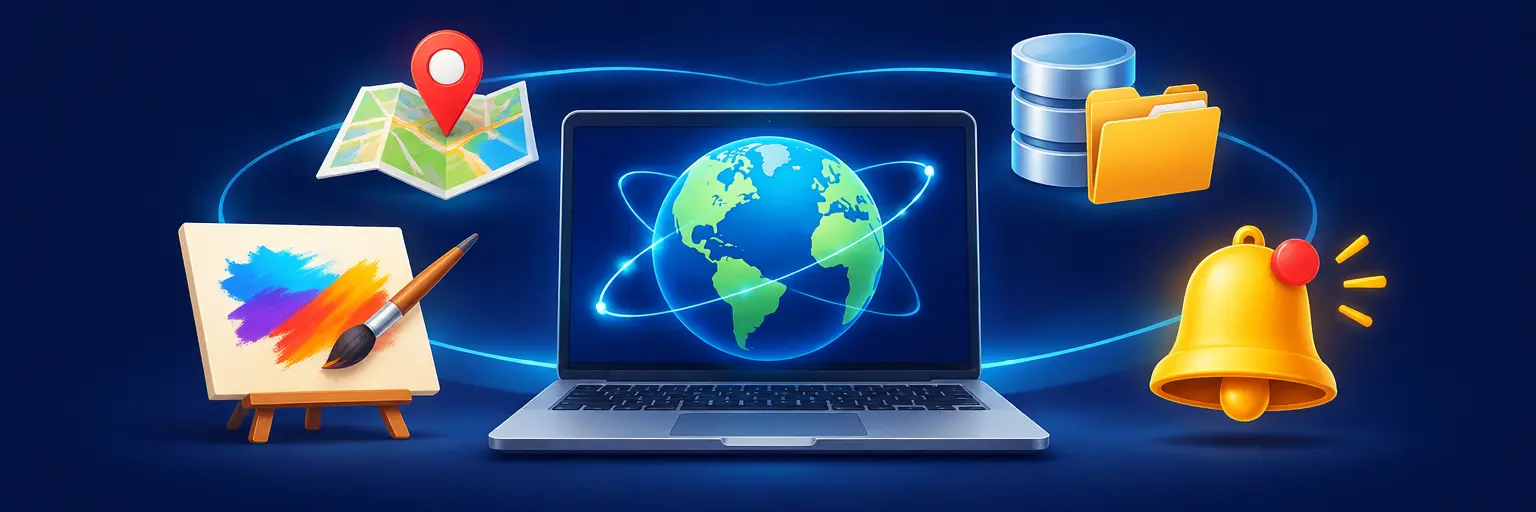
Unlock the full potential of your web apps with Browser APIs—Geolocation, Canvas, Web Storage, and Notifications—your toolkit for creating highly interactive, context-aware experiences without heavy server dependencies. Whether you’re a budding developer or brushing up on core skills, this guide from *LearnJavaScriptQuickly* breaks down each API into simple, actionable steps. 🗺️ Geolocation lets you tap into user location for personalized maps or local deals; 🎨 Canvas empowers you to draw dynamic graphics, animations, and even games right in the browser; 💾 Web Storage (localStorage and sessionStorage) makes it effortless to save user preferences and data across sessions, boosting performance and UX; and 🔔 Notifications keeps users engaged with timely, permission-based alerts. Each API is demystified with real-world examples, concise code snippets, and hands-on exercises, ensuring you grasp both the *how* and the *why*. Boost your JavaScript fluency and build modern, feature-rich applications that stand out. Dive in now to master these essential APIs and elevate your web development game! 🚀
😊 Learn to build engaging location-based games using JavaScript! This tutorial provides a step-by-step guide to leveraging browser APIs for geolocation in…
Read article
🤔 Mastering JavaScript requires understanding browser compatibility. This JavaScript browser compatibility guide helps you write robust code that works flawlessly across different…
Read article
🤔 Learn to effortlessly preserve user creations! This tutorial shows you how to Save JavaScript canvas drawings persistently using web storage, ensuring…
Read articleWelcome to the Browser APIs subcategory at LearnJavaScriptQuickly—your fast-track hub for turning vanilla JavaScript into real-world web magic. Here, you’ll explore the native capabilities your browser already offers: Geolocation to find users, Canvas to draw dynamic graphics, Web Storage to persist data without a server, and Notifications to engage users even when they’re elsewhere. Each tutorial is tailored for beginners and intermediate learners, with step-by-step code, live examples, and mini-projects. You’ll not only understand syntax but also learn best practices for security, performance, and user experience. Let’s unlock the hidden power of the browser and make your web apps smarter, faster, and more interactive.
Geolocation lets you access a user’s current latitude and longitude with their permission. In this section, you’ll learn how to use navigator.geolocation.getCurrentPosition() and watchPosition(), handle errors like permission denial, and display results on a map or as text. We’ll cover privacy concerns and how to request consent correctly.
Expect hands-on code for building a “Find My Nearest Store” feature or a simple GPS tracker. You’ll also learn about accuracy options, fallback strategies for unsupported browsers, and how to update location in real-time. By the end, you’ll integrate geolocation into any web app confidently, ensuring a smooth user experience while respecting user choices.
The Canvas API gives you a pixel-level playground for creating charts, animations, games, or interactive diagrams. This section covers setting up the <canvas> element, using the 2D context, and mastering shapes, paths, gradients, and text. We’ll break down coordinate systems and the rendering loop for animations.
You’ll build a live drawing board, a bar chart generator, and a simple bouncing-ball animation. We’ll also touch on performance optimization—like using requestAnimationFrame instead of setInterval—and responsive canvas scaling. Whether you’re a beginner or intermediate, you’ll leave with the skills to transform data into visual stories.
Web Storage—comprising localStorage and sessionStorage—lets you save key-value pairs in the user’s browser. In this section, we’ll show you how to store user preferences, cart items, or form drafts. You’ll learn the difference between the two, including lifetime and scope, and how to handle JSON serialization.
We’ll dive into security best practices, like avoiding sensitive information, and discuss storage limits (~5MB). You’ll implement a “Remember Me” login, a theme switcher, and a to-do list that survives page reloads. Also, we’ll cover the storage event to sync data across tabs—perfect for real-time apps.
The Notifications API enables your web app to send system-level alerts, even when the tab is in the background. This section covers requesting permission, creating notifications with new Notification(), and customizing icons, titles, and body text. We’ll also handle click events to route users back to relevant pages.
You’ll build a “New Message” notifier and a “Reminder” for deadlines. We’ll discuss best practices—not over-notifying, falling back to in-page alerts, and using service workers for push notifications. You’ll understand how to make notifications useful, not annoying, and ensure cross-browser compatibility.
This final H3 brings everything together. You’ll build a Location-Based Reminder Web App that uses geolocation to detect when you’re near a saved spot, saves reminders in localStorage, draws a map marker on Canvas, and sends a notification when you’re close. It’s a complete, practical demo.
We’ll guide you through architecture, coding each API in harmony, and debugging common pitfalls. You’ll also learn how to structure your code for maintainability and test for edge cases—like permission revocations or storage clear. This project solidifies your understanding and gives you a portfolio piece to show off.
Yes, always. The browser will prompt the user to allow location access. You must handle both “accepted” and “denied” cases gracefully. Never default to high-accuracy unless necessary, and explain why you need the location for transparency.
Absolutely. Set the canvas width and height via CSS, but adjust the internal drawing buffer to match the device’s pixel ratio to avoid blurry images. Use window.devicePixelRatio and resize event listeners to re-render accordingly.
localStorage persists data until you manually clear it, while sessionStorage clears when the tab or browser is closed. Both are limited to about 5MB per origin and store only strings, so use JSON.stringify for objects.
You can request permission on page load, but to send a notification while the tab is hidden, you’ll need a service worker and the Push API for server-driven alerts. For simple client-side uses, you must have at least one user gesture to request permission.
Mostly yes—Chrome, Firefox, Safari, and Edge support geolocation, localStorage, Canvas, and notifications. However, Safari’s notification support is limited; always check feature availability using if ('geolocation' in navigator) and provide fallbacks for best user experience.