Effective JavaScript Strategies for Handling API Rate Limits
🤔 Avoid JavaScript API rate limits by implementing smart strategies! Learn effective techniques like exponential backoff and queuing to ensure smooth, uninterrupted…
Read article

Master the art of building resilient web apps by learning essential techniques for handling API rate limits and robust error handling strategies. Whether you’re fetching data from third-party services or building your own endpoints, these skills ensure your JavaScript applications stay responsive, user-friendly, and crash-proof. Discover how to gracefully manage 429 status codes, implement retry logic with exponential backoff, and design fallback responses that keep your UX smooth even when APIs are overwhelmed. Perfect for beginner and intermediate developers, this guide turns common API pitfalls into opportunities to write cleaner, more professional code. Boost your SEO by ensuring your app’s reliability—because search engines favor fast, dependable sites—and elevate your JavaScript portfolio with practices that interviewers and employers look for. From caching responses to using AbortController for timeouts, you’ll gain actionable insights that immediately improve your AJAX workflows. Ready to transform errors from headaches into manageable, predictable events? Dive in and level up your web development toolkit today.
Building robust web applications means dealing with APIs gracefully when things go wrong or when you hit request limits. This subcategory of APIs, AJAX & Web Application Development at LearnJavaScriptQuickly is your practical guide to writing resilient JavaScript code that handles HTTP 429 (Too Many Requests), network timeouts, and unexpected server errors without crashing your app. You’ll learn patterns like exponential backoff, retry logic, and user-friendly error messaging—essential skills for any developer working with third-party services like GitHub, Stripe, or Twitter. Expect hands-on examples, real-world scenarios, and clear explanations tailored for beginners and intermediates.
Every modern API sends headers like X-RateLimit-Limit, X-RateLimit-Remaining, and X-RateLimit-Reset. These tell you exactly how many requests you can make and when the window resets. In JavaScript, you can read these headers from the fetch or axios response object and use them to schedule future calls dynamically. For instance, if you see Remaining: 0, you know to wait until the Reset timestamp. This proactive approach prevents unnecessary 429 errors and keeps your app’s data fresh.
Let’s code a simple function that parses these headers and logs a friendly warning to the console. You’ll learn how to access response.headers.get() in vanilla JavaScript and how to integrate this into a reusable utility. By the end of this section, you’ll be able to monitor your API usage in real-time, making your web app more reliable under heavy load. This is a critical skill for building production-grade applications that scale.
When an API returns a 500 or 503 error, a simple retry often solves the problem. But retrying immediately can worsen server load. Exponential backoff solves this by increasing the wait time between attempts—say 1 second, then 2, 4, 8 seconds—up to a maximum cap. In JavaScript, you can implement this using setTimeout inside an async loop. We’ll write a robust retry wrapper that accepts a function, max retries, and a backoff factor, then gracefully handles transient failures.
You’ll also explore the Retry-After header, which some APIs use to tell you the exact seconds to wait. Our strategy will prioritize that header when available, otherwise falling back to your custom schedule. This section includes a complete example with an API call that intentionally fails twice before succeeding, so you can see the pattern in action. Mastering this reduces user-visible errors and improves perceived app quality.
Raw JavaScript errors are hard to read and ugly to show users. Instead, wrap your API calls in try-catch blocks and transform errors into meaningful objects with custom messages. Create a ApiError class that captures status code, endpoint, and a human-readable reason like “Server is overloaded, please try later.” This makes debugging easier and lets you display friendly alerts in your UI. We’ll also cover how to handle network failures separately from HTTP errors, using fetch’s response.ok check.
For AJAX-heavy apps, this pattern is a lifesaver. You’ll learn to distinguish between client-side errors (like bad input) and server-side errors (like 502 Bad Gateway), then log only what matters. We’ll include a practical example where an error triggers a fallback UI with a “Show Details” button for advanced users. By implementing this, your app becomes more trustworthy and easier to maintain—exactly what recruiters look for in a JavaScript developer.
APIs can hang forever, leaving your spinner spinning. Use AbortController to set a timeout—if the request doesn’t complete within, say, 10 seconds, abort it and show an error. This is built into modern fetch and works with axios via a cancel token. We’ll build a reusable fetchWithTimeout function that combines AbortController with a custom error message like “Request took too long.” This prevents memory leaks and gives users a clear way to retry.
In single-page apps, rapid user actions can trigger multiple overlapping requests. A stopped request should be aborted to avoid stale data overwriting newer responses. We’ll show you how to track an abort signal per component using React or vanilla JS. This section is packed with code snippets you can copy-paste into your projects. By mastering timeouts, you’ll ensure your app never freezes or shows outdated information—a hallmark of professional web development.
Technical error messages confuse users. Instead, design an error notification system that shows a toast or modal with a simple phrase: “We couldn’t load your data. Please refresh.” Under the hood, you can log the detailed error to the console or a service like Sentry. This separation of concerns makes your code cleaner and your UX better. We’ll create a small notification utility in JavaScript that you can reuse across any project, with different types for warnings, errors, and success.
You’ll also learn to group multiple failed API calls into one message instead of spamming the user. For example, if five widgets fail, show “Some features are temporarily unavailable.” This reduces frustration and keeps the interface calm. We’ll include a demo with a mock API that fails randomly, so you can see the notification system in action. By the end, you’ll feel confident delivering polished error handling that delights users even when servers misbehave.
Now it’s time to combine everything into a single, battle-tested API client class. This class will include rate limit awareness, automatic exponential backoff, configurable timeouts, and standardized error objects—all wrapped in an easy-to-use async get/post method. You’ll learn how to inject logging middleware and how to test your client with mock data. This is the kind of code you’d find in production open-source libraries, and you’ll be able to customize it for your own projects.
We’ll also cover how to handle auth token expiry gracefully, refreshing tokens before retrying a request. This section is the culmination of the subcategory, turning isolated techniques into a cohesive strategy. By following the step-by-step instructions, you’ll build a client that can withstand flaky networks, aggressive rate limits, and server outages. This practical skill sets you apart as a developer who builds resilient web apps, not just demos.
A rate limit restricts how many requests you can make per second or minute, while a quota is the total number of requests allowed over a longer period (like a day). For example, an API might allow 100 requests per minute (rate limit) and 10,000 per day (quota). Rate limit errors usually return 429, while quota exhaustion may return 403. Your code should check both headers to avoid surprises.
Use a mock server like json-server or a service like mockapi.io to simulate 429 responses. Alternatively, write a simple Express server that adds a counter and returns 429 after a threshold. You can also use browser DevTools to throttle network speed and simulate timeouts. Testing locally with controlled failures lets you verify your retry logic works without waiting for real API limits.
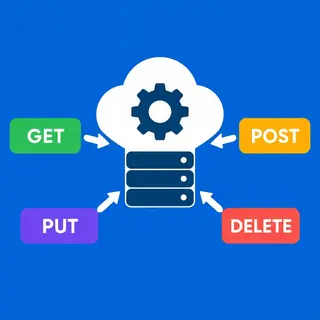
No—only retry idempotent requests (GET, PUT, DELETE) that won’t cause duplicates like creating a new record. For POST requests, retrying can double-create entries unless you include an idempotency key header. Always check the error type: retry on 408, 429, 500, 502, 503, and 504, but not 400 or 401. Also respect the Retry-After header and your max retry count to avoid infinite loops.
Axios has interceptors that let you automatically handle responses. You can write a response interceptor that checks for 429, parses the ratelimit-remaining header, and delays the next request using a promise. Axios also supports cancel tokens via axios.CancelToken for timeouts, similar to AbortController. The logic is identical, but the API differs slightly—our examples cover both to help you switch easily.
Use a structured logger like winston or pino to output JSON logs with timestamp, endpoint, status code, and error stack. In the browser, send errors to a service like Sentry or LogRocket to capture the full user session. Never log sensitive data like tokens or passwords. Also include a unique request ID so you can correlate errors with backend traces—this makes debugging much faster.