Parsing API Responses Like a Pro: JavaScript Techniques Explained
😊 Master efficient JavaScript API response parsing! This tutorial unveils essential techniques for handling and extracting data from API responses, empowering you…
Read article
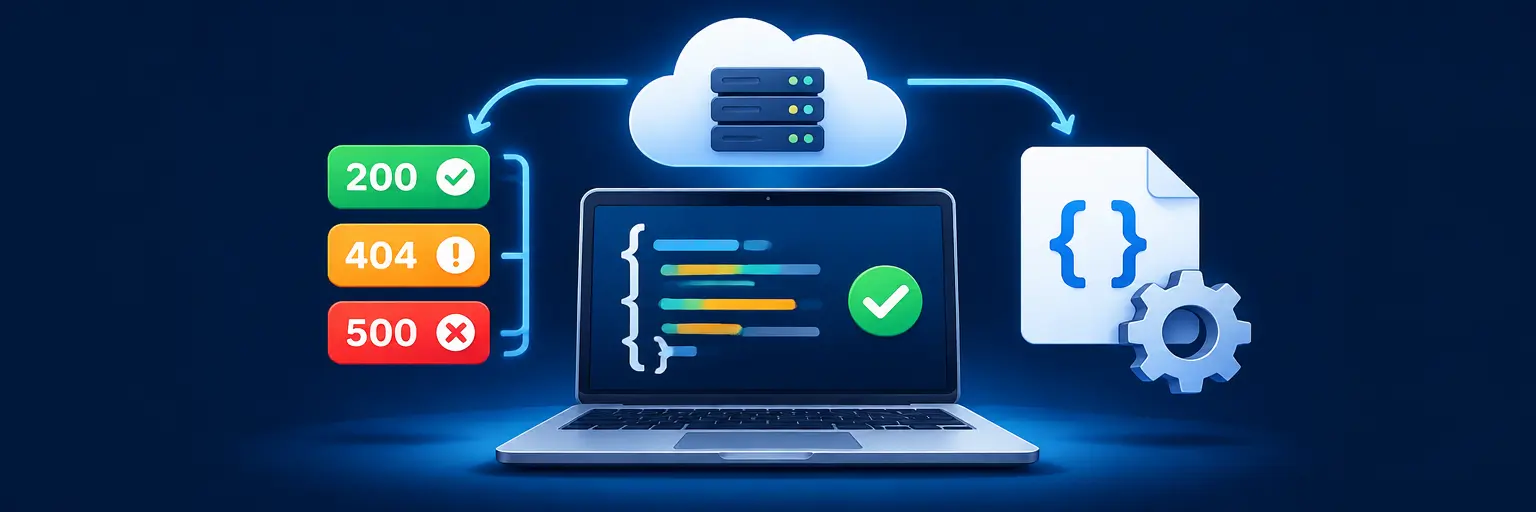
Master the art of handling API responses in JavaScript with our focused guide on status codes and data parsing—essential skills for any web developer. Whether you’re fetching JSON from a RESTful service or debugging a failed request, understanding how to interpret HTTP statuses (like 200, 404, 500) and efficiently parse response bodies is critical for building robust, user-friendly applications. This tutorial breaks down the fetch API and axios patterns, teaches you to handle success, error, and loading states gracefully, and shows you how to transform raw data into usable JavaScript objects—without the guesswork. Perfect for beginners and intermediates, you’ll learn practical techniques to validate responses, manage JSON parsing pitfalls, and implement error handling strategies that keep your web apps stable. From simple GET requests to complex nested data structures, this section empowers you to write cleaner, more reliable AJAX code. Start coding smarter today—because solid API handling is the backbone of modern web development.

😊 Master efficient JavaScript API response parsing! This tutorial unveils essential techniques for handling and extracting data from API responses, empowering you…
Read article
😊 Master parsing JSON data from APIs with our JavaScript guide! This practical tutorial provides step-by-step instructions and helps you confidently handle…
Read article
🤔 Unlock efficient JavaScript advanced API response handling! This tutorial demystifies complex data structures, empowering you to confidently parse and utilize API…
Read articleWelcome to the Handling API Responses subcategory here at LearnJavaScriptQuickly, your fast-track hub for turning raw server data into dynamic web app magic. In this focused section, we strip away the mystery of HTTP status codes and JSON/XML parsing, offering practical, step-by-step tutorials that empower you to build robust, error-proof JavaScript applications. Whether you’re fetching data with fetch(), handling asynchronous operations, or debugging tricky network issues, this guide is designed to boost your confidence and coding speed. Expect real-world examples, interactive exercises, and clear explanations tailored for beginners and intermediate learners alike. Let’s dive into the heart of client-server communication and make your apps truly responsive!
When your JavaScript code sends an API request, the server responds with a three-digit status code that tells you exactly what happened—was it a success, a redirection, or a fatal error? In this section, you’ll learn to interpret the 1xx to 5xx ranges effortlessly. We break down common codes like 200 OK, 404 Not Found, 401 Unauthorized, and 500 Internal Server Error into actionable insights. You’ll also discover how to programmatically check response.ok and handle redirects gracefully, ensuring your app never crashes silently. By mastering these codes, you’ll write cleaner conditional logic that anticipates every server behavior.
Moreover, we guide you through practical exercises where you simulate different server responses using mock APIs. You’ll see how status codes influence your user experience—like showing a friendly “Resource not found” message versus a critical “Server down” alert. Pro tip: Always log the full status object during development to spot anomalies early. This foundational knowledge will make your fetch requests bulletproof and your debugging sessions five times faster. Expect hands-on challenges that reinforce pattern recognition and error handling strategies, turning you into a status-code interpreter in no time.
Most modern APIs return data in JSON format, but raw JSON is just a string until you parse it. Here, you’ll master the art of response.json(), understanding how to convert payloads into JavaScript objects and arrays with ease. We cover nested JSON structures, handling missing keys, and using optional chaining (?.) to avoid fatal “undefined is not an object” errors. You’ll also learn when to use JSON.parse() directly versus relying on the built-in fetch parser, plus how to validate incoming data with simple schema checks. This skillset is crucial for any web app that consumes third-party services like weather APIs, payment gateways, or social media feeds.
We go beyond basic parsing by teaching you how to transform parsed data into DOM elements, update state in frameworks like React or vanilla JS, and cache responses for performance. Step-by-step tutorials show you how to handle large arrays with mapping and filtering, ensuring your UI stays snappy. Remember: Always wrap parsing logic in try-catch blocks to gracefully handle malformed JSON. By the end of this segment, you’ll confidently build a weather dashboard or a blog reader from scratch, parsing and displaying API data like a seasoned developer. Your code will be resilient, readable, and ready for production.
Networks are unpredictable, so your JavaScript must be prepared for timeouts, network failures, and HTTP error statuses. This module dives deep into try/catch/finally with async/await, plus older promise .catch chains, to build robust error handling. You’ll learn to set custom timeouts using AbortController, preventing your app from hanging indefinitely on a sluggish server. We also cover retry strategies with exponential backoff, which is essential for flaky mobile networks. Discover how to distinguish between a network error (no response) and a server error (bad status), giving your users clear feedback in both cases.
Additionally, we explore user-friendly error messages that avoid technical jargon while logging detailed diagnostics for developers. You’ll implement a central error-handling function that collects status codes, response bodies, and timestamps, then sends them to a logging service. Key insight: Even successful responses can contain business-level errors (e.g., “insufficient funds”), so we show you how to check the response body for custom error codes. Through mini-projects, you’ll create an app that fails gracefully—showing a spinner, then a retry button, and never crashing the browser. This resilience will set your web applications apart in reliability.
Before deploying your app, you need to verify that your parsing and error-handling logic works under all conditions. This section introduces you to mock APIs like JSONPlaceholder and local server mocks using Node.js, enabling you to simulate success, failure, and malformed data. You’ll write unit tests with Jest or Vitest for your pure parsing functions, ensuring they handle edge cases like empty arrays or huge numbers. We also explore browser DevTools’ Network tab—how to inspect raw responses, check headers, and replay XHR requests. These tools let you debug status code mismatches and console errors in real time.
Moreover, you’ll learn to use Postman or Insomnia for API exploration before writing a single line of code, then transfer those findings into your JavaScript. We cover how to log structured data with console.table and console.trace to pinpoint issues faster. Practical exercises include building a small app that fetches random user data, then intentionally breaking it to practice debugging. Pro note: Always test with CORS errors and HTTPS mismatches—we’ll show common pitfalls and fixes. By mastering these testing workflows, you’ll ship more stable apps and reduce bug-fixing time significantly. Confidence in your response-handling code comes from thorough, repeatable testing.
Handling API responses isn’t just about correctness—it’s about speed and user experience. This final deep-dive covers performance-enhancing techniques like response caching using the Cache API or local storage, reducing redundant network calls. You’ll learn to debounce frequent fetches, batch multiple requests with Promise.all, and prioritize critical data loading. We also explain how to parse large JSON payloads efficiently using streaming with getReader() for huge files, avoiding main-thread blocking. Understanding memory usage and garbage collection helps you clean up and avoid leaks in long-lived pages.
Furthermore, we introduce concepts like content negotiation—requesting only the fields you need via query parameters or headers to shrink response size. You’ll implement incremental loading for infinite scroll, parsing new chunks as they arrive, perfect for social feeds or logs. Best practice: Use a service worker to intercept requests and serve cached responses offline, making your app feel instant. Through before-and-after benchmarks, you’ll see measurable improvements in load time. This module turns you into a performance-savvy developer who respects both the server’s load and the user’s patience, ensuring your JavaScript apps are fast, smooth, and cost-efficient.
A 200 OK means the request succeeded and the server returned the requested data, like a list of users. A 201 Created specifically indicates that a new resource was successfully created as a result of a POST request. In practice, you’ll mainly use 200 for read operations and 201 for write confirmations. Always check the response body to see if it contains the created object or just a success message.
XML is rarer than JSON but still used in legacy systems. Use DOMParser to convert the response text into an XML document, then navigate with methods like getElementsByTagName or querySelector. Alternatively, fetch the response as text and use a library like fast-xml-parser to convert to JSON. Ensure you set the correct Content-Type header and handle namespaces if present.
Common causes include trailing slashes, case sensitivity, missing query parameters, or hitting a redirected endpoint. First, log the exact URL in the browser’s network tab. Check if the server requires an API key or authentication—a 404 is sometimes used to hide resources. Try hitting the URL in Postman to isolate the issue. Also verify CORS isn’t blocking with a different error message.
Yes, use AbortController with a setTimeout to abort the fetch after a specified time, say 10 seconds. Create a controller, pass its signal to fetch, and clear the timeout once the response arrives. If aborted, catch the AbortError and show a user-friendly “request timed out” message. This prevents infinite loading and improves user experience on slow networks.
Always wrap response.json() in a try-catch block. If the response isn’t valid JSON, the catch block lets you fall back to a default object or a custom error page. Additionally, check response.ok first, and if false, try to read the body as text for debugging. For extra safety, validate that required fields exist after parsing before using them in your logic.