RealTime Web and AI: The Next Frontier
🤔 Dive into the future of web development! This article explores how JavaScript powers real-time web applications through AI integration, opening exciting…
Read article

Real-time communication is the heartbeat of modern web experiences—think live chat, collaborative editing, stock tickers, or multiplayer games. This guide introduces you to the core technologies powering it: Real-time APIs and WebSockets. You’ll learn how they differ from traditional HTTP requests, why persistent, bidirectional connections are game-changers, and how to choose between REST polling, Server-Sent Events, or WebSockets for your project. We’ll demystify the handshake, message framing, and event-driven patterns with practical JavaScript examples—perfect for beginners and intermediate coders alike. By the end, you’ll understand the architecture behind real-time features and be ready to build your own live applications with confidence.
🤔 Dive into the future of web development! This article explores how JavaScript powers real-time web applications through AI integration, opening exciting…
Read article
😊 Learn to build a fully functional, real-time chat application using this Socket.IO chat app tutorial! Our step-by-step guide simplifies the process,…
Read articleWelcome to the Real-time APIs and WebSockets subcategory, part of our APIs, AJAX & Web Application Development section here at LearnJavaScriptQuickly. This is where you’ll move beyond standard request-response cycles and dive into the dynamic world of instant data exchange. Whether you’re building a live chat, a collaborative editor, or a live sports dashboard, this guide will teach you the core concepts of WebSockets, Server-Sent Events (SSE), and real-time APIs. We’ll break down complex topics into clear, actionable steps, using practical JavaScript examples you can test immediately. By the end, you’ll understand how to create low-latency, bidirectional communication channels that power modern interactive web experiences. Let’s unlock the tools behind the real-time web.
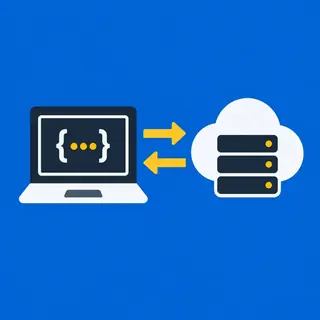
WebSockets provide a persistent, full-duplex communication channel over a single TCP connection, unlike traditional HTTP, which is request-response and stateless. With HTTP, your browser sends a request, the server replies, and the connection closes. WebSockets keep the connection open, allowing both the client and server to send messages at any time without repeated handshakes. This is ideal for applications like live chat, multiplayer games, and real-time notifications. In this section, you’ll learn the handshake process, the difference between `ws://` and `wss://`, and how to establish your first WebSocket connection using vanilla JavaScript. We’ll also compare WebSockets with polling and SSE, helping you choose the right tool for your project.
You’ll see practical code snippets showing `new WebSocket(url)` and the essential event handlers: `onopen`, `onmessage`, `onerror`, and `onclose`. We’ll explain how to send data with `send()`, handle JSON payloads, and manage connection health. By understanding these low-level mechanics, you’ll be able to debug connectivity issues and build resilient real-time features. This foundational knowledge is crucial because every real-time API and framework builds upon these same principles. You’ll also learn about WebSocket subprotocols and how to negotiate message formats, making your implementation robust and interoperable across different server environments.
Now it’s time to code. This section walks you through creating a live data feed from a public WebSocket API—for example, real-time cryptocurrency prices or live stock tickers. You’ll learn how to connect to a WebSocket endpoint, subscribe to channels, and receive streaming updates. We’ll structure your code with event-driven patterns, using `async/await` for connection setup and callbacks for incoming messages. You’ll also implement error handling and reconnection logic with exponential backoff, a critical skill for production-ready apps. The goal is to give you a reusable template you can adapt to any WebSocket API, from weather alerts to sports scores.
Beyond basic subscription, we’ll cover how to unsubscribe, handle binary data (like ArrayBuffers), and parse complex payloads. You’ll build a small HTML dashboard that updates in real time, demonstrating the power of WebSockets without any third-party libraries. We’ll also discuss security considerations, such as validating message origins and using secure WebSockets (`wss://`). By following along, you’ll gain confidence in integrating WebSocket APIs into your own projects, making your web apps feel instantaneous and responsive. This hands-on approach is designed to turn theory into muscle memory, so you can tackle any real-time communication challenge.
While WebSockets are bidirectional, sometimes you only need server-to-client streaming—like live notifications or feed updates. That’s where Server-Sent Events (SSE) shine. SSE uses simple HTTP, is easier to implement, and automatically reconnects without extra code. In this section, you’ll learn how to consume an SSE stream from a Node.js or any HTTP server using JavaScript’s native `EventSource` API. We’ll cover the `text/event-stream` format, handling named events, and parsing JSON data. You’ll see how SSE can be more efficient than polling and why it’s perfect for dashboards that update stocks, server metrics, or social media timelines.
We’ll also compare SSE with WebSockets in terms of latency, bandwidth, and browser support. You’ll understand when to use each, and how to combine them strategically. For example, use WebSockets for bidirectional actions (chat) and SSE for passive updates (like “new comment” notifications). We’ll also show you how to implement SSE with Express.js, including custom event IDs and retry intervals. By the end, you’ll be able to add real-time features to your app with minimal overhead and maximum reliability, leveraging built-in browser capabilities for a smoother user experience.
Not all real-time communication requires an open socket. Many APIs use webhooks—HTTP callbacks triggered by server events—to notify your backend instantly. In this section, we’ll demystify the difference between webhooks, polling, and WebSockets. You’ll learn how to set up a webhook receiver in Node.js, validate signatures, and process asynchronous events from services like Stripe or GitHub. We’ll discuss the trade-offs: webhooks are great for server-to-server communication but can be complex to debug; WebSockets are real-time but require persistent connections. We’ll also cover hybrid patterns where you mix REST endpoints with real-time layers.
You’ll see practical examples of how modern APIs like Slack or Discord use both webhooks and WebSockets to deliver messages. We’ll explain how to structure your JavaScript code to handle both paradigms elegantly, reducing duplication. Additionally, we’ll dive into typical use cases: live collaboration tools, IoT device feeds, and financial trading platforms. By understanding the full landscape, you’ll make informed architectural decisions for your own applications. This knowledge is essential for any developer aiming to build scalable, responsive systems that users expect in today’s web environment.
Real-world networks are unreliable. This section focuses on making your real-time apps resilient. You’ll learn to manage the WebSocket lifecycle: from establishing the connection, detecting unexpected closures, to implementing automatic reconnection with exponential backoff and jitter to avoid server overload. We’ll show you how to use the `close` event to implement reconnect logic, and how to handle `ping`/`pong` frames to keep dead connections alive. You’ll also tackle backpressure—when your client can’t process messages fast enough—by using buffering, throttling, and message queueing strategies.
We’ll walk through a robust JavaScript class that encapsulates connection management, which you can reuse in any project. You’ll also learn to monitor connection health via `WebSocket.readyState` and emit custom events for your UI. Additionally, we’ll cover handling server-side disconnects gracefully and sending heartbeats to detect broken links. This hands-on session ensures that your real-time features don’t just work—they keep working under adverse conditions. By mastering these patterns, you’ll elevate your applications from demo-stage to production-grade, earning trust from users who value reliability.
Let’s put it all together with complete, buildable projects. First, you’ll create a simple live chat using WebSockets with a Node.js server and a vanilla JavaScript client. You’ll see how to broadcast messages, manage user presence, and handle nickname changes. Next, we’ll build a real-time notification system using SSE that updates a bell icon with unread counts, simulating social media style notifications. Finally, we’ll explore a mini collaborative text editor using Operational Transforms built on WebSockets, showing you how to sync multiple clients’ changes. Each project is broken into step-by-step code with explanations.
These examples are designed to be extensible—you can easily adapt them to your own ideas, like a live polling app or a multiplayer game scoreboard. We’ll also discuss performance optimization, such as batching messages and using `requestAnimationFrame` for UI updates. By the end of this section, you’ll have a portfolio of real-time applications that demonstrate your mastery. You’ll see how the concepts from previous sections blend seamlessly into functional code, reinforcing your learning through practical implementation. This is your springboard to building sophisticated, interactive web platforms with confidence.
WebSockets provide a persistent, full-duplex connection, eliminating the overhead of repeated HTTP requests. This means lower latency, reduced bandwidth usage, and instant server-to-client pushes. Polling introduces delays and unnecessary traffic, especially for real-time apps. WebSockets are ideal for chat, gaming, and live data feeds where speed and efficiency matter.
Yes, modern browsers fully support WebSockets via the standard `WebSocket` API. Older browsers (IE10 and below) lack native support, but you can use polyfills or fallback to SSE or long-polling. For mobile devices, WebSockets work natively in iOS Safari and Android Chrome. Always test for fallbacks if you need legacy compatibility.
Use SSE when you only need one-way server-to-client updates and want automatic reconnection with minimal code. SSE works over standard HTTP, is easier to implement, and handles retries natively. WebSockets are better for bidirectional communication or when you need low-latency two-way interaction. Choose SSE for notifications, live feeds, or event logs.
WebSockets use ping/pong frames at the protocol level to keep the connection active. Servers send pings, and clients respond with pongs. If no pong is received, the connection is considered dead and can be closed. You can also implement application-level heartbeats with custom messages to detect idle connections and trigger reconnects.
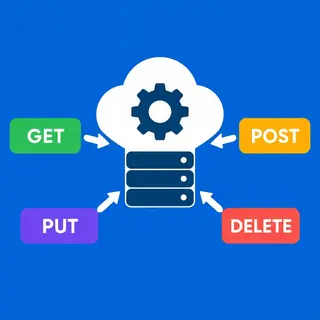
Absolutely. You can run both a RESTful HTTP server (Express) and a WebSocket server (e.g., `ws` library) on the same port using the `http` module. Alternatively, use different ports. Many platforms combine both: REST for CRUD operations and WebSockets for real-time updates. This hybrid approach is common in production apps.