Social Media APIs: Integrating with Facebook, Twitter, Instagram
Welcome to our dedicated guide on Social Media APIs for JavaScript developers. At LearnJavaScriptQuickly, we know that connecting your web projects to Facebook, Twitter, and Instagram unlocks real-world engagement, user authentication, and dynamic content feeds. This subcategory focuses on practical, step-by-step integration techniques using JavaScript, covering everything from OAuth flows and REST endpoints to Graph API queries and rate-limit handling. Whether you’re building a custom social dashboard, a “share to profile” button, or a live feed for your blog, you’ll find code snippets, common pitfalls, and security best practices here. Let’s turn your JavaScript skills into powerful social connectivity.
🔐 Authentication & OAuth 2.0 Setup
Every social API integration starts with secure authentication. In this section, you’ll learn how to implement OAuth 2.0 flows for Facebook, Twitter (now X), and Instagram directly from JavaScript. We cover both frontend (Implicit Grant) and backend (Authorization Code) patterns, using libraries like `passport.js` or native fetch calls. Expect clear examples of obtaining access tokens, refreshing them, and storing them safely (e.g., HTTP-only cookies).
You’ll also understand platform-specific quirks: Facebook’s App Review permissions, Twitter’s PKCE for SPA, and Instagram’s Basic Display API token expiry. We emphasize error handling for token rejection and user cancellation, plus how to test with sandbox mode. By mastering this, you can build login-with-social features or post actions without exposing user credentials—critical for production apps.
📥 Fetching User Profiles & Timeline Feeds
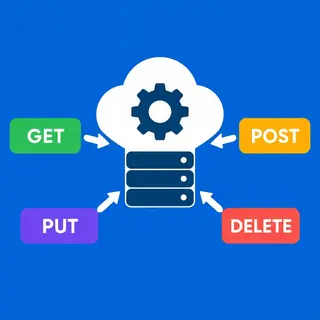
After authentication, the next step is retrieving user data. Here, we demonstrate how to call endpoints like `GET /me`, `GET /users/{id}/tweets`, or Instagram’s `me/media` to render profiles, recent posts, and follower counts. You’ll learn to parse JSON responses with JavaScript, map fields to your UI, and handle pagination using cursors or `since_id`. We also show how to filter timelines by hashtags or mentions for niche applications.
Performance matters: we include caching strategies (localStorage or in-memory) and debouncing API calls to avoid hitting rate limits. You’ll see real code for building a unified profile widget that fetches from all three networks simultaneously, merging results into one interactive view. Whether it’s a public feed for a restaurant or a private user dashboard, this section gives you the patterns to do it cleanly.
📤 Posting Content & Media Uploads
Want to let users share updates, images, or videos directly from your web app? This part covers POST endpoints for creating posts, tweets, and Instagram media. You’ll learn multipart/form-data uploads for images using `FormData` and `fetch`, plus how to set captions, alt text, and location tags. We address async processing—Instagram uploads may require a two-step approval, while Twitter supports immediate posting.
We also handle error responses (e.g., duplicate status, media format invalid) and implement retry logic with exponential backoff. Example projects include a custom “share quote” button that generates an image client-side and posts it to all three networks. Security note: always validate user input server-side to prevent XSS or spam; we show client-side pre-checks too. This section is perfect for building social media managers or scheduling tools.
🔄 Real-Time Webhooks & Streaming
For live updates, webhooks are essential. We explain how to set up Facebook’s Webhooks, Twitter’s Account Activity API (or streaming endpoints), and Instagram’s Real-time updates. Using JavaScript with Express, you’ll create endpoints to receive event payloads, verify signatures, and trigger client-side events via WebSockets or Server-Sent Events. We cover subscription logic, challenge responses, and reconnection strategies.
You’ll build a demo—a live comment monitor that appears on your page as new activity occurs, without refreshing. We also discuss rate limiting on webhook deliveries and how to batch events. For beginners, we simplify the setup with `ngrok` for local testing. This advanced section elevates your app from passive to proactive, perfect for chatbots or dynamic customer support widgets.
📊 Analytics & Engagement Metrics
Finally, leverage API data to show meaningful analytics. We guide you through fetching impressions, likes, shares, and follower growth from Facebook’s Insights, Twitter’s tweet metrics, and Instagram’s media engagement. You’ll aggregate these into easy-to-read charts using Chart.js or D3.js. We explain date-range parameters, breakdowns by post type, and how to normalize data across platforms.
Example: a weekly report generator that emails a summary to a user. We discuss privacy—only access metrics for your own authenticated profiles—and show how to store historical snapshots in a database. This section helps you create valuable tools for social media managers or personal analytics dashboards, turning raw API responses into actionable insights.
Frequently Asked Questions
Do I need a backend server to integrate social media APIs with JavaScript?
Not always. For simple reads (like fetching public tweets) you can use client-side JavaScript, but OAuth secrets must live on a server. For posting or user-specific data, a backend (Node.js/Express) is recommended to securely store tokens. We cover both approaches, but for production, always use a backend proxy.
What are the main rate limits for Facebook, Twitter, and Instagram APIs?
Facebook limits vary per endpoint (e.g., 200 calls/hour for user posts). Twitter allows 500,000 tweets per month (Pro) or 300,000 for standard. Instagram’s Basic Display is stricter—200 token refreshes per user/hour. We recommend implementing caching and exponential backoff to stay within limits.
Can I use JavaScript to post to Instagram directly without approval?
Instagram’s API requires App Review for publishing. For personal use, you need the Basic Display API with a valid token; however, it only supports uploading via a two-step process—create a media container, then publish. Approval is needed for extended permissions like commenting. We detail the exact flow.
How do I handle token expiration and refresh in my JavaScript app?
Most tokens expire within hours or days. Use refresh tokens if available (Instagram’s long-lived tokens last 60 days with refresh). Implement a server route that checks expiry and refreshes before making calls. For client-side, store tokens in HTTP-only cookies and use a middleware to fetch new ones.
Are there any JavaScript libraries that simplify social media API calls?
Yes—`twitter-api-v2`, `fb`, and `instagram-graph-api` are popular. However, they may lag behind API changes. We recommend writing your own lightweight fetch wrappers for full control, but libraries are great for quick prototypes. Always check library maintenance and security updates before using.