JSON and JavaScript: A powerful combination for web development
😊 Master seamless data handling in your JavaScript projects! This JavaScript JSON tutorial for beginners unlocks the power of JSON, showing you…
Read article
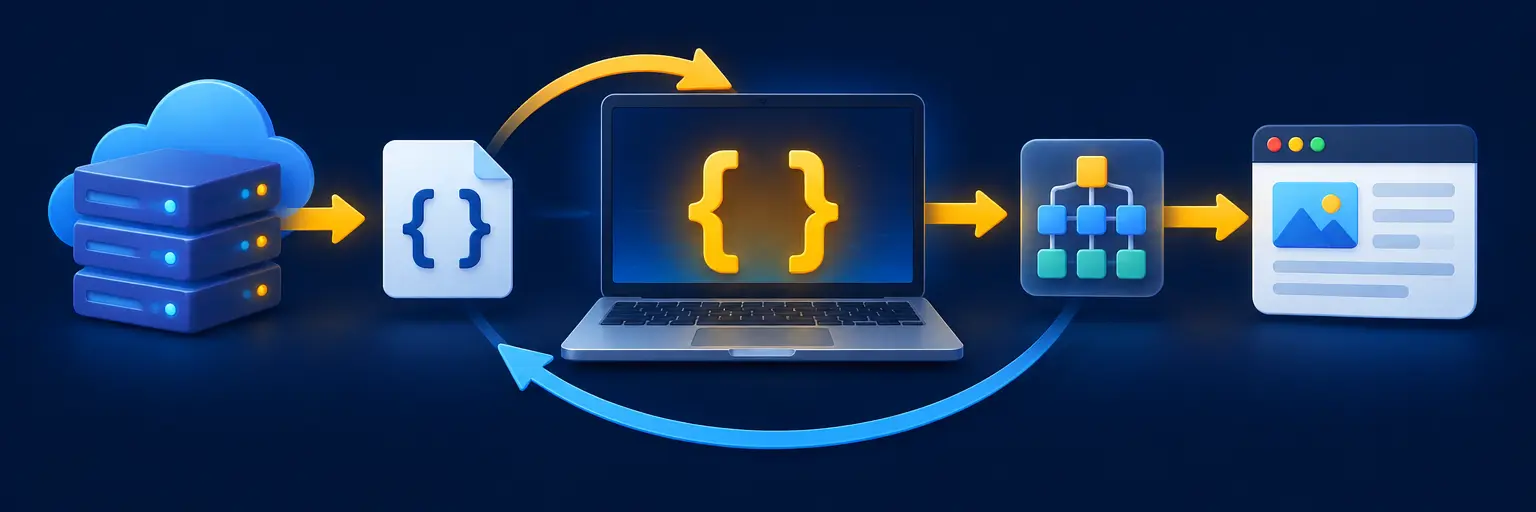
Master the art of handling JSON in JavaScript with our focused guide on serialization and deserialization—the core techniques every web developer needs for APIs, AJAX, and modern web apps. Learn to convert JavaScript objects into JSON strings using JSON.stringify() and parse JSON back into usable data with JSON.parse(), while avoiding common pitfalls like circular references and date handling. Whether you’re fetching data from a REST endpoint or sending form submissions, these skills are essential for seamless client-server communication. Through clear examples, exercises, and practical projects, you’ll quickly gain confidence in data transformation, error handling, and performance optimization. Perfect for beginners building their first API integrations and intermediate developers refining their craft—unlock the power of JSON to make your JavaScript code more robust and responsive today! 🚀

😊 Master seamless data handling in your JavaScript projects! This JavaScript JSON tutorial for beginners unlocks the power of JSON, showing you…
Read article
😊 Master JavaScript's JSON.stringify() with this comprehensive tutorial! Learn to serialize data efficiently, transforming JavaScript objects into JSON strings for storage and…
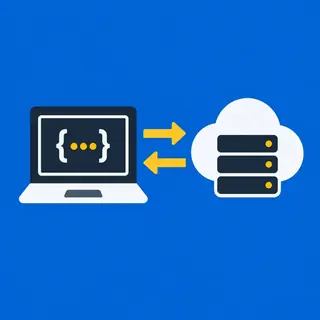
Read articleJSON (JavaScript Object Notation) is the backbone of modern web communication, especially when dealing with APIs and AJAX calls. In this subcategory, you’ll master the art of converting JavaScript objects into JSON strings (serialization) and parsing JSON strings back into usable objects (deserialization). Whether you’re building a fetch request, handling server responses, or storing data in localStorage, understanding these processes is crucial for seamless web application development. Let’s dive into practical techniques that will make your code cleaner, faster, and more reliable.
Serialization is the process of transforming a JavaScript object or array into a JSON string for transmission or storage. The JSON.stringify() method is your primary tool here. It accepts three arguments: the value to convert, an optional replacer function or array, and an optional space parameter for pretty-printing. For beginners, mastering the basics—like how nested objects and arrays are handled—is essential. For intermediate learners, advanced options like formatting with space: 2 make debugging readable.
When working with APIs, you’ll often need to serialize payloads before sending them via fetch or XMLHttpRequest. Without proper serialization, your data might arrive as [object Object]—a classic pitfall. Also, remember that undefined, functions, and symbols are omitted or converted to null in JSON output. To handle custom transformations, use the replacer function to filter or modify values. This section ensures you avoid common mistakes and produce clean, standards-compliant JSON strings every time.
Deserialization reverses serialization: it converts a JSON string into a JavaScript object. The JSON.parse() method is your go-to, but it’s not always straightforward, especially when dealing with dates, regular expressions, or Map/Set objects. By default, JSON.parse() returns plain objects and arrays, losing any custom prototypes. To revive such structures, you can pass a reviver function as the second argument, which lets you transform values during parsing—ideal for converting ISO date strings back into Date objects.
Handling malformed JSON is another critical skill. A single syntax error causes a SyntaxError, crashing your app if uncaught. Always wrap JSON.parse() in a try...catch block to gracefully manage error responses from servers. Additionally, be aware of security risks: never parse untrusted JSON without validation, as it can execute unexpected code via prototype pollution attacks. This section provides patterns to parse safely, validate structure, and preserve data types, ensuring your applications handle both simple and complex JSON payloads with confidence.
In modern web development, JSON is the lingua franca for API communication. When you make a fetch request, the response is a Response object, which you convert to JSON using response.json()—a method that internally handles deserialization. On the sending side, you set the Content-Type header to application/json and serialize your payload with JSON.stringify(). For older AJAX patterns using XMLHttpRequest, the same serialization logic applies, but you’ll manually set setRequestHeader and parse the response with JSON.parse(xhr.responseText).
Error handling is crucial here. Network failures, 4xx/5xx responses, and invalid JSON all require distinct handling strategies. Use async/await with try/catch to manage these gracefully. Additionally, learn to handle nested JSON responses—for example, extracting data from paginated results or deeply nested objects. This section provides real-world examples, including POSTing form data, receiving complex API payloads, and debugging with browser devtools, so you can build resilient AJAX features that just work.
Working with JSON from external sources demands rigorous validation. Since JSON is schema-less, you must verify that the structure matches your expectations before using the data. Techniques include checking typeof for primitives, using Array.isArray() for lists, and implementing custom schema validators for complex objects. For quick checks, you can use optional chaining (?. ) and nullish coalescing (??) to safely access nested properties without throwing errors.
Cleaning data involves removing unwanted fields, normalizing values (like trimming strings or converting numbers), and handling null or undefined gracefully. For large datasets, consider using JSON.parse with a reviver that sanitizes each value on the fly. Additionally, implement cloning deep objects with JSON.parse(JSON.stringify(obj))—a quick but imperfect method—or use structuredClone for better performance. This section offers practical patterns to ensure your app never crashes due to unexpected JSON shapes, keeping your user experience smooth and your code robust.
Large JSON payloads can slow down your application. Optimize by using JSON.parse/stringify judiciously, especially in loops or high-frequency events. For heavy data, consider streaming parsers or binary formats like MessagePack when possible. Use the replacer parameter to exclude unnecessary properties during serialization, reducing payload size. On the parsing side, using reviver to convert dates early can prevent costly post-processing.
Debugging JSON issues is easier with modern tools. Use console.log(JSON.stringify(data, null, 2)) to pretty-print objects for inspection. In the browser’s Network tab, check raw server responses to see if JSON is valid. Always verify that your Content-Type headers match—many 500 errors stem from sending text instead of JSON. Additionally, learn to spot common errors like circular references in serialization, which cause TypeError. This section includes profiling tips, memory considerations, and debugging workflows that help you ship faster and more reliable code.
Serialization converts a JavaScript object or array into a JSON string using JSON.stringify(), suitable for storage or transmission. Deserialization reverses that process using JSON.parse(), turning a JSON string back into a JavaScript object. Think of serialization as packing a box for shipping, and deserialization as unpacking it at the destination.
By default, JSON.stringify() converts a Date object to an ISO string automatically. However, when parsing, you must use a reviver function to turn that string back into a Date object. Example: JSON.parse(jsonString, (key, value) => key === 'createdAt' ? new Date(value) : value).
JSON is designed for data interchange only; it does not support functions, symbols, or undefined. When JSON.stringify() encounters a function property, it **omits** it from the output. If the entire value is a function, it returns undefined instead of a string. For workarounds, convert functions to strings or remove them before serializing.
Always wrap JSON.parse() in a try...catch block. This catches SyntaxError from malformed JSON. Additionally, validate the parsed result—check if it’s an object or array and if required fields exist. Use optional chaining (user?.name) to access nested properties safely.
The common pattern JSON.parse(JSON.stringify(obj)) works but has limitations—it doesn’t clone functions, dates (becomes strings), Maps, or Sets. For better performance and capability, use the native structuredClone() method, which handles more types and is faster for large objects.