Mastering Event Listeners: A Comprehensive Guide
😊 Unlock the power of interactive web pages with our JavaScript event listener tutorial! This comprehensive guide provides step-by-step instructions and practical…
Read article
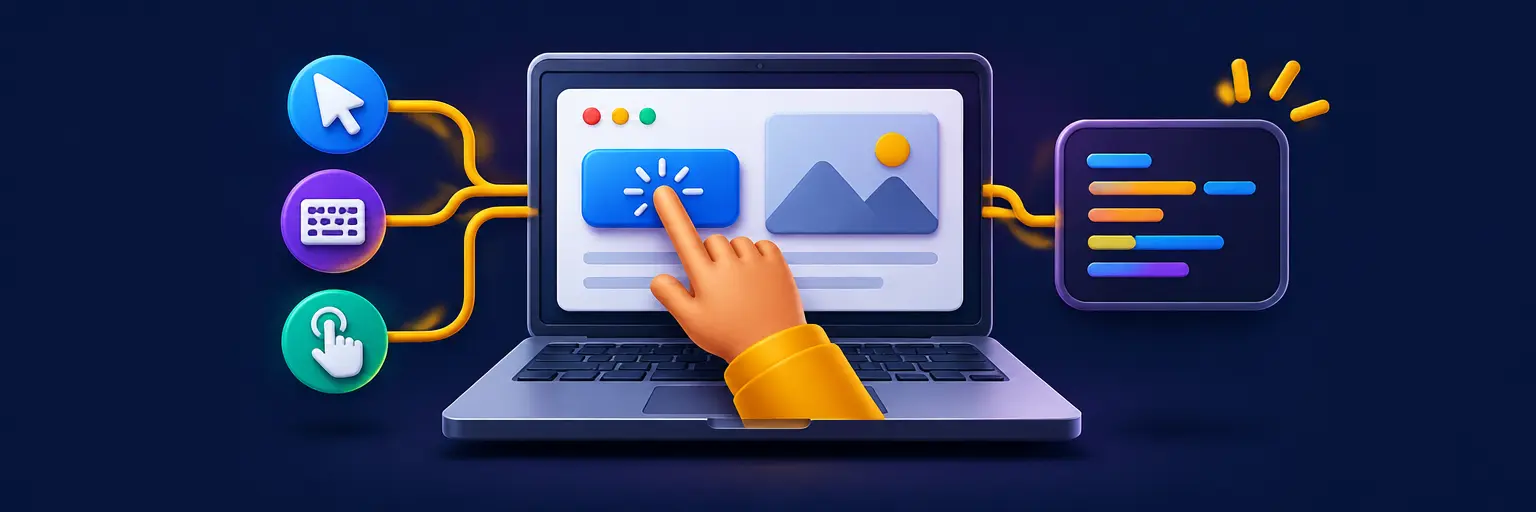
Master event listeners and event handlers in JavaScript to bring your web pages to life! 🚀 These core concepts let you respond to user actions like clicks, key presses, and mouse movements, transforming static DOM elements into dynamic, interactive UI components. With addEventListener, you can attach multiple functions to a single event, control event propagation, and build smooth, responsive experiences—whether you’re validating forms, creating dropdown menus, or animating elements. Our step‑by‑step tutorials break down bubbling, capturing, and delegation with practical, real‑world examples, so you can harness event handling like a pro. Perfect for beginners and intermediate developers, this guide turns theory into hands‑on skills—unlock the full potential of DOM manipulation and interactive web development today! ✨ Start building engaging, user‑friendly interfaces now.

😊 Unlock the power of interactive web pages with our JavaScript event listener tutorial! This comprehensive guide provides step-by-step instructions and practical…
Read article
🤔 Master JavaScript event handling by avoiding common pitfalls! This tutorial reveals frequent errors and provides practical solutions, ensuring your code runs…
Read article
😊 Master real-time interactions in your JavaScript chat app! This tutorial explores core JavaScript event handling techniques crucial for building dynamic and…
Read articleWelcome to the Event Listeners and Event Handlers in JavaScript subcategory on LearnJavaScriptQuickly, your fast-track hub for building dynamic, user-responsive web pages. Here, you’ll move beyond static DOM manipulation into the heart of interactivity—capturing clicks, keyboard strokes, form submissions, and more. Whether you’re a beginner facing your first button click or an intermediate dev polishing event delegation, this section turns theory into hands-on, browser-ready skills. Expect concise tutorials, real-world code snippets, and interactive exercises that align perfectly with our step-by-step learning path.
Start by exploring the essential event family in JavaScript: mouse events (click, dblclick, mouseover, mouseout), keyboard events (keydown, keyup, keypress), form events (submit, change, focus, blur), and window/document events (load, resize, scroll). Each type triggers different user interactions, and knowing when to use which is critical. For instance, click fires on any element, while mouseenter avoids bubbling quirks, and keydown captures every key press including modifiers.
Our tutorials break down each event with live example buttons and console log traces so you can see the exact sequence of events in real time. You’ll also learn about event properties like event.target, event.key, and event.clientX/Y to extract meaningful data. By the end, you’ll confidently choose the right event for any interaction—from drag-and-drop to form validation—without guesswork.
Understand the three ways to attach handlers: inline HTML attributes (like onclick="myFunc()"), DOM on-event properties (like element.onclick = myFunc), and the modern addEventListener() method. The latter is the gold standard because it supports multiple handlers for the same event, allows removal via removeEventListener(), and works with options like capture and once. Inline handlers are easy but mix HTML with JS, leading to maintenance nightmares. On-event properties only allow one handler per event, overwriting previous ones.
We provide side-by-side comparisons and migration exercises to convert legacy code to addEventListener. You’ll practice anonymous functions, named functions, and arrow functions as handlers, plus learn the subtle error handling differences. This foundation prevents common bugs like duplicate firing or stale closures, making your UI code cleaner and more scalable.
Dive into the browser’s event flow—how an event travels from the window down to the target (capturing phase) and back up (bubbling phase). Most JS developers rely on bubbling, but understanding this journey unlocks the power of event delegation, where you attach a single listener to a parent to manage all child elements dynamically. This drastically reduces memory usage and simplifies code for lists, tables, or modals. You’ll also master stopPropagation() to prevent unwanted parent handlers, and stopImmediatePropagation() to block other listeners on the same element.
Our interactive diagrams and step-by-step debugging show you exactly where in the DOM tree each listener fires. We’ll guide you through common pitfalls like event.target vs. event.currentTarget, and how to correctly use the {capture: true} option for rare server-sent or custom events. By mastering propagation, you’ll build touch-friendly menus, infinite-scroll feeds, and accordion components with far less code.
Learn the critical practice of cleaning up listeners to avoid memory leaks, especially in single-page applications or when dynamically creating/removing DOM nodes. Using removeEventListener() requires the same function reference used to add it—so named functions are your ally, not inline anonymous ones. We’ll show you patterns for one-time listeners with { once: true }, and how to use AbortController to cancel groups of listeners at once. This is essential for managing long-lived pages, modals, and chat widgets.
You’ll practice building a task list app where each item has its own listeners, then properly remove items when deleted. We also cover passive listeners for scroll/touch events to boost performance, and how to inspect active listeners via DevTools. These skills ensure your interactive UI remains fast and stable, even as complexity grows—a hallmark of professional JavaScript development.
Apply your listener knowledge to create form validation with real-time feedback, drag-and-drop file uploads, and custom events via new CustomEvent() for component communication. We’ll guide you through handling input and change events for live search or pricing calculators, and using keydown for keyboard shortcuts (like Ctrl+S or Escape to close modals). Drag-and-drop uses dragstart, dragover, drop, and dragend—each with its own dataTransfer tricks.
For advanced patterns, we’ll show how to dispatch custom events like userLoggedIn or itemAddedToCart to decouple modules. Our project examples include a shopping cart with quantity steppers and a quiz app that reacts to user choices. Each lesson includes code sandboxes and mini-challenges, so you not only read but implement immediately. By the end, you’ll be crafting responsive, accessible interfaces that feel polished and professional.
An event handler is a function that runs when an event occurs. An event listener is the mechanism that registers that function to a specific event on a target element. In practice, you use addEventListener() to attach a handler, and the listener manages the connection. The terms are often used interchangeably, but technically, the listener is the registration, and the handler is the callback.
Yes, absolutely. Using addEventListener(), you can attach unlimited handlers for the same event type on the same element. They will all fire in the order they were added. However, if you use the older onclick property, it will overwrite any previous handler. For robust code, always prefer addEventListener() for multiple or reusable listeners.
You cannot remove it unless you store a reference to that function. Arrow functions in an inline addEventListener are anonymous and unreachable. Instead, define the function as a named variable, then use removeEventListener('click', myFunction) with that same reference. This is why we recommend named functions or { once: true } for one-time use.
stopPropagation() prevents the event from continuing to bubble up (or capture down) the DOM tree. Use it when a child element’s action should not trigger a parent’s listener, like clicking a button inside a card that also has a click handler. But avoid overusing it, as it can break event delegation. A safer alternative is checking event.target to ignore clicks on nested elements.
Event delegation attaches a single listener to a parent element that handles events for all current and future child elements. It benefits performance by using fewer listeners, especially in dynamic lists. For example, a ul can handle clicks on any li via event.target.closest('li'). This simplifies code and automatically supports new items added via JavaScript.