React Node.js Code Organization: Tips and Tricks for Success
🤔 Mastering React and Node.js? Learn how to effectively organize React Node.js projects for cleaner, more maintainable code. This guide provides essential…
Read article
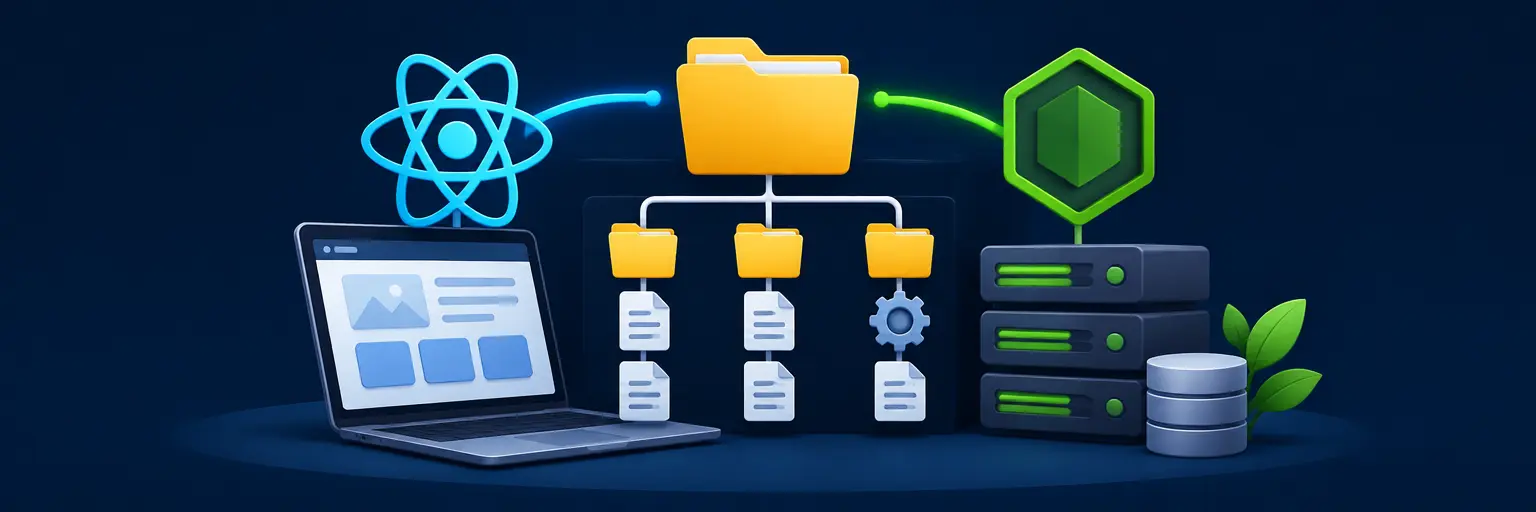
Master the art of building full-stack applications with React and Node.js by starting with a rock-solid project structure—the backbone of any scalable, maintainable codebase. Whether you’re a beginner or leveling up, this guide breaks down how to organize your frontend and backend folders, configure shared utilities, manage environment variables, and separate concerns like API routes, database models, and React components. A clean structure boosts developer productivity, simplifies debugging, and makes teamwork seamless. Learn to set up a monorepo or split directories, implement modular patterns, and keep your codebase future-proof. With practical tips on file naming, state management placement, and middleware layers, you’ll avoid common pitfalls and ship faster. Perfect for learners eager to transform scattered files into a professional-grade architecture—start here to code with confidence!
🤔 Mastering React and Node.js? Learn how to effectively organize React Node.js projects for cleaner, more maintainable code. This guide provides essential…
Read article
🤔 Master efficient React Node.js application development! This tutorial deconstructs a component-based architecture, providing a clear, practical guide to structuring your React…
Read article
😊 Master robust React Node.js application development with this guide. Learn to implement a solid test structure using unit and integration tests,…
Read articleWelcome to the Project Structure subcategory of our Full-Stack JavaScript journey. Here, you’ll learn how to organize, scale, and maintain applications that combine React on the frontend with Node.js on the backend. A solid project structure is the backbone of any successful full-stack app—it boosts collaboration, simplifies debugging, and accelerates feature development. This guide is crafted for beginners and intermediate developers who want to move beyond “hello world” and build production-ready architectures. Expect practical, step-by-step breakdowns of folder layouts, configuration files, and best practices that you can immediately apply to your own projects.
When building full-stack apps, the first decision is how to divide your code. The most common pattern is a monorepo with separate client and server folders, or a single-root structure with clear src subfolders. In our tutorials, you’ll see why separating React components from Node.js routes prevents confusion. For example, a typical layout includes /client for all React logic, /server for Express APIs, and a shared /config for environment variables. This separation allows you to deploy each part independently and makes it easier for teams to work in parallel. You’ll also learn how to handle static assets, public files, and build output so your app runs seamlessly in development and production.
Beyond basic separation, we dive into feature-based structuring—grouping files by functionality (e.g., auth, products, users) rather than by file type. This approach scales brilliantly for larger applications, as each feature contains its own React components, hooks, API calls, and tests. We’ll show you real examples of how to import and export across these boundaries, avoiding circular dependencies. By the end, you’ll be able to choose between layered and modular architectures, understand their trade-offs, and pick the right one for your project’s size and team experience.
Every full-stack app relies on environment variables—API keys, database URLs, and JWT secrets—that must be kept out of version control. In this section, we explain how to set up .env files for both React (using REACT_APP_ prefix) and Node.js (using process.env). You’ll learn to configure webpack or Vite for the client, and nodemon for server restarts. We also cover cross-env to handle platform-specific commands. A proper config layer includes separate files for development, testing, and production—so you can switch between local databases and live cloud services without changing code. We’ll walk you through a sample config.js that centralizes all settings, making your app portable and secure.
Additionally, we explore package.json scripts that orchestrate both ends. For instance, you’ll set up a root script like npm run dev that uses concurrently to start both React and Node servers. We also discuss proxy settings in Vite or Create React App to forward API calls from localhost:3000 to localhost:5000, avoiding CORS issues during development. Understanding these files is crucial—many beginners waste hours on port conflicts or missing environment variables. Our tutorials include a checklist of all required dependencies and their versions, ensuring you have a reproducible setup from day one.
In a full-stack app, the API layer is the bridge between React and Node.js. Here, you’ll learn how to structure services or api folders in the client that wrap axios or fetch calls to your Express endpoints. We cover the RESTful convention—separating routes like /api/users, /api/posts—and show you how to manage request interceptors for adding auth tokens. On the server side, we demonstrate a clean controller-service-model pattern: routes define endpoints, controllers handle HTTP requests, services contain business logic, and models interact with the database. This separation ensures that your code is testable and that changes to one layer (like swapping MongoDB for PostgreSQL) don’t break the UI.
We also dive into error handling—both on the client and server. You’ll see how to create a unified ErrorBoundary in React and a global error handler in Express (using middleware). We discuss async/await pitfalls, such as unhandled promise rejections, and provide patterns for consistent response structures (e.g., { success, data, error }). Additionally, we touch on WebSockets for real-time features, explaining how to structure a separate socket folder with event listeners. By mastering this data flow, you’ll be able to trace a request from a button click in React to a database query in Node, making debugging much faster.
React’s power comes from reusable components and custom hooks. In this subcategory, we show you how to structure your components folder—separating presentational (pure UI) from container (stateful) components. We recommend a components/common folder for buttons, modals, and inputs, and a features folder for domain-specific parts. You’ll also learn to organize hooks in a dedicated hooks directory, such as useAuth, useFetch, and useForm. These hooks encapsulate logic and can be shared across multiple features, reducing duplication. We provide code snippets that show how to create a generic useApi hook that handles loading, success, and error states, making your components cleaner and more maintainable.
Another key aspect is state management. We compare React Context, Redux Toolkit, and Zustand in the context of your project structure. You’ll learn where to place context or store folders, how to split slices for Redux, and when to use local state versus global state. We also cover routing—how to organize pages or routes folders in React Router, including nested routes and lazy loading. This separation ensures that your app’s navigation logic is centralized and easy to modify. By the end, you’ll have a clear blueprint for arranging every file in your React app, from small utilities to large feature modules.
Beyond frontend structure, your Node.js server needs a robust data layer. Here, we focus on how to organize models and database connections. For MongoDB, you’ll set up a models folder with files like User.js, Product.js that define schemas using Mongoose. For SQL databases, we demonstrate a db folder with Sequelize or Prisma schemas. We explain the repository pattern—where all database queries are isolated in a repositories folder, so controllers don’t directly talk to the database. This makes unit testing easier because you can mock repositories. Additionally, we cover migrations and seeds for schema changes, ensuring your structure supports version control of your database schema.
We also address authentication and authorization in your project structure. You’ll create a middleware folder with files like auth.js and validate.js to protect routes. We show you how to organize token generation and password hashing in a utils folder, and how to keep secret keys in environment variables. Furthermore, we discuss logging—using winston or morgan—and how to structure log files by module. Finally, we touch on caching with Redis, explaining where to place cache logic (e.g., a controllers/cache.js). This comprehensive approach ensures your full-stack app is not only well-organized but also secure and performant.
For a small app, start with a monorepo containing client (React) and server (Express) folders. Inside each, use a simple src folder. In the client, separate components, hooks, api, and pages. In the server, use routes, controllers, models, and middleware. Keep environment files at the root. This structure is easy to understand and scales well as you add features.
For learning and small projects, a monorepo is recommended because it simplifies dependency management and allows you to run both servers from one command. Separate repositories become useful when teams are large, and you need independent deployment cycles. Start with monorepo for simplicity, and split later if needed.
Create a single .env file at the root, but only Node.js can read it directly. For React, use a .env inside the client folder with REACT_APP_ prefix variables. You can also use a tool like dotenv to load both. Set up a config.js in the server that imports from process.env, and import it where needed.
Controllers handle HTTP requests and responses—they validate input and return status codes. Services contain business logic, like processing data or calling external APIs. This separation keeps controllers thin, makes services reusable, and simplifies unit testing. For example, a controller calls a service method that validates a user’s password, then sends back a success response.
Circular dependencies often occur when folders import from each other. To avoid this, enforce a one-way data flow: components can import from hooks, hooks can import from API services, but not the other way around. Use modular folders that don’t cross-reference. For Node, avoid importing models into routes directly—use a service layer. Also, use tools like ESLint with import/no-cycle to catch these issues early.