Node.js: Installation and Understanding Modules A Beginner's Guide
😊 This beginner-friendly guide simplifies Node.js installation and module management. Learn how to install Node.js modules easily, empowering you to build JavaScript…
Read article
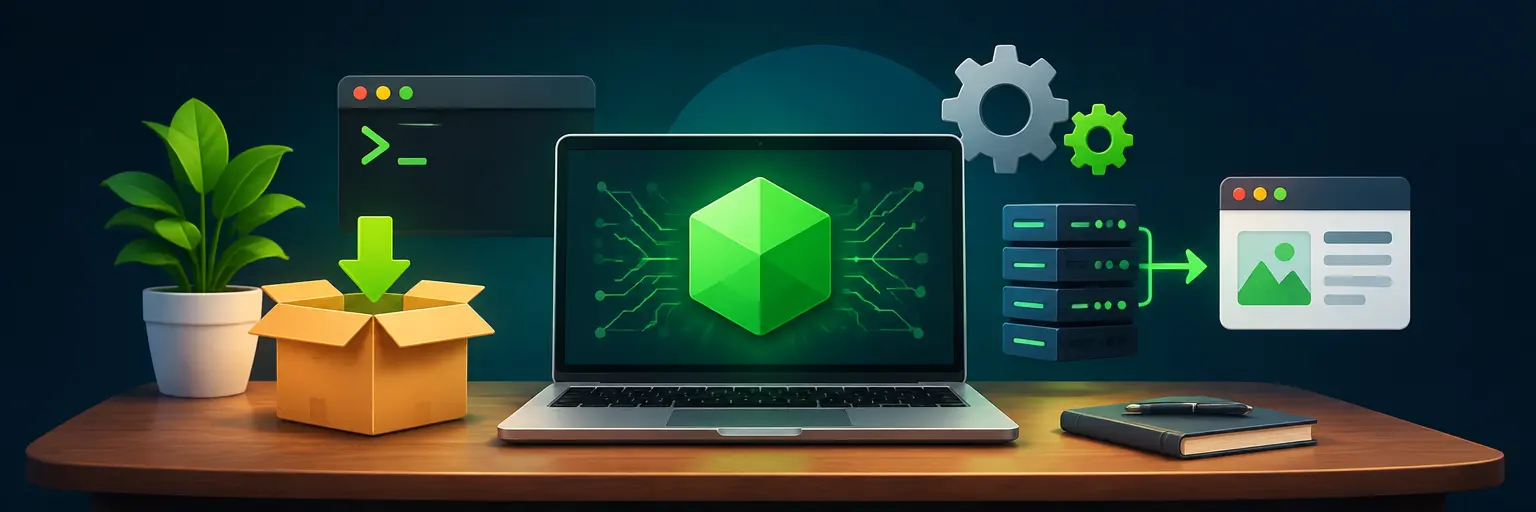
Ready to dive into Node.js? This quick-start guide walks you through installing Node.js on Windows, macOS, or Linux, and introduces core concepts like the event-driven, non-blocking I/O model, the npm package manager, and your first HTTP server. Perfect for beginners, this tutorial uses real code examples and hands-on exercises to get you from zero to running scripts in minutes—no prior backend experience required. Master the essentials, from variables and modules to asynchronous callbacks, and unlock the power of full-stack JavaScript with confidence. 🚀 Start your Node journey here!
😊 This beginner-friendly guide simplifies Node.js installation and module management. Learn how to install Node.js modules easily, empowering you to build JavaScript…
Read article
😊 Unleash the power of server-side JavaScript! This tutorial provides a beginner-friendly guide to installing Node.js, demystifying the setup process and opening…
Read article
😊 This beginner-friendly guide provides a step-by-step walkthrough on how to install Node.js, setting up your environment for JavaScript development. Master JavaScript…
Read articleWelcome to the foundational step in your full-stack JavaScript journey! This subcategory is designed specifically for those who have dabbled in browser-based JavaScript and are ready to expand into server-side development. Here, we demystify Node.js, guiding you from a clean slate to running your first server script. You’ll learn not just *how* to install Node.js on Windows, macOS, or Linux, but also the core concepts of the runtime environment, event-driven architecture, and the npm ecosystem—all presented with the clarity and step-by-step approach that LearnJavaScriptQuickly is known for. Let’s bridge the gap between front-end knowledge and back-end power.
Getting Node.js installed is your first practical milestone. In this section, we walk you through the official installers for Windows (MSI), macOS (pkg), and Linux (via NodeSource or package managers like apt). You’ll learn to verify your installation using the terminal command node -v and npm -v, ensuring both the runtime and package manager are correctly set up. We also cover using Node Version Manager (nvm) for managing multiple Node versions—a critical skill for working across different projects or legacy codebases.
Beyond installation, we address common pitfalls such as PATH environment variable issues, permission errors on Unix-based systems, and how to safely upgrade or uninstall. For those on Windows, we explore Windows Subsystem for Linux (WSL) as a recommended alternative for a more robust development environment. By the end, you’ll have a fully functional Node.js setup, ready for your first script, with the confidence to troubleshoot any installation hiccup independently.
Node.js differs fundamentally from browser JavaScript because of its event-driven, non-blocking I/O model. Here, we break down the event loop—the heart that allows Node to handle thousands of concurrent connections efficiently. You’ll understand callbacks, the microtask queue, and why “non-blocking” is a superpower for building scalable APIs. We also introduce the CommonJS module system, teaching you to export and require your own code, which is essential for organizing a project.
We also explore Node’s built-in globals like process (for environment variables and system info), __dirname (the current directory path), and the console object with its advanced methods for debugging. This section will demystify how Node’s runtime works under the hood, so you don’t just write syntax—you understand why the code behaves the way it does. You’ll even create a small module-based demo to solidify the concept of reusable code.
npm (Node Package Manager) is your gateway to a universe of open-source libraries. Starting from the basics, we show you how to initialize a new project with npm init, generating a package.json file. You’ll learn the difference between dependencies (for production) and devDependencies (for development tools). We guide you through installing your first packages, such as express, nodemon for auto-restarting your server, and dotenv for managing environment secrets.
We also cover essential npm commands like npm install, npm uninstall, and npm update, along with understanding the node_modules folder and semantic versioning (^, ~, exact). You’ll learn to read and craft your own scripts inside package.json (e.g., “start”, “dev”) to automate common tasks. By mastering npm early, you save countless hours and make your projects maintainable, collaborative, and production-ready.
Let’s translate theory into action! In this section, we create your very first HTTP server with Node’s built-in http module. We’ll write a script that responds with “Hello World” and teach you how to run it using node server.js. You’ll learn about the request (req) and response (res) objects, setting headers, and sending different content types (HTML, JSON, text). This is your launchpad into building web servers without external frameworks, giving you a raw understanding of the underlying mechanics.
From there, we extend the example to handle different URLs and methods (GET, POST) using conditional routing—a stepping stone to full MVC frameworks like Express (covered later in the category). We also introduce the concept of port and localhost, and how to use environment variables to make your server configurable. By the end, you’ll have a functional web server that you built from scratch, and the confidence to experiment with adding more routes, queries, and even a simple file-serving function.
To code like a pro, you need more than just the runtime. This section covers the essential tooling suite: ESLint for catching code errors and enforcing style, Prettier for consistent formatting, and nodemon for live reloading during development. We also guide you through using VS Code (or your preferred editor) with Node.js-specific extensions, like the Node Debugger for breakpoint debugging, and the REST Client for testing APIs directly.
We stress best practices from day one: organizing your code into logical folders, writing small, focused functions, using meaningful variable names, and handling asynchronous errors with try/catch or .catch. You’ll also learn to check the official Node.js documentation effectively and how to search for community solutions without falling into copy-paste traps. These habits will serve you through the entire JavaScript ecosystem, making your transition to Express, React, and full-stack projects smoother and more professional.
No development journey is complete without debugging skills. Here, we introduce the built-in Node.js debugger using node inspect, as well as the more user-friendly Visual Studio Code debugging interface. You’ll learn to set breakpoints, step through code, inspect variables, and watch the call stack—turning a frustrating bug hunt into a systematic process. We also cover using the console.trace() and console.time() methods for performance checks.
We troubleshoot common beginner errors: syntax errors from typos, “Cannot find module” issues, and unexpected behavior due to asynchronous timing. You’ll learn to read stack traces like a detective, interpret the 'Error: EADDRINUSE' (port already in use) message, and resolve it by killing the process or changing ports. Armed with these techniques, you’ll reduce debugging time by half and become more autonomous in solving future challenges, a critical skill for any full-stack developer.
JavaScript is a programming language that runs in browsers to make web pages interactive. Node.js is a runtime environment that allows JavaScript to run outside the browser, on servers, enabling backend development. They share syntax, but Node adds server-specific features like file system access, networking, and HTTP—making it a full-stack tool.
No, HTML and CSS are not prerequisites for Node.js core concepts. However, if you plan to build full-stack apps, later you’ll need them for front-end views. For now, focus on JavaScript fundamentals and understanding asynchronous programming—those are the true keys to Node mastery.
On Windows, use the Control Panel to uninstall the Node.js program, then manually remove any leftover folders like C:\Program Files\nodejs. On macOS, run sudo rm -rf /usr/local/bin/node and related directories. For Linux, use your package manager (e.g., sudo apt remove nodejs). Always check for nvm installed versions too.
It means Node doesn’t wait for operations like file reads or network requests to finish before moving to the next task. Instead, it executes a callback when the operation completes. This allows Node to handle many concurrent events without slowing down, making it highly efficient for I/O-heavy applications like APIs or chat services.
Not directly. npm requires internet access to fetch packages from the registry. However, you can create a local offline cache by running npm install --offline if you’ve previously installed those packages, or you can manually copy the node_modules folder from another project, though that’s discouraged due to version conflicts.