
DOM Manipulation & Interactive UI Development
Master the art of building dynamic, interactive web experiences with our comprehensive guide to DOM Manipulation & Interactive UI Development at LearnJavaScriptQuickly. From the fundamentals of the Document Object Model—mastering selectors like getElementById and querySelector—to advanced techniques like event delegation, custom events, and efficient rendering, you'll learn to create responsive, accessible interfaces that users love. Dive deep into Web Components and Shadow DOM for truly reusable, encapsulated UI elements, and harness the power of requestAnimationFrame for silky-smooth animations. Optimize performance, manage browser storage, and implement rich features like drag-and-drop and dynamic canvas graphics—all with pure vanilla JavaScript. Whether you're manipulating attributes, handling form inputs, or ensuring accessibility (A11y) in every interaction, our step-by-step tutorials and practical projects equip you with the skills to transform static pages into lively, high-performance applications. Unlock the potential of interactive UI development and write cleaner, smarter code today.
 Advanced DOM Manipulation Techniques - Performance and Efficiency
 Styling DOM Elements with JavaScript - Inline Styles and Classes
 Working with Canvas and SVG for Dynamic Graphics
 Form Handling in JavaScript - Getting User Input
 Modifying DOM Elements - createElement, appendChild, removeChild
 Accessibility Considerations in DOM Manipulation
 UI Performance Optimization - Rendering and Responsiveness
 Drag and Drop Functionality with JavaScript
 Working with DOM Attributes and Properties
 Animation Techniques in Vanilla JavaScript - requestAnimationFrame
 DOM Events - Click, Mouseover, Keypress
 Introduction to Vanilla JavaScript UI Libraries and Components
 Working with Browser Storage - localStorage and sessionStorage
 Advanced Event Handling Patterns - Custom Events and Event Delegation
 DOM Selectors - getElementById, querySelector, querySelectorAll
 Event Listeners and Event Handlers in JavaScript
 DOM Traversal and Navigation - Parent, Children, Siblings
 Introduction to the Document Object Model (DOM)
 Event Propagation and Bubbling in the DOM
 Shadow DOM and Encapsulation in Web Components
 Web Components - Creating Reusable UI Elements
 Accessibility (A11y) in JavaScript UI Development
## Introduction to DOM Manipulation & Interactive UI Development Welcome to the core of what makes web pages come alive! This category is your gateway to mastering the art of dynamically changing web content using JavaScript. Whether you're a beginner taking your first steps with the Document Object Model (DOM) or an intermediate developer aiming to build advanced interactive interfaces, this comprehensive collection of tutorials and exercises is designed to accelerate your learning. Dive deep into everything from basic element selection to complex custom events, and transform static HTML into engaging, responsive user experiences.
Accessibility (A11y) in JavaScript UI Development
This subcategory focuses on ensuring your dynamic interfaces are usable by everyone, including those relying on screen readers or keyboard navigation. You'll learn how to manage ARIA attributes, handle focus order, and announce dynamic content changes properly. Expect practical examples on making modals, dropdowns, and live regions fully accessible, which is crucial for professional-grade development and SEO rankings.
Web Components - Creating Reusable UI Elements
Master the modern approach to building encapsulated, reusable UI pieces with Custom Elements and the Web Components standard. This section covers defining your own HTML tags, lifecycle callbacks, and composing components that work seamlessly across frameworks. You'll create robust toolkits that simplify large-scale projects and promote code reuse.
Shadow DOM and Encapsulation in Web Components
Here, you'll unlock the power of Shadow DOM to shield your component's internal styles and structure from external interference. Learn how to attach shadow roots, manage slot-based content distribution, and achieve true style isolation. This enhances maintainability and prevents CSS conflicts, making your UI components more reliable.
Event Propagation and Bubbling in the DOM
Understand the invisible journey of events through the DOM tree with event capture and bubbling phases. This subcategory explains how events travel from target elements to the root, and how to control that flow using `stopPropagation()` and `preventDefault()`. This knowledge is essential for debugging complex interactions and building efficient event systems.
Introduction to the Document Object Model (DOM)
Start from the ground up by grasping what the DOM actually is—a tree-like representation of your HTML document. Explore node types, relationships, and how JavaScript interacts with this live structure. This foundational module sets the stage for all advanced manipulation, ensuring you have a rock-solid base.
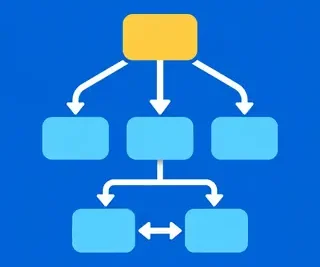
DOM Traversal and Navigation - Parent, Children, Siblings
Learn to move efficiently between DOM nodes using properties like `parentNode`, `childNodes`, `nextSibling`, and `previousSibling`. This subcategory equips you to navigate the tree without constantly querying, improving performance and readability. You'll practice traversing complex structures to find and modify elements dynamically.
Event Listeners and Event Handlers in JavaScript
Dive into the core of interactivity—attach behavior to user actions using `addEventListener` and `on`-handlers. This section covers listener options, removing listeners, and the `event` object properties. Expect exercises that build responsive buttons, forms, and menus, with clear explanations of best practices for clean and maintainable code.
DOM Selectors - getElementById, querySelector, querySelectorAll
Master the art of finding elements quickly and accurately using CSS selectors and ID-based methods. This subcategory compares `getElementById` with the more flexible `querySelector`, and demonstrates how to target groups with `querySelectorAll`. You'll learn selection strategies that boost performance and make your code more expressive.
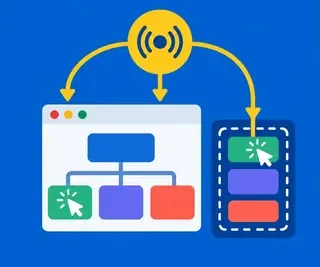
Advanced Event Handling Patterns - Custom Events and Event Delegation
Elevate your event game by creating custom events with `new CustomEvent()` and using event delegation to handle many elements efficiently. This section teaches patterns that reduce memory usage and simplify dynamic content. You'll implement robust architectures for lists, tables, and interactive dashboards.
Working with Browser Storage - localStorage and sessionStorage
Persist user data across sessions with `localStorage` and temporary data in `sessionStorage`. Learn to store, retrieve, and remove key-value pairs while handling JSON serialization and storage limits. This subcategory includes practical projects like saving form inputs or theme preferences, enhancing user experience.
Introduction to Vanilla JavaScript UI Libraries and Components
Discover how to build lightweight UI components without heavy frameworks. This module covers modular patterns, state management, and simple rendering techniques. You'll create accordions, tabs, and carousels from scratch, gaining the confidence to write efficient, dependency-free code.
DOM Events - Click, Mouseover, Keypress
Get hands-on with the most common user-triggered events: clicks, mouseover, and keypress. This subcategory explains each event type, including their properties and typical use cases. With mini-projects like hover effects and keyboard shortcuts, you'll quickly apply this knowledge to real-world interactions.
Animation Techniques in Vanilla JavaScript - requestAnimationFrame
Create smooth, hardware-accelerated animations using `requestAnimationFrame` instead of `setInterval`. Learn to control frame rates, pause and resume animations, and build easing effects. This section is perfect for those wanting performant motion without CSS limitations, enhancing your UI's visual appeal.
Working with DOM Attributes and Properties
Differentiate between HTML attributes and DOM properties, and learn when to use `getAttribute`/`setAttribute` versus direct property access. This subcategory covers data attributes, custom properties, and handling standard attributes like `class` and `style`. You'll avoid common pitfalls and manipulate elements more efficiently.
Drag and Drop Functionality with JavaScript
Implement intuitive drag-and-drop interactions using the HTML5 Drag and Drop API. You'll explore draggable elements, drop zones, and managing drag events like `dragstart` and `drop`. This section includes building sortable lists and file upload interfaces, making your UIs more interactive.
UI Performance Optimization - Rendering and Responsiveness
Optimize your DOM updates to ensure 60fps rendering and buttery-smooth interactions. Learn about reflows, repaints, and techniques like document fragments and batching updates. This module is crucial for avoiding jank and creating professional-grade applications that retain users.
Accessibility Considerations in DOM Manipulation
This subcategory goes beyond basics, focusing on semantic HTML, focus management, and screen-reader-friendly updates. You'll learn to use `aria-live` regions, ensure keyboard operability, and test with tools like Lighthouse. Creating inclusive UI is both ethically correct and beneficial for SEO.
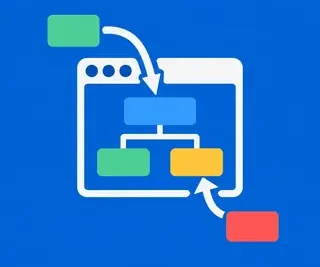
Modifying DOM Elements - createElement, appendChild, removeChild
Build dynamic content by creating new nodes with `createElement` and inserting them using `appendChild`, `insertBefore`, or `replaceChild`. This section also covers removing elements with `removeChild` and `remove()`. You'll practice constructing DOM trees programmatically for data-driven interfaces.
Form Handling in JavaScript - Getting User Input
Master form validation, submission handling, and extracting user input. This subcategory covers `FormData`, input events, and preventing default behavior. You'll build interactive forms with real-time feedback, error messages, and success states, ensuring a smooth user journey.
Working with Canvas and SVG for Dynamic Graphics
Unlock dynamic graphics using Canvas for pixel-based drawing and SVG for scalable vector visuals. Learn to draw shapes, handle events on canvas, and manipulate SVG attributes. This section is ideal for data visualization, games, or custom graphics that elevate your UI.
Styling DOM Elements with JavaScript - Inline Styles and Classes
Control the visual appearance by manipulating inline styles (`element.style.color`) and toggling CSS classes with `classList`. This subcategory covers setting animations, transitions, and responsive styles dynamically. You'll create theme toggles and interactive visual feedback with ease.
Advanced DOM Manipulation Techniques - Performance and Efficiency
Round off your learning with advanced patterns like virtual DOM diffing, batching updates, and using `DocumentFragment` for mass insertions. This module also explores `requestIdleCallback` and avoiding layout thrashing. You'll produce production-ready code that scales and performs exceptionally.
Frequently Asked Questions
What is the best way to select multiple elements with the same class?
Use `document.querySelectorAll('.your-class')` which returns a NodeList. You can iterate using `forEach()` (except older browsers) or convert with `Array.from()`. To improve performance, cache the NodeList if it's used repeatedly, and consider event delegation for handling many elements.
How do I prevent event bubbling from affecting parent elements?
Call `event.stopPropagation()` inside the event handler. This stops the event from traveling further up the DOM tree. Alternatively, use `event.stopImmediatePropagation()` to also halt other listeners on the same element. Remember that capture phase can be controlled by passing `true` as the third argument to `addEventListener`.
What is the difference between localStorage and sessionStorage?
Both store key-value pairs, but `localStorage` persists data even after the browser is closed, while `sessionStorage` clears data when the tab is closed. Use `localStorage` for long-term preferences and `sessionStorage` for temporary state. Remember to check for storage availability and handle quota exceed errors.
How can I improve performance when updating many DOM elements?
Batch your updates using a `DocumentFragment` to insert multiple elements in one operation. Alternatively, use `requestAnimationFrame` to avoid layout thrashing. Also, cache DOM references, avoid reading offset properties repeatedly, and consider updating styles using `classList` instead of inline styles to minimize reflows.
Is it safe to use document.write for dynamic content?
No, avoid `document.write` as it can overwrite the entire page and is inefficient. Instead, use modern techniques like `createElement`, `innerHTML`, or `insertAdjacentHTML`. These methods offer better control and performance. For security, always escape user input when using innerHTML to prevent XSS attacks.