
Full-Stack JavaScript & Modern Frameworks
Master full-stack JavaScript with our hands-on guides covering everything from Node.js fundamentals to advanced React state management with Redux, Zustand, and Jotai. Build production-ready apps using Express, NestJS, or Fastify, integrate MongoDB and PostgreSQL, and secure your stack with best practices in authentication and data validation. 🚀 Dive into server-side rendering with Next.js, Nuxt, and Remix, master REST and GraphQL APIs, and implement robust end-to-end testing. Whether you’re starting with your first Node.js server or optimizing component performance, our step-by-step tutorials, real-world projects, and practical exercises help you go from zero to deployment quickly. 🌟 Unlock the power of JavaScript across the entire stack—client, server, and database—with clear, actionable content designed for rapid skill-building.
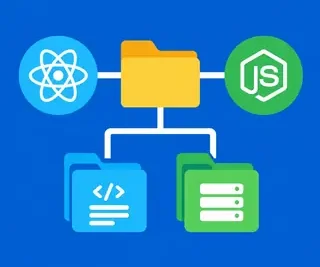 Building Full-Stack Applications with React and Node.js - Project Structure
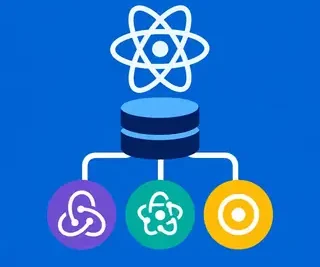 State Management Solutions in React - Redux Toolkit, Recoil, Jotai
 Introduction to Express.js Framework - Building Web Servers
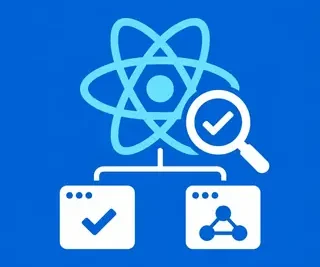 Testing React Applications - Unit and Integration Testing
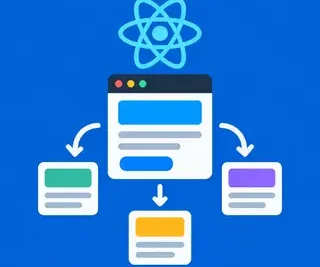 React Components and JSX in Detail - Building Reusable UI
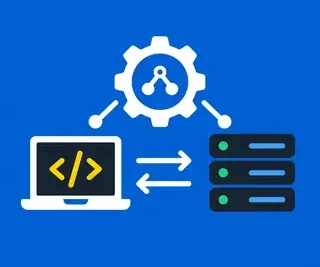 REST API Development with Node.js and Express - Practical Guide
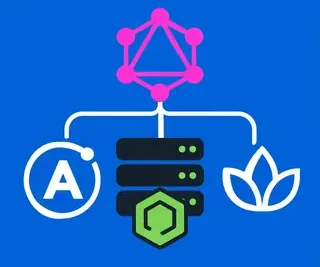 GraphQL Backends with Node.js - Apollo Server and GraphQL Yoga
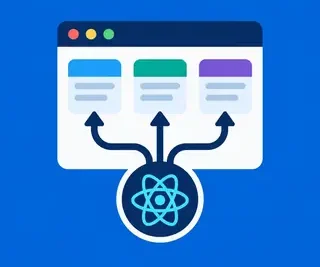 React Routing and Navigation - Building Single-Page Applications
 React State Management - useState and useContext Hooks
 Database Integration with Node.js - MongoDB and PostgreSQL
 Database Technologies for Full-Stack JavaScript - NoSQL and SQL Deep Dive
 JavaScript Backend Frameworks Beyond Express - Koa, NestJS, Fastify
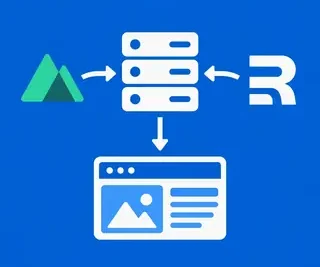 Server-Side Rendering (SSR) Frameworks Beyond Next.js - Nuxt.js and Remix
 Node.js Modules and NPM - Managing Dependencies
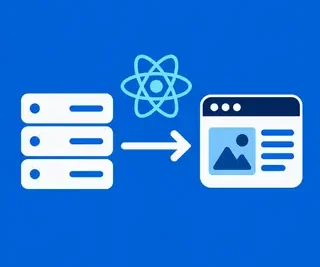 Server-Side Rendering (SSR) with React - Next.js Introduction
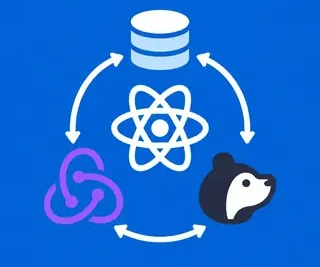 Advanced State Management in React - Redux and Zustand
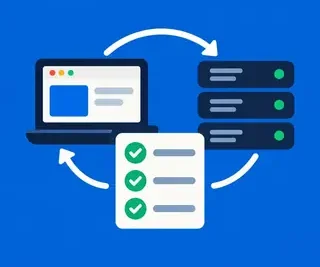 End-to-End Testing for Full-Stack JavaScript Applications
 Security Best Practices for Full-Stack JavaScript Applications
 React.js Fundamentals - Components and JSX Basics
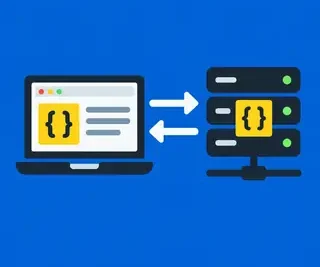 Introduction to Full-Stack JavaScript Development - Client and Server
 Getting Started with Node.js - Installation and Basic Concepts
 DevOps and Deployment for Full-Stack JavaScript Applications
Master Full-Stack JavaScript & Modern Frameworks
Welcome to LearnJavaScriptQuickly’s dedicated hub for Full-Stack JavaScript & Modern Frameworks. Whether you are a beginner taking your first steps with Node.js or an intermediate developer aiming to master React, Next.js, databases, and deployment, this category is your roadmap. Here, you’ll find step-by-step tutorials, practical exercises, and real-world projects that transform theory into working applications. From client-side UI to server-side logic, security, testing, and DevOps, each subcategory is crafted to accelerate your journey toward building complete, production-ready web apps.
🚀 Introduction to Full-Stack JavaScript Development - Client and Server
This foundational subcategory demystifies the architecture of modern web applications. You will grasp how the client (frontend) communicates with the server (backend) using JavaScript on both ends. Expect clear explanations of HTTP requests, JSON, and the synergy between React and Node.js. By the end, you’ll visualize the full data flow—from user interaction to database response—essential for any aspiring full-stack developer.
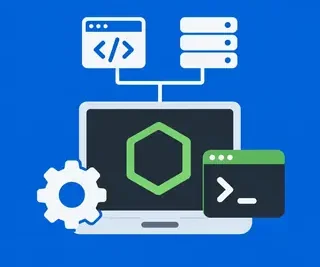
🛠️ Getting Started with Node.js - Installation and Basic Concepts
Dive into the runtime that powers server-side JavaScript. This section covers installing Node.js on Windows, macOS, and Linux, then walks you through the event loop, callbacks, and asynchronous programming. You’ll write your first server scripts, understand npm, and explore built-in modules like fs and http. Perfect for absolute beginners, this ensures you have a solid Node foundation before tackling frameworks.
📦 Node.js Modules and NPM - Managing Dependencies
Learn to organize your code with CommonJS and ES6 modules. This subcategory explains how to create, import, and export modules, and how to leverage the NPM registry to install, update, and audit packages. You’ll master package.json, semantic versioning, and scripts for automation. Practical examples show how to build a modular project structure—critical for maintaining scalable full-stack applications.
🌐 Introduction to Express.js Framework - Building Web Servers
Express is the most popular Node.js backend framework. Here, you’ll set up routing, middleware, and request handlers to build robust RESTful APIs. Expect hands-on lessons on serving static files, handling query parameters, and parsing JSON bodies. You’ll also learn error handling and best practices for structuring Express apps. By the end, you can create a simple yet functional web server from scratch.
⚛️ React.js Fundamentals - Components and JSX Basics
Start your frontend journey with React components and JSX syntax. This subcategory teaches you to break down UI into reusable pieces, manage props, and render dynamic content. You’ll understand the virtual DOM and how state updates trigger re-renders. Simple examples—like a counter or a todo list—will cement your understanding, preparing you for more advanced state and routing topics later.
🔁 React Components and JSX in Detail - Building Reusable UI
Go beyond basics with a deep dive into functional vs. class components, conditional rendering, lists, and event handling. You’ll master composition and prop drilling patterns to build maintainable component hierarchies. This section also covers PropTypes and default props for code safety. Real-world examples—like a modal or a dropdown—show you how to maximize reusability across your applications.
💾 React State Management - useState and useContext Hooks
Manage local and global state without third-party libraries. Here, useState handles component-specific data, while useContext provides a way to share values across the component tree. You’ll build a theme switcher and user authentication context to see these hooks in action. This subcategory emphasizes simplicity, teaching you when to lift state up and when context is overkill—a critical skill for cleaner apps.
🧠 Advanced State Management in React - Redux and Zustand
When your app grows, advanced state solutions shine. This section introduces Redux Toolkit with slices, reducers, and thunks, as well as the lighter Zustand with its minimal boilerplate. You’ll compare their trade-offs, set up a global store, and handle async actions. Practical projects—like a shopping cart or a task board—demonstrate how to manage complex state flows efficiently and predictably.
🧮 State Management Solutions in React - Redux Toolkit, Recoil, Jotai
Explore the wider ecosystem of state libraries beyond Redux and Zustand. This subcategory covers Recoil with its atom and selector model, and Jotai, which focuses on atomic state. You’ll learn when each tool shines, how to integrate them with existing React apps, and how to test them. By comparing multiple approaches, you’ll make informed choices for your future projects—whether you need fine-grained control or simplicity.
🧭 React Routing and Navigation - Building Single-Page Applications
Create multi-view SPAs with React Router. This subcategory teaches dynamic routing, nested routes, protected routes, and navigation links. You’ll handle query parameters, route guards for authentication, and lazy loading for performance. A full example—like a blog with post pages and admin areas—will show you how to build a seamless, user-friendly navigation experience that updates the URL without full page reloads.
🖥️ Server-Side Rendering (SSR) with React - Next.js Introduction
Improve SEO and initial load times with Next.js. This section introduces file-based routing, getServerSideProps, and getStaticProps. You’ll understand the difference between SSR, SSG, and client-side rendering, and when to use each. Steps include setting up a Next.js project, fetching data server-side, and deploying to Vercel. By the end, you can convert a React app into a fast, SEO-friendly Next.js application.
🌐 Server-Side Rendering (SSR) Frameworks Beyond Next.js - Nuxt.js and Remix
Broaden your SSR toolkit with Nuxt.js (Vue-based) and Remix (React-based). This subcategory contrasts their conventions, data loading patterns, and deployment options. You’ll learn Nuxt’s universal mode and Remix’s nested routes and error boundaries. Comparative tutorials help you choose the right framework for your stack—whether you prefer Vue’s simplicity or React’s ecosystem—while mastering SSR concepts applicable across frameworks.
🗄️ Database Technologies for Full-Stack JavaScript - NoSQL and SQL Deep Dive
Understand the data layer that stores your app’s information. This section compares NoSQL (MongoDB, Firestore) with SQL (PostgreSQL, MySQL), covering schemas, indexing, and query languages. You’ll explore ACID vs. BASE consistency, scalability trade-offs, and ORM/ODM tools like Mongoose and Prisma. Practical scenarios—like e-commerce inventories or social feeds—teach you when to choose a document store versus relational tables.
🔌 Database Integration with Node.js - MongoDB and PostgreSQL
Connect your Node.js backend to real databases. Here, you’ll set up MongoDB Atlas and local PostgreSQL, write CRUD operations, and handle connection pooling. You’ll use Mongoose for Mongo schemas and pg or an ORM for Postgres. Lessons include error handling, data validation, and safe query building to prevent injection. Example projects—like a user profile API—demonstrate seamless database integration in Express.
🔧 REST API Development with Node.js and Express - Practical Guide
Build production-quality REST APIs step by step. This subcategory covers CRUD endpoints, proper status codes, and middleware for logging, authentication, and validation. You’ll structure routes, controllers, and services for maintainability. Learn to handle pagination, filtering, and file uploads. A complete project—like a task manager API—will guide you through testing with Postman and documenting with Swagger, ensuring your backend is robust and user-friendly.
📡 GraphQL Backends with Node.js - Apollo Server and GraphQL Yoga
Escape REST’s over-fetching with GraphQL. This section introduces schema definitions, resolvers, and queries/mutations. You’ll set up Apollo Server with Express and explore GraphQL Yoga as an alternative. Learn about subscriptions for real-time features, input types, and error handling. A practical example—like a book library API—shows how to design a flexible endpoint where clients request exactly the data they need.
🔐 Security Best Practices for Full-Stack JavaScript Applications
Protect your apps from common vulnerabilities. This subcategory covers OWASP Top 10 issues: XSS, CSRF, SQL injection, and insecure dependencies. You’ll implement HTTPS, sanitize inputs, use helmet.js, and manage sessions securely. Learn about JWT vs. cookies, password hashing with bcrypt, and rate limiting. Real-world checklists help you audit both frontend and backend, ensuring your full-stack projects are safe for production.
🧪 End-to-End Testing for Full-Stack JavaScript Applications
Ensure your entire stack works together flawlessly. This section introduces Cypress and Playwright for simulating user interactions across the client and server. You’ll write tests for login flows, API calls, and UI updates. Understand how to mock external services and use test databases. Comprehensive examples—like testing a checkout process—guide you through setting up CI pipelines for automated e2e tests, catching regressions before they reach users.
🧪 Testing React Applications - Unit and Integration Testing
Master the tools to keep your React code reliable. Here, Jest and React Testing Library are your main allies. You’ll write unit tests for components, hooks, and utilities. Integration tests ensure components work together, simulating user events. Learn to mock APIs and use snapshots effectively. The subcategory includes tips for testing state management and routing, empowering you to deliver bug-free frontend features with confidence.
🏗️ Building Full-Stack Applications with React and Node.js - Project Structure
Bring everything together with a scalable project architecture. This final subcategory outlines monorepo vs. separate repos, shared types, and environment variables. You’ll structure folders for client, server, and shared, and implement a scripted build process. A capstone project—like a social media clone—integrates React, Express, MongoDB, and auth, showing you how to organize code, manage CI/CD, and deploy to platforms like Heroku or AWS.
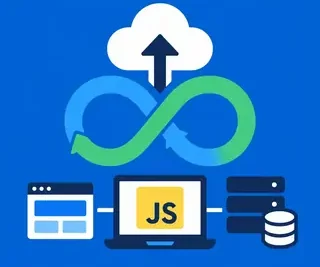
🚢 DevOps and Deployment for Full-Stack JavaScript Applications
Take your app from localhost to the world. This subcategory covers Docker for containerizing your frontend and backend, plus CI/CD pipelines with GitHub Actions. You’ll deploy to Vercel, Netlify, or a VPS using Nginx. Learn about environment configuration, logging, and monitoring with tools like Sentry. Practical guides for load balancing and scaling your Node.js app ensure your deployment is as robust as your code.
Frequently Asked Questions
Do I need to learn both React and Node.js to be a full-stack JavaScript developer?
Yes, understanding both is essential because they cover the two halves of your application. React handles the visual user interface and interactions, while Node.js (with Express) manages server logic, API endpoints, and data processing. However, you can start with one and gradually learn the other—this category is designed to support you at every step, from basic Node concepts to advanced React state.
What is the fastest way to get started with full-stack JavaScript for a complete beginner?
Begin with “Getting Started with Node.js” and “React.js Fundamentals” simultaneously. These give you the core syntax and environment setup. Then, build a simple project like a todo app with React and a basic Express server. Follow the “Building Full-Stack Applications” subcategory for a structured example. Consistency and coding daily are more important than speed—aim for small, practical exercises over long theory sessions.
Should I use Next.js instead of plain React for my full-stack project?
Next.js is ideal for applications that need SEO, faster first renders, or static site generation. If your project is a public-facing website or blog, Next.js is a great choice. For highly interactive tools or apps behind a login, plain React with a separate Express API may suffice. The course covers both, so you can compare and choose based on your specific requirements and hosting preferences.
What is the difference between MongoDB and PostgreSQL, and which should I learn first?
MongoDB stores data in flexible JSON-like documents, making it quick to prototype and scale horizontally. PostgreSQL uses rigid tables and relationships, which is better for complex queries and transactions. Learning MongoDB first is often easier because its schema is flexible. However, PostgreSQL is more traditional and valuable for enterprise. Start with MongoDB for personal projects, then learn PostgreSQL once you’re comfortable with CRUD operations.
How can I secure my full-stack JavaScript application from common attacks?
Always validate and sanitize user inputs on the server, use parameterized queries to prevent SQL injection, and set HTTP headers with helmet.js. Never store plain-text passwords—use bcrypt hashing. For authentication, use secure JWT storage (HttpOnly cookies) and implement rate limiting against brute-force attacks. Regularly update your npm packages and run security audits. The “Security Best Practices” subcategory provides a complete, step-by-step checklist for implementation.